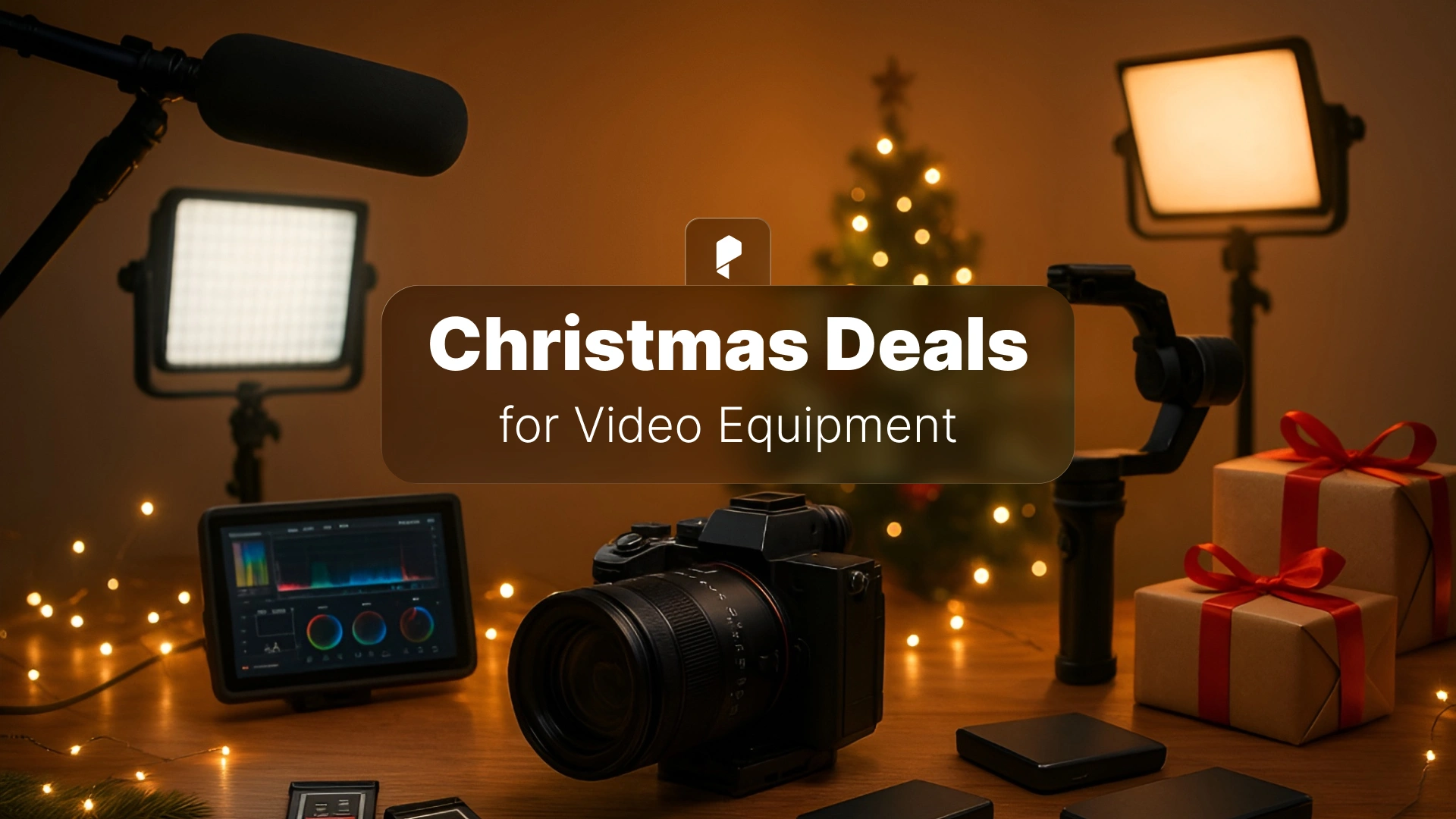
Christmas Deals for Physical Video Production and Editing Equipment
Christmas isn’t just eggnog and wrapping paper for video creators. It’s the single best window of the year to upgrade your hardware without the buyer’s remorse. Retailers clear inventory. Manufacturers push out new models and discount last year’s flagships. And unlike Black Friday’s chaotic 48-hour sprint, Christmas deals stretch through early January, giving you time to research, compare, and make decisions you won’t regret in March.
This is your guide to the physical gear deals that actually matter. Cameras that’ll serve you for five years. Lighting that transforms production value overnight. Audio equipment that clients notice immediately. Storage solutions that save projects when drives fail. And the workstation tools that make 12-hour editing sessions bearable.
Looking for software, plugins, and templates instead? Check out our companion guide on Christmas deals for digital creative tools. Combined, these two guides cover everything you need to build a complete production toolkit this holiday season.
Why Christmas Is Prime Time for Video Production Hardware
Year-end inventory clearance means retailers need to move stock before Q1. That camera body that held its price all year? Suddenly 15-20% off because stores don’t want it taking up warehouse space in January. This is especially true for gear released in early 2025, now considered “last generation” even if it’s still excellent.
New model announcements happen at NAB (April) and IBC (September), but the actual releases often land in Q4 or Q1. When Sony announces the A7 V or Canon refreshes the C70, last year’s models drop in price immediately. You’re not buying outdated gear. You’re buying proven, stable equipment at a discount while early adopters pay the premium for marginal improvements.
Extended return policies during holidays mean less risk. Most major retailers offer 30-60 day returns through January. Buy that gimbal on December 10th, test it on three real shoots, and you’ve still got time to return it if it doesn’t fit your workflow. That’s a luxury you don’t get in July.
Bundle opportunities emerge that don’t exist other times of year. Camera body plus kit lens plus memory card plus bag, all for less than the body costs alone in October. These aren’t junk accessories, they’re legitimate starter kits or upgrade paths retailers package to move multiple SKUs at once.
Financing options loosen up. 0% APR for 12-18 months is common during the holidays. If you’re investing in a $3,000 camera package, spreading that across a year interest-free means you can allocate cash flow to other parts of your business while the gear pays for itself across client projects.
The math is simple. Buy smart in December and the gear serves you all through 2026. Wait until you “need” it mid-year and you’ll pay full retail while scrambling to meet a deadline.
Cameras & Lenses: The Heart of Your Setup
Cinema Cameras & DSLRs
This is where the biggest dollar amounts and the biggest value opportunities live.
Sony typically discounts their Alpha series (A7 IV, A7S III, FX3) and sometimes bundles them with Tamron or Sigma lenses. The A7 IV is the workhorse hybrid that does both stills and video at a professional level without the FX3’s price tag. Expect $200-400 off body-only pricing, or better deals when bundled with glass.
Canon moves on their EOS R series and Cinema EOS line. The R6 Mark II is an incredible all-arounder for content creators. The C70 gets modest discounts, but any price drop on a Cinema EOS camera is worth watching because Canon rarely budges on pro bodies. If you’re committed to the Canon ecosystem, Christmas is when those RF lenses see their only sales of the year.
Panasonic Lumix bodies (GH6, S5 II, S5 IIX) often see aggressive holiday pricing because they’re competing hard against Sony and Canon mindshare. The S5 II is a legitimate steal if it drops below $1,500 with a kit lens. You’re getting full-frame, excellent stabilization, and all the video specs you need for professional work.
Blackmagic Design doesn’t discount often, but their Blackmagic Pocket Cinema Camera line and URSA models occasionally see bundle deals through authorized resellers. The image quality per dollar is already strong. Any discount makes them unbeatable for narrative and commercial work where you control the environment.
What to look for: Sensor size matters less than codec support and recording limits. A Micro Four Thirds camera with 10-bit internal recording and no time limits beats a full-frame camera that overheats after 15 minutes. Check real-world reviews from working shooters, not spec sheets. And remember that the camera body is just the start. Budget for lenses, media, and batteries too.
Lenses Worth the Investment
The camera body will be obsolete in three years. Quality glass lasts a decade or more.
Prime lenses give you better image quality and wider apertures than zooms at the same price point. A 35mm f/1.8 or 50mm f/1.8 is the foundation of any kit. Shoot wide open for dreamy backgrounds or stop down to f/4 for tack-sharp interviews. Christmas is when you’ll find these under $200 from first-party manufacturers.
Zoom lenses offer flexibility for run-and-gun work. A 24-70mm f/2.8 or 24-105mm f/4 covers 90% of what content creators actually shoot. These rarely go on sale, so even a 10% discount during Christmas is significant money saved.
Third-party manufacturers (Sigma, Tamron, Rokinon) deliver 80-90% of the optical quality at 50-60% of the price. Sigma’s Art series and Tamron’s G2 lenses are sharp enough for 6K sensors and stabilized well enough for handheld work. If budget is tight, prioritize third-party glass over brand loyalty. The image your clients see doesn’t care whose logo is on the lens barrel.
Bundle deals are your friend here. Body plus kit lens is almost always cheaper than buying separately. Even if the kit lens isn’t your forever lens, it’s a working tool while you save for that f/2.8 zoom you really want.
Action Cameras & Specialty Cameras
GoPro Hero 12 and 13 see predictable holiday pricing. These are no longer just for extreme sports. They’re B-cameras for car interiors, crash cams for risky shots, and POV angles that add production value to otherwise static scenes. Under $300 makes them impulse-buy territory.
DJI Action cameras and Insta360 models compete directly with GoPro on features and often undercut on price during sales. The X3 and X4 from Insta360 offer 360-degree capture that you can reframe in post, which is a legitimate creative tool for music videos and immersive content, not just a gimmick.
These aren’t your A-camera. But when you need a specific shot and the risk or environment rules out your main camera, having a $300 action cam ready to go is cheaper than renting or risking a $3,000 cinema camera. Christmas deals make these affordable enough to justify keeping one in your kit.




Lighting Equipment: Shape Your Vision
LED Panels & Continuous Lighting
Aputure is the gold standard for LED panels. Their 120D, 300D, and 600D series are workhorses on professional sets. These rarely go on deep discount, but Christmas is when you’ll see 10-15% off, plus occasional bundles with light stands and modifiers. If you’re serious about lighting, Aputure’s build quality and color accuracy justify the premium.
Godox offers the best value in the lighting category. Their SL60, SL150, and VL series lights are 70% of Aputure’s performance at 40% of the price. For small studios and independent creators, Godox makes professional lighting accessible. When these go on sale, grab them. The output and color rendering are more than adequate for client work.
Neewer is the entry tier. The lights work, the build quality is acceptable, and the price is low enough that you can build a three-point lighting kit for what a single Aputure costs. If you’re just starting out or need backup lights, Neewer on Christmas sale is smart money.
RGB vs bi-color: RGB lights (adjustable to any color) are fun and useful for creative work, music videos, and product shots where you need specific color moods. Bi-color lights (adjustable between tungsten 3200K and daylight 5600K) are more practical for standard commercial and interview work. If you can only afford one, get bi-color first. Add RGB when your creative work demands it.
Modifiers & Light Shaping Tools
The light is only half the equation. How you shape and diffuse that light determines the final look.
Softboxes turn harsh LED panels into soft, flattering light sources perfect for interviews and portraits. A 24×24 or 36×36 softbox for your key light is non-negotiable for professional talking-head content.
Diffusers and grids let you control spill and direction. A grid keeps your light exactly where you want it instead of splashing across your entire set. Diffusion fabric softens the quality without a full softbox setup.
Reflectors and flags are the cheapest lighting tools and some of the most useful. A 5-in-1 reflector (white, silver, gold, black, diffusion) is $30-50 and solves a dozen different lighting challenges. Black flags cut unwanted light. White bounce fills shadows. Silver adds punch. Gold warms skin tones. These never break, never need power, and work forever.
Complete lighting kits bundle all this together. During Christmas sales, watch for three-light kits with stands, softboxes, and a carry case. These are designed for mobile creators who shoot in different locations weekly. If that’s your workflow, the convenience alone justifies the bundle pricing.
Audio Gear: The Underrated Game-Changer
Microphones for Every Scenario
Shotgun mics (Rode NTG series, Sennheiser MKE 600, Audio-Technica AT875R) are the workhorses for on-location dialogue and interviews. Mounted on a boom pole or on-camera, they reject off-axis noise and focus on your subject. The Rode NTG5 is the upgrade, but the NTG3 serves professional sets at half the price and sees Christmas discounts regularly.
Lavalier and wireless systems give you clean dialogue audio without a visible mic in frame. The Rode Wireless Go II is the current favorite for solo creators and small teams. Hollyland Lark series competes on price with comparable quality. These clip to talent, sync to your camera, and just work. When you’re shooting run-and-gun interviews or documentary content, wireless lavs are non-negotiable.
USB mics for voiceover and narration don’t require audio interfaces or preamps. Plug directly into your computer and start recording. The Audio-Technica AT2020 USB and Rode NT-USB are proven performers. If you do explainer videos, YouTube content, or any narration work, having a dedicated voiceover mic in your home studio streamlines the entire workflow.
Audio Recorders & Interfaces
Zoom H5, H6, and F6 recorders let you capture audio independently of your camera. This means better preamps, better control, and redundancy if something fails. The F6 is the pro option with 32-bit float recording (basically impossible to clip or distort). The H5 is the budget-friendly workhorse that still outputs broadcast-quality audio. Christmas sales make these affordable for independent creators who previously rented.
Audio interfaces (Focusrite Scarlett, PreSonus, Universal Audio, Teenage Engineering) connect your XLR mics to your computer for recording. If you do voiceover work or podcast content in addition to video, a solid interface is essential. The Scarlett 2i2 is the industry standard for home studios and usually sees modest holiday discounts.
Boom poles and shock mounts keep your shotgun mics isolated from handling noise and positioned exactly where you need them. A decent boom pole is $50-100 and changes how you capture dialogue on set. Pair it with a Rycote or Rode shock mount and you’re operating at the same level as professional sound recordists.
Headphones & Studio Monitors
Reference monitoring means hearing your audio accurately during recording and editing, not hearing what sounds “good” with hyped bass and treble.
Closed-back headphones (Sony MDR-7506, Audio-Technica ATH-M50x) are the standard for on-set monitoring and editing. They isolate external noise so you hear only your track, and they’re durable enough to survive years of professional use. The Sony 7506 has been the industry standard for 30 years for good reason.
Studio monitors (KRK Rokit, Yamaha HS, JBL 305P) give you the flattest response for mixing and mastering audio in your edit suite. If you do any original music, sound design, or color grading where audio sync matters, studio monitors reveal problems that headphones mask.



Stabilization & Support: Smooth Moves
Gimbals & Stabilizers
DJI Ronin series (RS3, RS4, RSC2) are the current leaders in gimbal stabilization. These are 3-axis motorized gimbals that keep your camera perfectly level while you walk, run, or move through a scene. The RS3 handles everything from mirrorless cameras to small cinema cameras. The RSC2 is the compact option for smaller setups. Christmas deals on DJI gimbals are rare but worth jumping on when they appear.
Zhiyun and Moza compete directly with DJI and often undercut on price. The Zhiyun Weebill and Crane series are proven performers that work with the same cameras at 20-30% less cost. If budget is tight, these are legitimate professional tools that deliver smooth footage.
Payload capacity is your key decision factor. Can the gimbal handle your camera body plus lens plus accessories (wireless video, follow focus, etc.)? Check real-world tests with your specific camera setup before buying. An underpowered gimbal struggles, overheats, and fights you on every shot.
3-axis vs 2-axis: 3-axis gimbals (pan, tilt, roll) are what you see on professional sets. 2-axis gimbals are cheaper but can’t compensate for roll (horizon tilt), which means you need steadier hands. For professional work, pay for 3-axis.
Tripods & Monopods
Tripods are boring to buy and essential to own. Cheaping out here costs you time and frustration on every shoot.
Fluid heads vs ball heads: Fluid heads (Manfrotto, Sachtler, Benro) give you smooth panning and tilting for video. Ball heads are faster to adjust but harder to control for video motion. If you shoot any video at all, buy a fluid head tripod. If you only shoot stills, ball heads are fine.
Carbon fiber vs aluminum: Carbon fiber is lighter and more expensive. Aluminum is heavier and cheaper. For studio work where the tripod stays in one place, aluminum is fine and saves you money. For mobile shooting where you carry gear all day, carbon fiber saves your back and your energy for the actual shoot.
Travel tripods collapse small enough to fit in a carry-on bag without sacrificing stability. Peak Design, Manfrotto Befree, and Sirui make excellent travel tripods that don’t feel like compromises. If you shoot on location regularly, this is the tripod that actually comes with you instead of staying home.
Sliders, Jibs & Specialty Rigs
Motorized sliders add cinematic motion to otherwise static shots. A 2-foot slider move during an interview B-roll can elevate production value dramatically. Brands like Rhino, Edelkrone, and GVM offer motorized options that sync with your camera for time-lapses and programmed moves. Christmas deals make these accessible for creators who previously couldn’t justify the cost.
Manual sliders do the same thing with your hands providing the motion. Cheaper, more portable, but require practice to get smooth consistent movement. A good manual slider is $100-200. A good motorized slider is $400-800. Know which your projects actually require.
When to invest in specialty movement gear: When your clients expect it or when your creative vision demands it. Otherwise, a solid tripod and a gimbal cover 95% of what most video creators need. Don’t buy gear to own gear. Buy it when not having it costs you creative opportunities or client work.
Monitors & Display Solutions
On-Camera Monitors
Atomos (Ninja V, Shinobi) are the industry standard for on-camera monitoring and recording. The Ninja V records ProRes or DNxHD directly to SSD, bypassing your camera’s internal codec and giving you edit-ready files with better quality and larger color space. The Shinobi is the monitor-only version at a lower price. Both offer waveforms, false color, focus peaking, and all the tools professional camera operators rely on.
SmallHD monitors are the high-end choice for cinema work, with brighter screens, better build quality, and advanced monitoring features. These rarely go on sale, but any Christmas discount on SmallHD is worth considering if you’re shooting at the level where these tools pay for themselves.
Portkeys and Feelworld offer budget-friendly monitoring at half the cost of Atomos. The features are similar, the brightness is adequate, and the build quality is good enough for independent creators. If budget is tight, these deliver 80% of the functionality at 50% of the cost.
Features that matter: Brightness (measured in nits) determines if you can see the screen outdoors. 1000+ nits is professional grade. Waveform and histogram monitoring help you nail exposure. Focus peaking shows exactly what’s sharp. False color reveals blown highlights and crushed shadows. These tools are standard on good monitors and essential for professional work.
Editing Suite Monitors
Color-accurate displays for post-production are just as important as the camera you shoot with. If your monitor isn’t showing accurate colors, your color grades look different on client monitors, broadcast, and streaming platforms.
BenQ, ASUS ProArt, and Dell UltraSharp series offer color-accurate monitors at prices independent creators can justify. Look for 99% sRGB or better, factory calibration, and IPS panels with wide viewing angles. The BenQ SW series are purpose-built for photo and video work with hardware calibration options.
4K vs 1080p: For editing, 4K resolution gives you more screen real estate for timelines, panels, and preview windows. Your footage might be 1080p, but your workspace benefits from the extra pixels. That said, a color-accurate 1080p monitor beats an inaccurate 4K monitor every time. Prioritize color first, resolution second.
Dual monitor setups for workflow efficiency mean your timeline and preview live on one screen while bins, scopes, and effects controls live on the second. Once you edit on dual monitors, single-screen editing feels cramped and slow. Christmas is the time to buy that second monitor you’ve been putting off.
Storage & Data Management
Memory Cards & Media
CFexpress, SD, and SSD speeds need to match your camera’s recording format. Shooting 4K 10-bit internally requires fast cards or you’ll get dropped frames and corrupted files. Check your camera’s manual for minimum card speeds and buy one tier above that for headroom.
SanDisk and Lexar are the reliable brands for SD cards. ProGrade is the premium option for CFexpress. These cards survive years of professional use. Off-brand cheap cards from Amazon fail at the worst possible moments. Save $20 on a card and risk losing a $5,000 shoot. Don’t do it.
How much storage to buy during sales: More than you think. If your camera records 150 MB/s, that’s 9 GB per minute. An hour-long interview is 540 GB. Buy 512 GB or 1 TB cards if you shoot long-form content. Buy multiple 256 GB cards if you prefer swapping cards to minimize risk of complete data loss.
External Drives & Backup Solutions
SSDs vs HDDs for editing workflows is no longer a debate. SSDs are fast enough to edit 4K natively without transcoding. HDDs are cheap enough for archival backup. Use SSDs for active projects. Use HDDs for completed projects you need to keep but won’t touch again.
Samsung T7 and SanDisk Extreme portable SSDs are the current favorites for editors. Plug into your laptop via USB-C, edit directly off the drive, unplug and go. These are fast, reliable, and affordable. Christmas deals make these impulse purchases for anyone who edits on location.
RAID arrays for professional backup mean multiple drives working together for redundancy. If one drive fails, your data survives on the other drives. Synology and QNAP make network-attached storage (NAS) systems that work like personal clouds for studios and teams. This is overkill for solo creators but essential for production companies managing terabytes of client footage.
Cloud storage subscription deals (Backblaze, Google Drive, Dropbox) often run Christmas promotions on annual plans. Cloud backup is your offsite redundancy. Studio burns down, drives get stolen, floods happen. Cloud backup means your work survives disasters. Pay for a year upfront and save 20-30% over monthly billing.
Computer Hardware for Video Editing
Graphics Cards
NVIDIA vs AMD for video editing isn’t a religious war. Both work. NVIDIA CUDA acceleration is better supported in Premiere Pro and DaVinci Resolve, especially for GPU effects and color grading. AMD is competitive on price and performance for raw rendering power. If you edit in Adobe or Resolve and use GPU effects heavily, prioritize NVIDIA. If you edit in Final Cut or work primarily with CPU effects, AMD is fine.
VRAM requirements for 4K and beyond mean 8 GB minimum, 12 GB comfortable, 16+ GB future-proof. The GPU processes effects, color grades, and timeline playback. Insufficient VRAM means dropped frames, sluggish scrubbing, and proxies when you’d rather edit natively. Christmas sales on GPUs happen, but stock fluctuates. Set up price alerts and grab deals when they appear.
GPU acceleration in Premiere Pro and DaVinci Resolve speeds up specific effects, stabilization, noise reduction, and export renders. A good GPU can cut render times by 50-70% compared to CPU-only rendering. That’s hours saved per project, which is actual money saved if you bill hourly or just want your evenings back.
RAM & Storage Upgrades
Minimum RAM for smooth editing is 32 GB. 16 GB works for 1080p, but 4K timelines with multiple layers will stutter and cache slowly. 64 GB is comfortable for 4K multi-cam or heavy After Effects compositions. 128 GB is overkill unless you’re doing VFX or 3D work. Christmas deals on RAM kits are substantial. DDR4 is cheap now that DDR5 exists. DDR5 is faster but more expensive. For most editors, DDR4 is still plenty.
NVMe SSD speeds for scratch disks and project files mean faster imports, faster cache builds, and faster exports. Your OS should live on an NVMe drive. Your active projects should live on an NVMe drive. Your footage can live on SATA SSDs or even HDDs if you’re budget-conscious. The speed difference is noticeable every single day you edit.
Upgrading your computer is less glamorous than buying a new camera, but your editing machine touches every single project you deliver. A GPU and RAM upgrade for $500 saves you more time across a year of projects than a new lens would.
Workstation Essentials: Tools for Long Editing Sessions
Professional Keyboards
Mechanical keyboards with tactile switches (Cherry MX, Gateron, etc.) give you feedback on every keypress and reduce typing errors compared to mushy membrane keyboards. The clickiness is satisfying. The durability means these last 5-10 years of daily professional use. Brands like Keychron, Ducky, and Das Keyboard make excellent mechanical keyboards that work for both typing and editing.
Macro keys and programmable shortcuts turn repetitive editing tasks into single button presses. Program frequently used effects, transitions, or export settings to dedicated keys. Elgato Stream Deck works similarly with visual buttons you can customize. Anything that saves you repetitive keystrokes saves you time and reduces RSI over thousands of edits.
Wireless vs wired reliability: Wireless keyboards clean up desk clutter. Wired keyboards never need charging and have zero input lag. For editing where you’re not moving around, wired is fine and cheaper. For mixed use or clean aesthetic setups, wireless is worth the slight premium.
Ergonomic designs like split keyboards or tented keyboards reduce wrist strain over long editing sessions. These look weird and take a week to adjust to. Then your wrists stop hurting and you wonder why you didn’t switch earlier. If you edit 6+ hours daily, ergonomics matter.
Precision Mice & Trackpads
High DPI mice let you move your cursor across multiple monitors with tiny hand movements. This reduces arm and shoulder strain compared to large sweeping motions. Gaming mice from Logitech, Razer, and Corsair are overkill for gaming but perfect for precision editing work. The sensors are accurate, the build quality is solid, and the buttons are programmable for shortcuts.
Wireless mice with long battery life mean you charge once a month instead of swapping batteries mid-edit. Logitech MX Master series is the industry standard for creative professionals. Expensive but worth every dollar for the ergonomics, precision, and battery life.
Trackballs and alternative pointing devices keep your hand stationary and move the ball with your thumb or fingers. This reduces repetitive strain for editors who work long hours. Kensington and Logitech make excellent trackballs. They look strange, they take adjustment, they’re weirdly comfortable once you adapt.
Gaming mice repurposed for editing workflows: Those extra buttons aren’t just for games. Program them for common editing shortcuts (blade tool, ripple delete, add marker, etc.). A $50 gaming mouse with six programmable buttons saves you hundreds of keyboard shortcuts daily.
Desk Setup & Ergonomics
Monitor arms and VESA mounts free up desk space and let you position monitors at the correct ergonomic height and distance. Your monitors should be at eye level, arm’s length away. Monitor arms let you adjust this precisely instead of stacking books under your display like an undergrad.
Adjustable standing desks are the single best ergonomic investment for people who work at computers all day. Sit for two hours, stand for one hour, repeat. Your back, your hips, your energy levels all improve. Brands like Fully, Uplift, and FlexiSpot make solid motorized desks. Christmas deals bring these into affordable territory for independent creators.
Cable management solutions keep your desk from looking like a server room exploded. Velcro ties, cable trays, and routing channels cost $30 total and make your workspace feel professional instead of chaotic.
Ergonomic chairs rarely go on deep discount, but when they do during Christmas, it’s worth considering. Herman Miller, Steelcase, and Secretlab make chairs designed for 8+ hour days. A good chair is $400-800. A great chair is $1000+. Your back will thank you for 10 years. If budget is tight, prioritize a standing desk first, then upgrade the chair later.
Desk lighting for color accuracy means LED bias lighting behind your monitors to reduce eye strain and neutral white lighting that doesn’t cast color tints on your workspace. BenQ ScreenBar lights mount directly on monitors and provide even, flicker-free illumination. This seems minor until you realize your eyes feel less fatigued after 10-hour editing sessions.
Accessories That Make the Difference
Camera cages and rigs protect your camera and provide mounting points for monitors, mics, and handles. SmallRig is the go-to brand for affordable, well-designed cages that fit most popular cameras.
ND filters and lens filters let you control exposure in bright conditions and shoot with wide apertures for shallow depth of field. A variable ND filter is essential for outdoor shooting. Tiffen and B+W make quality glass that won’t degrade your image.
Batteries and charging solutions because cameras eat batteries and running out mid-shoot is unprofessional. Buy third-party batteries for 1/3 the OEM cost. They work fine. Get a dual charger so you’re charging two batteries overnight.
Cable management and adapters (HDMI, USB-C, SDI, etc.) because you’ll need a cable you don’t have at the worst possible moment. Build a cable kit with common adapters and keep it in your gear bag.
Camera bags and protective cases (Pelican, Peak Design, Lowepro) protect expensive gear during transport and keep everything organized. A Pelican case survives airline baggage handling. A Peak Design backpack makes you look like a pro when you show up on client sites. Both are worth the investment.
Conclusion
The camera you buy in December 2025 shoots your client work through 2030. The lighting kit you pick up on sale transforms production value on every shoot for the next decade. The audio gear you invest in now means every interview, every testimonial, every voice-over sounds professional instead of amateur.
Smart purchases made during Christmas sales compound their value across every project you touch. That gimbal doesn’t just make one video look better. It makes every video look better for the next five years. The editing monitor doesn’t just help you grade one project accurately. It helps you grade every project accurately for as long as you own it.
Balance wants versus needs based on your actual workflow. If you’re booking three paid shoots per month, that $3,000 camera makes sense. If you’re shooting twice per year for personal projects, the $1,000 camera gets you 95% of the way there and leaves budget for lights and audio that make bigger differences.
Start your Christmas gear list today. Your 2026 projects deserve the best tools you can afford. Christmas 2025 is when those tools become accessible.
Disclaimer : If you buy something through our links, we may earn an affiliate commission or have a sponsored relationship with the brand, at no cost to you. We recommend only products we genuinely like. Thank you so much.
Blog Label:
- best Christmas deals for motion designers
- camera deals Christmas 2025
- Christmas camera equipment deals
- Christmas deals
- Christmas deals for video editors
- filmmaking gear holiday deals
- holiday video editing deals
- lighting equipment Christmas sale
- video editing hardware Christmas discounts
- video production equipment Christmas sale
- video production tools Christmas offers



Write for us
Publish a Guest Post on Pixflow
Pixflow welcomes guest posts from brands, agencies, and fellow creators who want to contribute genuinely useful content.
Fill the Form ✏