Google Forms QR Code: A Complete Guide to Using and Creating It
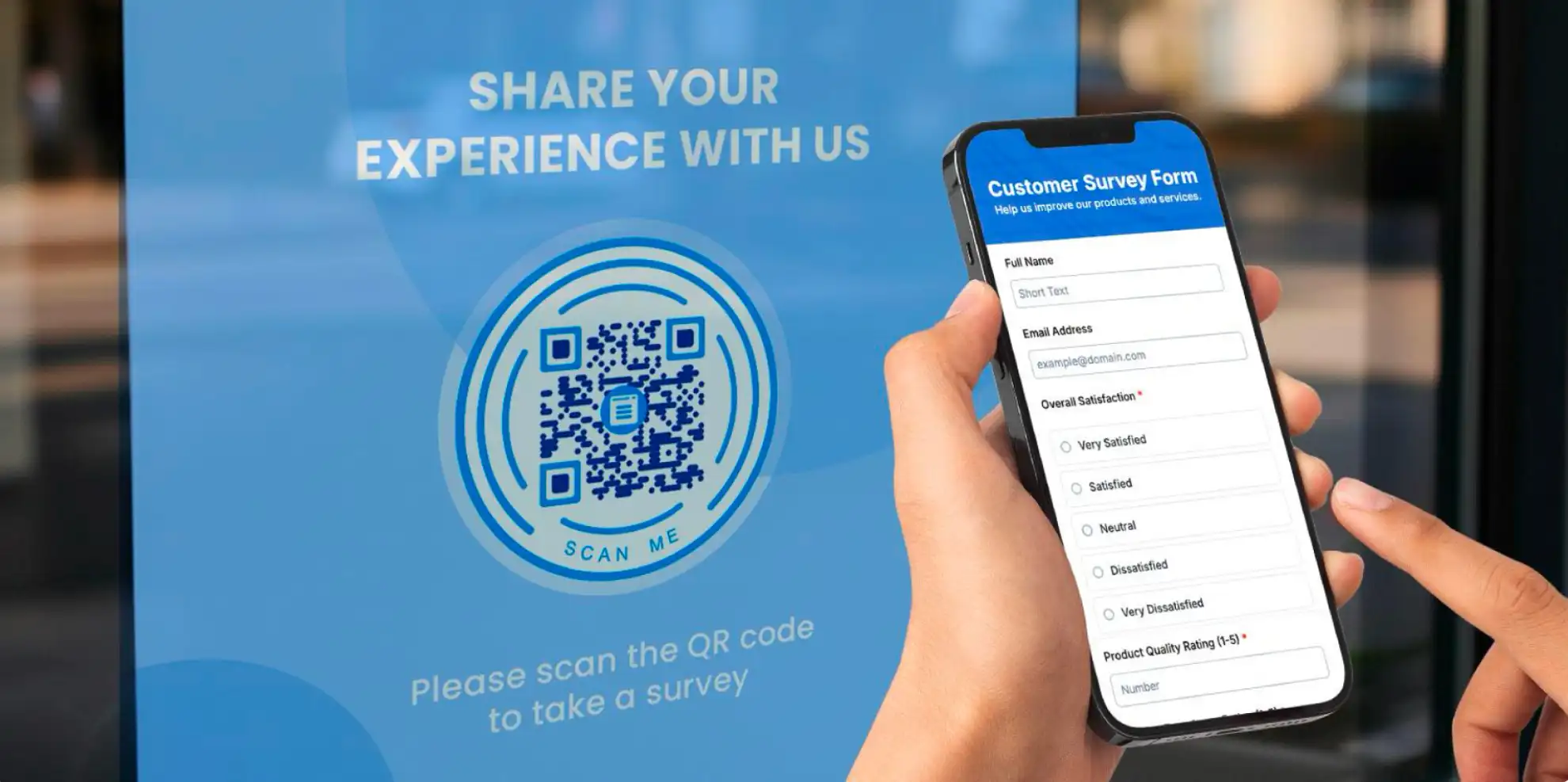
A Google Forms QR code is a type of two-dimensional (2D) barcode that embeds a link to a Google Form.
When scanned, your target audience will automatically access your form. This allows them to fill it out and submit responses on their smartphones.
As simple as the concept sounds, this combination of digital tools is actually a powerful data-collection tool. When people get to your form instantly, you get more (and better) data.
This guide was written with that in mind. By the end of this article, you will have a better idea of how and where to use a QR code for your Google Forms.
9 best ways to use a QR code for Google Forms
You can use this QR code to provide people with the necessary forms to complete. It can be a survey, quiz, registration form, feedback form, or poll.
Knowing the potential uses of Google Forms will help you change the way you design your QR code and how you deploy it.
1. Feedback gathering
Feedback gathering is an excellent method for improving your goods and/or services. It’s also one of the most common uses for online form QR codes.
Whether your clients or customers have something good or bad to say, allowing them to reach you easily goes a long way to taking care of their needs.
Embed your feedback form’s link into a QR code to make it easier to distribute and access.
It’s ideal to place the code in spaces with no digital touchpoints but with high traffic, such as storefront posters, flyers, product packaging, receipts, event badges, and checkout counters.
2. Digital registration
Remember when registrations involved getting a printed form and taking the time to write down your information?
It’s even more tiresome when registration is done at the venue. Writing delays entry and leads to long, congested lines.
Using an online form makes the process much easier by allowing for digital registration at any time and place. But URL-sharing is not efficient on its own. It creates another problem: typing the form’s link.
The most convenient and innovative method is to create a Google Forms QR code for it to make the registration process smoother.
All a user needs to do is scan the code to access the link to the form, and they will be taken to it instantly.
3. Customer intake
Customer intake forms are meant to establish a relationship with clients, patients, or users. This means that the information customers provide often includes their contact details, background, needs, and goals.
Just like with registration forms, you can encode the link to your customer intake form into a Google Forms QR code. It streamlines the onboarding process and reduces the need for printing forms.
4. Online quizzes
Whether you are a teacher looking to digitalize your exams or a brand owner coming up with ways to increase customer engagement, a QR code for Google Forms simplifies everything for you.
Without the need to print a bulk of worksheets for your students or to require customers to go to your store to get a piece of paper to drop in a box, you can still make sure they can take part in your quiz.
For your business, you can upload the form’s QR code to your social media pages. For your class, you can paste it on your bulletin board or flash it on the monitor screen after your presentation.
5. Attendance tracking
A QR code for a Google Form is also a useful tool in tracking attendance.
At schools, you can simply display the QR code by the classroom door. Students only need to scan it upon entry.
A Google Form QR code is also practical to use at seminars and conferences where attendance is mandatory. It makes entry to the event smoother and faster.
6. Emergency contact information forms
Using a form QR code allows schools or companies to gather emergency contact information for students, staff, or employees.
Instead of asking them individually, requiring them to write on paper, or letting them click a Google form link, just provide a QR code that leads them straight to it.
7. Polls
Whether at the office or in school, having polls ready can help you get a quick, single opinion on a topic.
Polls usually take only a few seconds to answer, but depending on where your audience is, they can be relatively inaccessible.
Pairing them with a QR code makes capturing quick opinions even faster. You can place them in areas where you can’t easily share a link. The convenience it brings encourages more people to participate.
As soon as people scan through their feature smartphones and respond, you get immediate results.
8. Lead generation
QR codes with Google Forms embedded within are ultimately a tool to generate leads. With 45% of businesses struggling in this department, taking every opportunity to get leads is paramount.
Whether the form is for registration or not, it helps you capture contact information (obtained with consent) from potential customers, which you use to provide them with helpful content, offers, reminders, or updates until they’re ready to make a purchase.
With a reliable QR code generator for Google Forms, you can create a trackable QR code that lets you see how effective it is in gathering leads.
9. Job applications
Using Google Forms to accept job applications makes the hiring process much smoother for both the company and job seekers.
What makes it more effective is that Google Forms allows respondents to upload files, enabling potential candidates to upload essential documents such as their CVs, portfolios, and transcripts.
Now, put that job application form into a QR code, and you can reach even more people both offline and online.
How to make a QR code for a Google Form
Making a QR Code for Google Forms is very easy. All you’ll need is a QR code generator online and the link to your Google Form.
Once you have both, simply look for a Google Form or URL QR code solution. Once selected, simply enter your link in the required field.
Now, there are two major QR code types you need to understand first to ultimately know how to get a QR code for a Google Form.
A dynamic QR code encodes a short URL that redirects scanners to the actual content being shared. This allows you to edit its content without replacing the QR code. You may also have access to other advanced features of the generator.
On the other hand, a static QR code encodes the actual information, permanently storing the data in the data modules.
If your chosen platform allows it, you can also customize your QR code to better align with your branding.
This will also allow you to integrate the QR code with your marketing materials while still standing out, a branding practice that more than half of consumers rely on.
Why you should use a Google Forms QR code
A Google Form is a versatile way of gathering information from a group of people. Embedding them in a QR code makes it even more effective by:
- making your form instantly accessible on mobile devices;
- reaching a wider audience both offline and online;
- boosting response rates while motivation is still high;
- shortening the path to conversion, and
- supporting real-time tracking and analytics.
Gather form responses conveniently like never before
Digitizing forms has allowed us to sign up for various services at our own convenience. Event registrations, therapy appointments, and even school quizzes — practically any kind of form can now be answered online.
A Google Forms QR code enables faster access to these forms. They are mobile- and user-friendly, easy to create, and reach your audience where they are.
Use it right and get all the responses and data you need.
Disclaimer : If you buy something through our links, we may earn an affiliate commission or have a sponsored relationship with the brand, at no cost to you. We recommend only products we genuinely like. Thank you so much.
Blog Label:

Write for us
Publish a Guest Post on Pixflow
Pixflow welcomes guest posts from brands, agencies, and fellow creators who want to contribute genuinely useful content.
Fill the Form ✏

