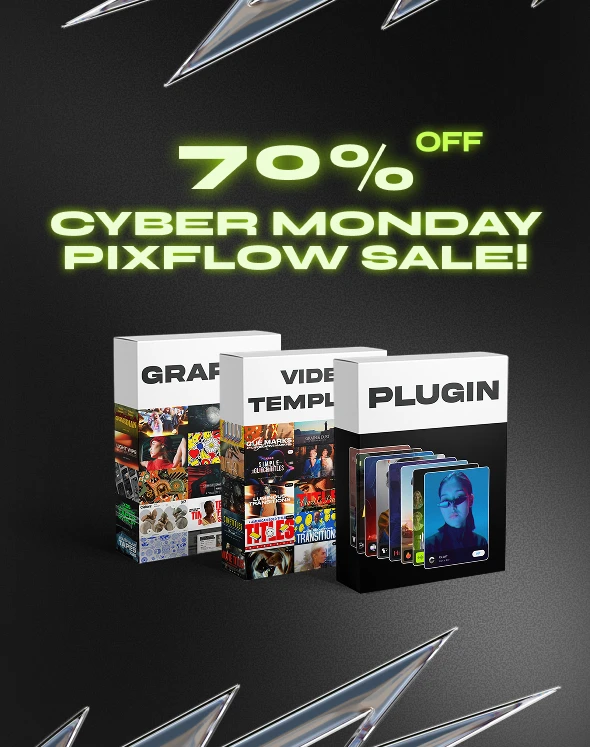
On This Cybermonday

Get Your Pixflow Subscription for Only $9.99

How Creative Studios Can Build a Client Lifecycle Email System

How Creative Studios Can Build a Client Lifecycle Email System
Creative studios rarely lose clients because the work suddenly becomes poor. Relationships fade in the quieter spaces between a finished project, a delayed approval, and the moment a former client begins planning something new. A practical lifecycle email system keeps those spaces from becoming blind spots. It does not require a daily newsletter or aggressive automation. It requires a small set of useful messages tied to real client decisions.

Start with the client journey, not a campaign calendar

Map the stages a client actually passes through: enquiry, qualification, proposal, production, delivery, and follow-up. At each stage, write down the question holding up the next decision. A prospect may need proof that the studio understands the format. A client in production may need a clear review deadline. A past client may need a prompt to plan assets before a seasonal launch. This produces emails with a job to do instead of content created merely to fill a slot.

Separate service messages from marketing messages

Project updates, file-delivery notices, and approval requests belong to the service experience. Educational notes, portfolio roundups, and re-engagement emails belong to marketing. Keeping the two categories distinct helps the studio set the right tone and measure the right outcome. A production reminder succeeds when it prevents delay. A marketing message succeeds when it earns a reply, a brief, or a future conversation. Combining both purposes in one email usually weakens each.

Use behavior to choose the next message

A small studio does not need a complex data warehouse. A handful of reliable signals is enough: proposal sent, contract signed, first draft delivered, project approved, final files downloaded, and ninety days since completion. Each signal can trigger a message or a human task. The important rule is that automation should reflect something that truly happened. If the project system is inconsistent, fix the underlying status process before adding another workflow.

Choose tools around the workflow

Platform comparisons are useful only after the studio has defined its needs. List the events the system must recognize, the contacts it must suppress, and the reports the team will review. Studios replacing a general automation platform can learn more about evaluation criteria and migration trade-offs when they learn more before committing to a new setup. The goal is not a longer feature list. It is dependable handoffs between project data, client consent, and timely communication.

Design one post-project sequence

Begin with three messages. Send a delivery note that explains what is included, where files live, and how long access will remain active. Follow with a brief check-in after the client has used the work. Later, send a planning prompt tied to the client’s likely production cycle. Each message should sound like the person who managed the project. Avoid false urgency and generic compliments. Reference the work, the agreed outcome, or the next practical decision.

Protect trust and deliverability

Marketing permission should be recorded separately from the operational need to complete a project. Give recipients an obvious way to stop promotional messages, keep the sender identity consistent, and remove stale addresses. The Federal Trade Commission’s CAN-SPAM compliance guide is a useful baseline for commercial email practices in the United States. Studios serving other regions should also check the rules that apply to their audience and business.

Measure relationship progress

Open rates reveal little about whether a client relationship is healthier. Track replies, repeat briefs, referral introductions, time from delivery to testimonial, and the number of projects that restart after a planning reminder. Review a sample of the actual conversations behind those numbers. A lower-volume email that prompts a detailed reply can be more valuable than a heavily clicked roundup that creates no next step.

Keep the system recognizably human

Pixflow’s recent guidance for creative professionals emphasizes practical workflows over generic promotion. That standard fits lifecycle email well. Automate timing and recordkeeping, but keep judgment with the account owner. Pause a sequence when a project ended badly, a payment is disputed, or a client is already discussing new work. The best system helps a studio remember the relationship without pretending that every relationship follows the same script.

A useful operating rhythm

Review triggers monthly, copy quarterly, and client feedback after every major project. Delete messages that no longer solve a real problem. Add a new email only when the team can name the client decision it supports. With that discipline, lifecycle email becomes part of client service: a quiet structure that reduces ambiguity, surfaces future work, and keeps good creative relationships from disappearing after the final export.

Implementation checklist

Assign one owner to each trigger and record the condition in plain language. Test every message with a real-looking client record, including a delayed approval, an invalid address, and a contact who has declined marketing. Confirm that replies reach a monitored inbox and that an account manager can see what was sent. Before activation, ask a colleague who did not build the workflow to reconstruct the recipient experience from the documentation alone. If that is difficult, the setup is too dependent on tribal knowledge.

Treat templates as production assets. Check mobile rendering, accessibility, link destinations, sender details, and the clarity of the requested action. Keep the visual system simple enough to survive different inboxes, and use images only when they help the client make a decision. A beautiful email that hides the deadline or next step is a failed piece of communication.

Finally, plan the offboarding path. Export essential records, document active journeys, and preserve consent history if the studio later changes platforms. A lifecycle system should make the business more portable and understandable, not lock essential relationship knowledge inside one vendor account.

Disclaimer : If you buy something through our links, we may earn an affiliate commission or have a sponsored relationship with the brand, at no cost to you. We recommend only products we genuinely like. Thank you so much.

Blog Label:
Write for us

Publish a Guest Post on Pixflow

Pixflow welcomes guest posts from brands, agencies, and fellow creators who want to contribute genuinely useful content.

Fill the Form ✏