YouTube SEO for Video Editors: How to Rank Your Videos in 2026
- What YouTube SEO Actually Means in 2026
- The 4 Ranking Factors That Matter Most in 2026
- Step 1: Keyword Research for YouTube (The Editor's Workflow)
- Step 2: How to Write YouTube Titles That Rank in 2026
- Step 3: How to Write YouTube Descriptions That Rank
- Step 4: Tags, Captions, and the Hidden Metadata Layer
- Step 5: The Editor's Edge: Editing for Algorithmic Signals
- Step 6: Long-Form vs Shorts SEO in 2026 (They Are Different Games)
- Step 7: Post-Publish SEO: The First 48 Hours Decide Everything
- Common YouTube SEO Mistakes Editors Make
- Your 2026 YouTube SEO Checklist
- Conclusion
Here’s the thing: in 2026, the gap between a video that compounds views for years and one that vanishes in two days rarely comes down to editing quality. It comes down to whether YouTube’s algorithm understood the video well enough to recommend it to the right people. That’s YouTube SEO.
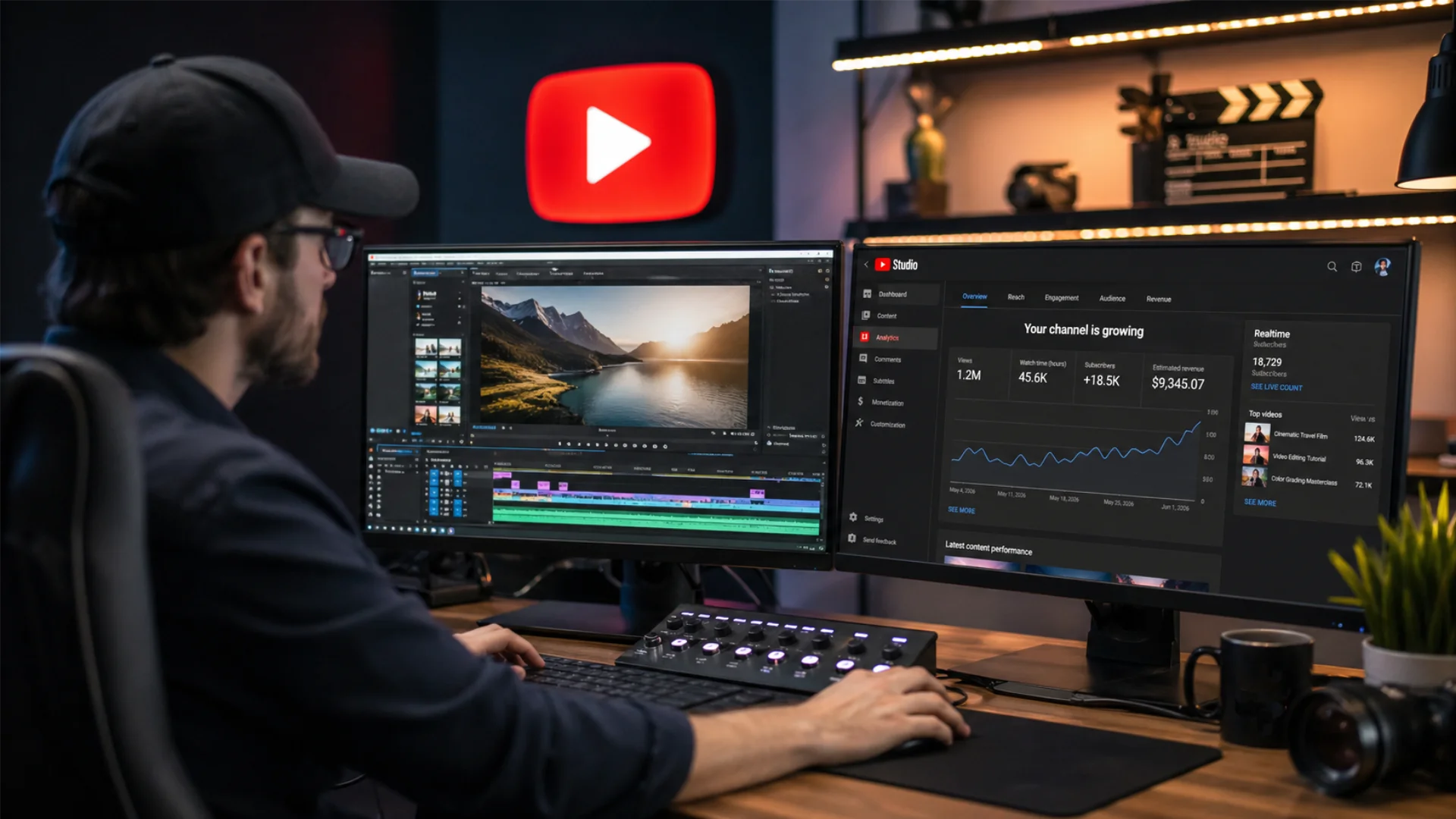
And as a video editor, you actually have a structural advantage most creators don’t have. You control the exact pacing, retention curves, visual hooks, and on-screen text that the 2026 algorithm rewards most. This guide is going to turn that advantage into rankings.
In this guide you will learn:
- How YouTube’s 2026 algorithm actually ranks videos (and what changed in 2025)
- The 5-step keyword research workflow built for video editors
- How to write titles and descriptions that rank and get the click
- Editor-specific SEO moves no creator-coach is teaching
- A copy-paste 2026 publishing checklist you can pin to your NLE
Let’s dive in.
- Viewer satisfaction surveys now outweigh raw watch time as the dominant ranking signal.
- Long-form and Shorts algorithms are fully decoupled. They are two different games now.
- 70% of views come from recommendations, 30% from search. You need to optimize for both.
- YouTube’s AI features (Ask Studio, AI summaries, auto-dubbing) read your captions and descriptions to understand and recommend videos. Sloppy metadata = invisible video.
- A new “momentum multiplier” gives your next upload extra reach if your last one overperformed. Sequence your uploads.
What YouTube SEO Actually Means in 2026
In 2026, YouTube confirmed that 35% of platform traffic still originates from search queries, while the remaining 65 to 70% comes from the recommendation engine (Home, Up Next, Suggested). That means good SEO is not just about ranking for “how to color grade in DaVinci Resolve.” It is about being chosen by the algorithm to be recommended next, anywhere on the platform.
For video editors, this matters in two ways. First, if you run your own channel (portfolio, tutorials, vlogs, behind-the-scenes), SEO determines whether anyone discovers your work. Second, if you edit for clients or for YouTubers, SEO is now part of your job description. Editors who can deliver content that the algorithm loves command higher rates. Period.
The 4 Ranking Factors That Matter Most in 2026
Step 1: Keyword Research for YouTube (The Editor’s Workflow)
The 5-step keyword research process
- Brain-dump topic ideas. Pick 10 topics you can genuinely cover. Editor-friendly examples: “premiere pro keyboard shortcuts,” “how to color grade S-Log3,” “DaVinci Resolve transitions.”
- Validate with YouTube auto-suggest. Type each topic into the YouTube search bar (in incognito) and write down every auto-suggestion. These are real searches with real volume.
- Cross-check with a tool. Drop your shortlist into TubeBuddy, VidIQ, Keyword Tool, Ahrefs YouTube Keyword Tool, or the free Google Trends. Confirm there is at least 1,000 monthly searches.
- Apply the Golden Filter. Aim for 1,000 to 20,000 monthly searches with low or medium competition. This is the sweet spot where intent is high and competition is still beatable.
- Reverse-engineer the top 5 results. Look at what is currently ranking. Read the top three videos’ titles, descriptions, chapters, and comments. If you can credibly make a better video, you have a real opportunity. If the top results are all from channels with 5M+ subscribers and identical depth, pick another keyword.
This flow is also the backbone of how editors should plan their entire upload schedule. If you want to systematize this further, our breakdown of a YouTube editing workflow that saves hours every week walks through how to slot keyword research into a repeatable production cycle.
Free vs paid YouTube SEO tools (2026 comparison)
The three keyword tiers every video editor should target
- Head terms (10K+ monthly searches, high competition). Examples: “premiere pro tutorial,” “video editing.” Avoid these unless you have a 50K+ subscriber audience.
- Mid-tail (1K to 10K monthly, medium competition). Examples: “premiere pro color grading,” “davinci resolve transitions.” This is where most growing editors should live.
- Long-tail (100 to 1K monthly, low competition). Examples: “how to fix overexposed footage in davinci resolve,” “premiere pro slow motion S-Log3.” Lowest volume, highest intent, easiest to rank.
A good rule of thumb: 70% of your videos should target mid-tail or long-tail keywords. Save the head terms for the rare hero piece.
Step 2: How to Write YouTube Titles That Rank in 2026
YouTube title character limits and truncation
The 5-element title formula
A high-performing 2026 title usually contains:
- A hook word that creates curiosity or promises payoff (“How,” “Why,” “The Truth About,” “I Tried,” “Stop”)
- The primary keyword, front-loaded if possible
- A specific outcome or number (“in 24 hours,” “with 3 plugins,” “for free”)
- A curiosity gap or pattern interrupt (“that nobody talks about,” “after 1 year of editing”)
- Year ONLY if the content is genuinely time-sensitive (algorithm guides, software updates, annual roundups). Skip years for evergreen tutorials.
Title templates editors can steal
- How to [Outcome] in [Software] ([Year] Update)
- I Tried [Technique] for 30 Days, Here’s What Happened
- The [Software] Trick That Saved Me [X] Hours a Week
- Stop Using [Common Approach], Use This Instead
- [N] [Software] Mistakes That Are Killing Your [Outcome]
- Why Your [Edits/Color/Audio] Looks [Cheap/Flat/Amateur] (and How to Fix It)
Front-load your keyword
YouTube’s algorithm gives more weight to keywords appearing in the first 30 to 40 characters. So does the human eye. “DaVinci Resolve Color Grading: 5 Mistakes Beginners Make” beats “5 Mistakes Beginners Make in DaVinci Resolve Color Grading” 9 times out of 10.
A strong title without a strong thumbnail is a wasted title. The two work as a single click unit. If you want to deepen the thumbnail half of this equation, see our complete guide on YouTube thumbnail design tips for higher CTR.
Step 3: How to Write YouTube Descriptions That Rank
The description anatomy
YouTube Description template (copy and paste)
[1 sentence hook that includes your primary keyword in the first 100 characters]

[2-3 sentences explaining what the viewer will learn and why it matters]

⏱ Chapters
00:00 Intro
01:23 [Section 1]
03:45 [Section 2]
06:10 [Section 3]
09:00 Conclusion

📌 Resources mentioned in this video
- [Link 1]
- [Link 2]
- [Link 3]

🎬 Tools and gear I use
- [Tool 1]
- [Tool 2]

🔔 More videos like this:
- [Internal video link]
- [Internal video link]

#primaryhashtag #secondaryhashtag #nichetag
Keep total length around 300 to 500 words for ranking benefits without losing readability. SERP analysis confirms descriptions in this range outperform shorter ones consistently.
Keyword density that won’t trigger spam filters
Forget the old 2% rule. In 2026, YouTube’s NLP understands semantic meaning. Aim for:
- Primary keyword: once in the first sentence, 1 to 2 more times naturally throughout
- 3 to 5 semantic variations sprinkled in
- 0.5 to 1.5% total keyword density
If you have to force the keyword in, you have already lost. Rewrite the sentence.
Chapters: the under-the-radar SEO booster
Chapters are required for a great description in 2026. They:
- Improve average view duration (viewers self-navigate to the part they want)
- Get indexed by Google and surface as “key moments” in search
- Make your video LLM-readable (which feeds into AI search and Ask Studio recommendations)
- Massively improve accessibility and re-watch behavior
Use chapter titles that include keywords where natural. “Color Grading the Skin Tones” beats “Step 3.”
Hashtags
Use 2 to 4 hashtags maximum. The first three are displayed above the title, which is prime real estate. Mix one broad (#videoediting), one niche (#premierepro), and one specific to the video.
Tags in 2026: still useful, but secondary
YouTube has publicly stated tags are not a primary ranking factor, but they help disambiguation (misspellings, synonyms, related concepts). Use 5 to 10 tags per video:
- Tag 1: your exact primary keyword
- Tags 2 to 4: close variations and synonyms
- Tags 5 to 7: broader category tags
- Tag 8 to 10: your channel name and one or two recurring series tags
Do not stuff irrelevant tags. The 2026 algorithm penalizes this, and there is now confirmed evidence that misleading tags reduce reach.
Closed captions and transcripts: the editor’s secret weapon
Captions are arguably the single highest-leverage SEO move in 2026, because they:
- Get fully indexed by YouTube and Google search
- Are used by AI features (Ask Studio, AI summaries, auto-dubbed audio tracks) to understand your content
- Improve accessibility and watch time (people watch with sound off more than ever)
- Boost retention by giving viewers an alternate way to follow along
Always upload your own .srt file rather than relying on auto-captions. Auto-captions miss niche terminology (“S-Log3,” “keyframe,” “alpha matte”) that your audience is literally searching for.
File name and upload metadata
Before you click upload, rename your video file to your primary keyword: youtube-seo-for-video-editors.mp4, not Final_Final_v7_REAL.mp4. YouTube reads file metadata at ingest. It is a small signal, but in a tight race, small signals win.
Cards, end screens, and session time
End screens are ranking gold. They drive session time (the amount of time a viewer spends on YouTube after watching your video), which is now one of the strongest recommendation signals. Always end screen to:
- Your most-relevant next video (an editor’s optimized end-screen choreography makes a measurable difference here)
- A playlist that loops viewers deeper into your channel
- A subscribe button overlaid on a moment of maximum engagement
Step 5: The Editor’s Edge: Editing for Algorithmic Signals
Editing for CTR (yes, the editor influences click-through)
CTR is usually credited to the thumbnail, but the editor sets up the thumbnail’s success:
- Shoot or stage the thumbnail moment. During the edit, identify the most visually striking 2-second clip and design the thumbnail around it. The thumbnail should appear in the actual video.
- Pattern-interrupt opening. A bold first frame (text overlay, motion-graphic burst, surprising visual) keeps the viewer past the auto-preview hover.
- On-screen title cards. Reinforce the title’s promise visually within the first 5 seconds.
“For creators and content teams, I think the biggest mistake is treating optimization as something that happens after the edit is finished,” shares Ashot Nanayan, founder & CEO of B2BSEO.io. “The hook, pacing, visual clarity, and how quickly the video delivers what was promised should be considered during production. A better workflow is to build those decisions into the edit from the beginning instead of trying to fix performance with titles and keywords at the end.”
This is exactly where premium template packs pay for themselves on every upload. Pixflow’s YouTube Packs include 45 lower-thirds, openers, logo reveals, and title scenes that are pre-built for the high-CTR opening sequence the algorithm rewards. (Your future self editing at 2 a.m. will thank you.)
Editing for retention (the make or break)
Retention is where editing single-handedly wins or loses you the algorithm:
- The 30-second hook. State the payoff. Show the result. Tease the journey. If your retention drops below 70% in the first 30 seconds, the algorithm tags your video as a weak match and stops recommending it.
- Pattern interrupts every 7 to 15 seconds. Cut to B-roll, change camera angle, drop in a graphic, vary the music bed. Pure talking-head shots over 15 seconds tank retention curves.
- Open loops. Set up a question early (“I’ll show you the one mistake I made later”) and pay it off near the end. Open loops directly improve average view duration.
- Match the cut to the music or vocal cadence. This is invisible to most viewers but creates a felt rhythm that keeps them watching.
We go deep on this in our companion guide to YouTube video retention editing techniques.
Editing for satisfaction
- Pay off the title’s promise. If your title says “5 transitions,” deliver 5 transitions. Anything less crashes satisfaction surveys (which now outweigh raw watch time).
- End on resolution, not a hard cut. A clear summary + soft outro improves return visits.
- Bake in calls for engagement that feel natural. “Drop a comment if you tried this” outperforms “Like and subscribe please.”
Editing for session time
- Match-cut your end screen to the next video. A seamless visual handoff dramatically increases click-through to your next upload.
- Plan a content sequence. Edit two videos that visually and topically connect, and link them with a clear “watch this next” segment.
If your channel branding feels inconsistent across videos, that hurts session time, because viewers do not recognize they are still on your channel. Our guide to YouTube channel branding with templates covers building a visual identity that compounds.
Step 6: Long-Form vs Shorts SEO in 2026 (They Are Different Games)
Step 7: Post-Publish SEO: The First 48 Hours Decide Everything
The velocity of likes, comments, and shares in the first 48 hours after publish is one of the four confirmed ranking factors. Most creators publish and walk away. Don’t.
- Notify subscribers. Do not skip the bell-notification ping at upload.
- Reply to your first 10 comments within 60 minutes. YouTube weights comments-with-creator-replies more heavily than passive likes.
- Pin a thoughtful comment. Add a question or a reference; this seeds engagement.
- Cross-promote. Share to your Community tab, newsletter, Discord, X/Twitter, and any active platform.
- Watch your CTR for 24 hours. If CTR is below 4%, swap the thumbnail. If your AVD is below 40%, adjust the first 30 seconds in your next video and learn the lesson.
- Check your analytics dashboard daily. A clear understanding of YouTube analytics for video editors is what turns reactive guessing into strategic editing.
Common YouTube SEO Mistakes Editors Make
Constrained VBR works like regular VBR but with a hard ceiling on bitrate spikes. While standard VBR might temporarily spike to 200% or more of your target during complex scenes, constrained VBR keeps those peaks within a tighter range, for example, staying within 110-125% of the target.
Apple’s HLS Authoring Specifications recommend 200% constrained VBR for VOD content and keeping peaks under 125% for live content. This gives you most of VBR’s quality benefits while keeping bandwidth requirements more predictable.
Constrained VBR isn’t a standard option in most NLE export panels (Premiere Pro, After Effects, and Resolve don’t label it explicitly). However, you can achieve it by setting your VBR maximum bitrate close to your target. For example, a target of 10 Mbps with a maximum of 12 Mbps is effectively constrained VBR. Tools like FFmpeg and professional hardware encoders offer explicit CVBR modes.
When to consider it:
- You’re uploading to platforms with strict bitrate caps.
- You need VBR’s quality but CBR’s predictability.
- You’re encoding for adaptive bitrate (ABR) streaming ladders.
Your 2026 YouTube SEO Checklist
Pre-production
- [ ] Keyword research done, primary + 5 secondary keywords selected
- [ ] Top 5 ranking videos for the keyword reverse-engineered
- [ ] Title drafted (55-65 chars, keyword front-loaded)
- [ ] Thumbnail moment scripted into the shoot
- [ ] Hook (first 30 seconds) written before anything else
Editing
- [ ] Hook lands within the first 15 seconds
- [ ] Pattern interrupt every 7 to 15 seconds
- [ ] B-roll covers every “huh?” or filler moment
- [ ] On-screen titles reinforce the keyword visually
- [ ] Open loop set up early, paid off near the end
- [ ] End-screen choreography matches the next video
- [ ] Music + cut cadence aligned
Upload
- [ ] Filename = primary keyword (no spaces, hyphens between words)
- [ ] Title finalized
- [ ] Description: hook in first 100 chars, 300-500 words total
- [ ] Chapters added with keyword-rich titles
- [ ] 5 to 10 tags (primary keyword first, channel name included)
- [ ] .srt captions uploaded (not auto-generated)
- [ ] Custom thumbnail (with the actual moment from the video)
- [ ] End screens and cards configured
- [ ] 2 to 4 hashtags in description
- [ ] Playlist assigned (loops viewers deeper into channel)
First 48 hours
- [ ] Subscriber notification sent at publish
- [ ] First 10 comments replied to within 60 minutes
- [ ] Pinned comment added
- [ ] Community tab post created
- [ ] CTR monitored (target 4%+, swap thumbnail if below)
- [ ] AVD monitored (target 50%+ of video length)
- [ ] Lessons logged for the next upload
A bookmark-worthy version of this checklist is exactly the kind of polish that templates make easy. Pixflow’s YouTube Packs ship with branded lower-thirds, openers, and outros that handle the visual half of this checklist in minutes instead of hours. (Trust us, your timeline will thank you.)
Conclusion
Start with one video. Run the checklist above. Watch the analytics. Adjust on the next upload. Within 5 to 10 videos, you will start to see the algorithm respond, and that response is what compounds into a real channel.
If you are starting a YouTube channel from zero (or rebuilding one with a real strategy this time), the natural next read is the parent guide for everything in this article: How to Start and Grow a YouTube Channel as a Video Editor (2026 Guide). It walks through the full creator journey from first upload to monetized channel, with the editor’s lens at every step.
Ready to ship videos that actually look and rank like 2026? Explore Pixflow’s YouTube Packs, 45 ready-to-drop lower-thirds, openers, logo reveals, and title scenes designed for creators who edit for the algorithm and for the audience. (Your next upload just got faster.)
Disclaimer : If you buy something through our links, we may earn an affiliate commission or have a sponsored relationship with the brand, at no cost to you. We recommend only products we genuinely like. Thank you so much.
Blog Label:



Write for us
Publish a Guest Post on Pixflow
Pixflow welcomes guest posts from brands, agencies, and fellow creators who want to contribute genuinely useful content.
Fill the Form ✏