From Generic Slideshows to Scroll-Stopping Ads: What Changed When I Switched to Adsmaker.ai
- “AI Ads Are Just Pretty Templates” - But Templates Are Only the Starting Layer
- “One Perfect Video Is Enough” - Yet Volume Beats Perfection in Paid Social
- “Digital Humans Look Fake, So Skip Them” - But They Solve a Specific Bottleneck
- “UGC-Style Clips Need Real Creators” - But Simulated UGC Can Validate Angles First
- “Platform Differences Are Overrated” - But Aspect Ratio and Length Still Dictate Creative
- What Stayed With Me After the Test
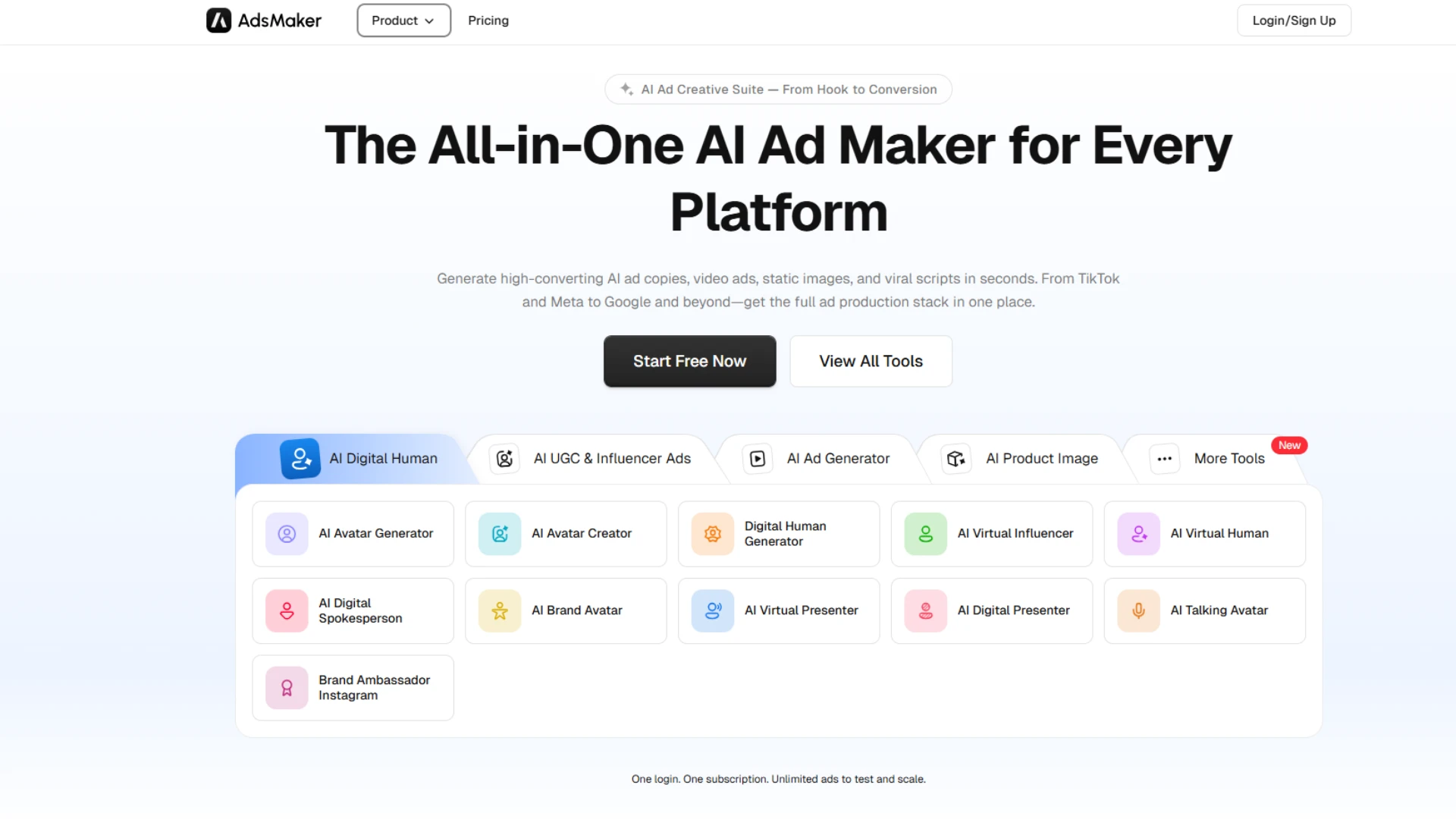
I have tested four AI ad tools in the last year, each promising to replace my creative stack. Most delivered decent images but fell apart on pacing, hooks, or platform fit. Adsmaker.ai did not win me over with hype; it won me over by removing the friction that usually kills iteration.
This piece is not a cheerleading post. It is a comparison-framed walkthrough built around five common misconceptions I carried from other tools. For each, I will lay out the reality I found in practice, then show how to apply it inside an AI Ad Generator like Adsmaker.
“AI Ads Are Just Pretty Templates” – But Templates Are Only the Starting Layer
Reality: The value is in the angle generation and script scaffolding, not just the visuals.
How to apply: Start from the “angles” or “hooks” module, not the design gallery.
In my first session, I ignored the template grid and opened the prompt-to-video flow. I entered a one-line brief: “Portable blender for students; $29; 2-day shipping; 30-day guarantee; friendly tone.” The system returned multiple script options with different hooks (time-saving, health, dorm-friendly, gift angle).
I picked one, trimmed the middle, and kept the CTA. Only then did I choose a template that matched the rhythm. This order matters. When you lock the message first, the template becomes a vehicle, not the message. That shift alone saved me about 25 minutes on my first ad compared to my old “design-first” approach.
If you treat an AI Ad Maker as a design tool only, you will underuse it. The real leverage is in generating and testing angles quickly.
“One Perfect Video Is Enough” – Yet Volume Beats Perfection in Paid Social
Reality: Performance teams win by testing many hooks and thumbnails, not by perfecting one cut.
How to apply: Produce three variants of the same core idea, each with a different first 3 seconds.
Statista’s 2024 survey of 1,000 U.S. marketing decision-makers found that 44 percent of respondents already use generative AI in marketing, with another 26 percent planning to adopt within a year. The driver is not novelty; it is the ability to iterate creative at a pace that matches media buying.
Inside Adsmaker.ai, I duplicated my base project twice. Variant A opened with a pain-point question (“No time for breakfast?”). Variant B opened with a visual demo (blending in a dorm room). Variant C opened with a social-proof line (“Our top seller during finals week”). All three shared the same middle and CTA.
I exported all three and ran a small test ($15–$25/day per variant) for 48 hours. The winner was not the one I liked most; it was the one with the clearest hook in the first 2–3 seconds. That is the point: an AI Ad Maker is most valuable when it makes variant creation cheap enough that data, not ego, picks the winner.
“Digital Humans Look Fake, So Skip Them” – But They Solve a Specific Bottleneck
Reality: For certain formats (explainer, FAQ, localized variants), they remove the need for reshoots.
How to apply: Use digital humans for message-dense sections, not for your entire brand film.
I went in skeptical. My previous tool produced wobbly lip-sync and plastic skin tones. Adsmaker’s avatars were better at 1080p, though close-ups still showed minor mouth jitter on some consonants. For a 12–15 second social ad, viewers rarely pause long enough to notice.
Where the feature paid off was in a follow-up FAQ cut. I had three common questions (battery life, cleaning, warranty). Instead of filming myself three times, I pasted three short scripts, selected one avatar and voice, and generated three 8–10 second clips. I then spliced these into longer-form variants for YouTube and product pages.
The rule I now use: if the shot is a talking head delivering information, an avatar is acceptable. If the shot is meant to convey deep brand personality or high-end production, I still use a real person. This selective use keeps quality high while cutting reshoot time.
“UGC-Style Clips Need Real Creators” – But Simulated UGC Can Validate Angles First
Reality: Simulated UGC is good enough to test hooks before you invest in real shoots.
How to apply: Generate UGC-style drafts, identify winning angles, then brief creators with those specifics.
Adsmaker’s UGC-style templates mimic the pacing of TikTok/Reels: quick cuts, text overlays, hand-held motion. I uploaded three product photos and let the system arrange them with captions and motion. The output looked like a low-budget influencer clip, which is exactly the aesthetic that performs in feed.
I used these drafts to test four angles (speed, health, convenience, gift). The “convenience” angle won by a clear margin in click-through rate. Only then did I send a brief to a creator: “Recreate this convenience angle, but with your own voice and setting.” That reduced wasted spend on angles that would have flopped.
This is the unexpected use case many tutorials skip: treat simulated UGC as a pre-validation layer, not a final replacement. It is not about faking authenticity; it is about de-risking the brief you give to real humans.
“Platform Differences Are Overrated” – But Aspect Ratio and Length Still Dictate Creative
Reality: Platform norms (length, aspect, text density) shape how viewers read the same message.
How to apply: Generate platform-specific exports from the same script instead of cropping one master file.
Adsmaker lets you set format and duration per project. I kept the same core script but created three exports: 9:16 at 12 seconds for Reels/TikTok, 1:1 at 15 seconds for Feed, and 16:9 at 20 seconds for YouTube. The system adjusted scene timing and text placement accordingly.
The difference was noticeable. The vertical cut front-loaded motion and kept text minimal. The square cut allowed a slightly longer benefit section. The horizontal cut gave room for a more detailed CTA and end card. None of these would have worked well if I had simply cropped a single master.
When you respect platform norms, the same message reads differently. An AI Ad Maker is most effective when you use it to spin platform-native variants, not one-size-fits-all files.
What Stayed With Me After the Test
If there is a takeaway, it is this: the advantage of a platform like Adsmaker is not that it removes creative work, but that it moves the bottleneck from production to decision-making. You still choose the angles, the tone, and the offer. You just stop losing days to blank timelines and export queues.
Tomorrow, when you open your ad manager, the question will not be “Do I have a video?” It will be “Which angle do I test next?” That is the real change.
Disclaimer : If you buy something through our links, we may earn an affiliate commission or have a sponsored relationship with the brand, at no cost to you. We recommend only products we genuinely like. Thank you so much.
Blog Label:



Write for us
Publish a Guest Post on Pixflow
Pixflow welcomes guest posts from brands, agencies, and fellow creators who want to contribute genuinely useful content.
Fill the Form ✏