5 Best Video Recovery Software for Recovering Deleted and Lost Footage
How We Selected the Video Recovery Software
For footage stored on a camera card, this comparison of SD card recovery software provides additional context. Our recommendations below explain where each program fits and which limitations to consider before installing or paying for it.
5 Best Video Recovery Software Options
Note: Before using software to recover deleted footage, stop recording or saving files to the affected device, and save recovered footage to another drive.
1. Disk Drill (Windows, macOS)
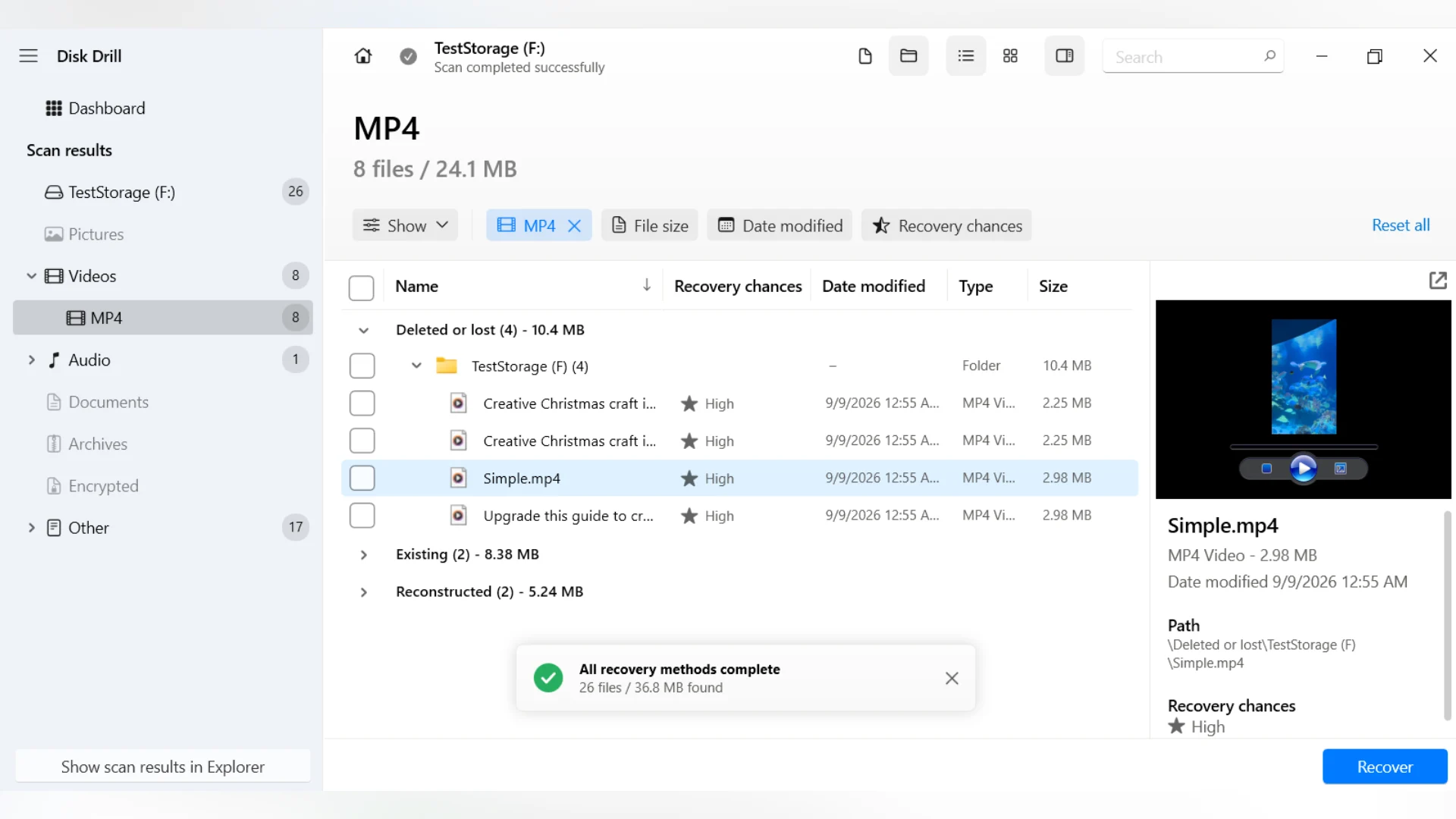
Disk Drill is our first pick because it combines everyday file recovery with tools specifically for camera footage. You can search for deleted clips, try reconstructing fragmented recordings, and inspect the results before saving them. Access to an online video repair service also gives you another option when a recovered recording will not play.
Pros:
- Combines file system and signature scanning with dedicated recovery of fragmented camera footage.
- Lets you scan and preview supported videos before purchasing.
- Creates disk images and recovers files from them.
- Includes filters to help locate specific clips among scan results.
- Provides access to an online repair service for damaged recordings.
Cons:
- Some advanced disk imaging settings require Registry or Terminal changes instead of in-app controls.
Features:
- Universal Scan: Searches file system records and recognizable file signatures for lost footage. Supported video formats include MP4, MOV, AVI, and MKV.
- Advanced Camera Recovery: Attempts to reconstruct recordings stored in separate fragments on the source media. It is designed for supported cameras, action cameras, and drones, making it relevant when a standard scan retrieves incomplete clips.
- Preview and filtering: Narrows results by file type, size, and date so you can find relevant footage more easily. Preview lets you inspect supported clips before recovery, although playback availability depends on the format and system support.
- Byte-to-byte backup: Creates an image of the source card or drive. You can scan that image and review its results without repeatedly accessing the original device.
- Online Video Repair: Provides access to a separate online service that attempts to repair damaged video files. Recovery retrieves footage from storage; repair addresses problems within an existing file that prevent it from playing correctly.
Pricing: PRO: $89/year or $149 lifetime.
Disk Drill is a practical starting point if you want both general deleted video recovery software and a dedicated option for fragmented camera recordings. Start with a scan and inspect the available previews to judge whether the results justify purchasing a license.
2. R-Photo (Windows)
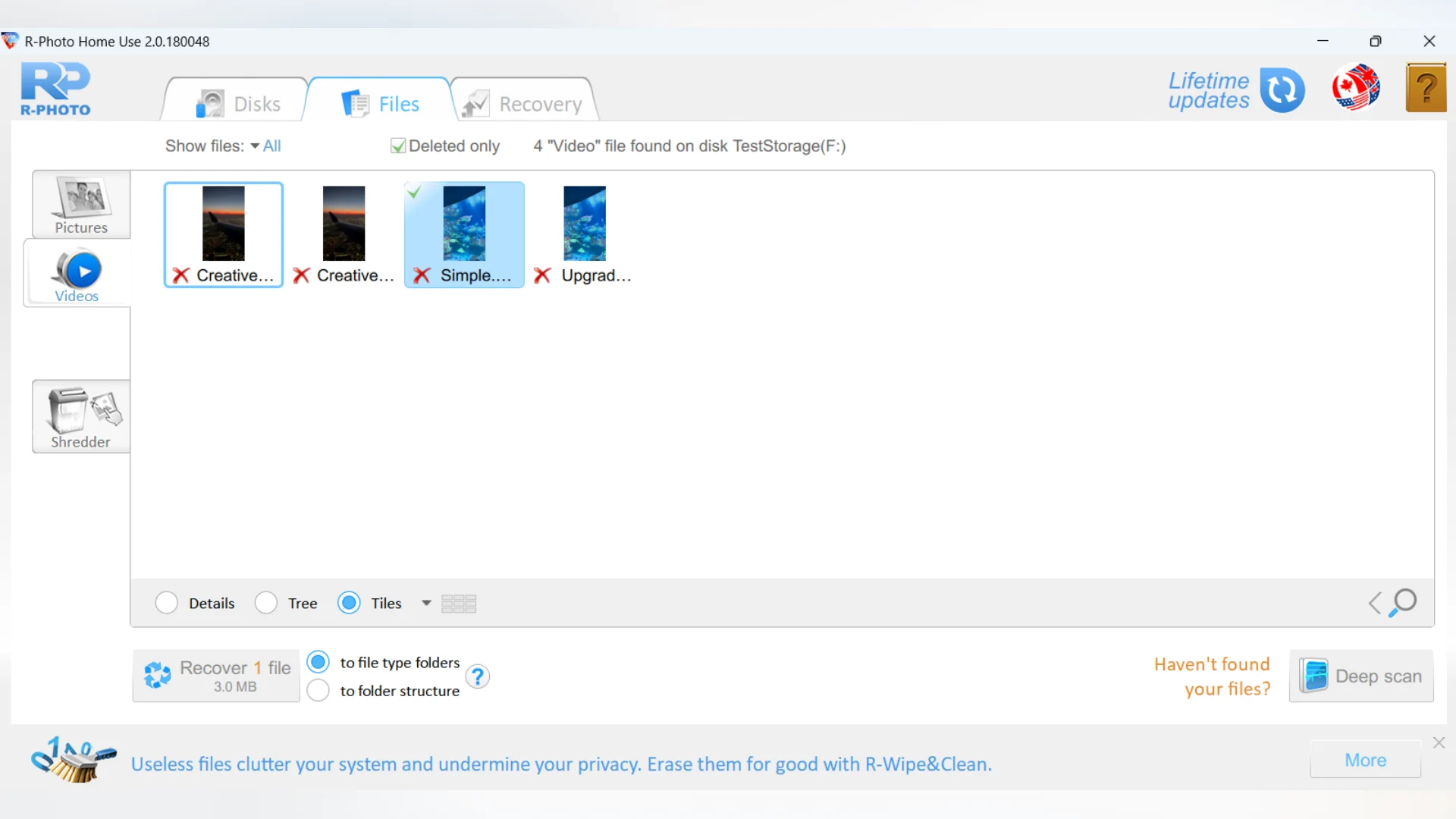
R-Photo is a useful choice for personal footage when you want free video recovery software with preview and disk imaging. It focuses on photos and videos, with a guided interface that keeps the recovery process approachable.
Pros:
- Combines file system recovery with signature scanning.
- Lets you filter results by file type and deletion status, and preview videos before recovery.
- Creates disk images and recovers files from them.
Cons:
- File system recovery is limited to FAT, exFAT, NTFS, and ReFS; other file systems require signature scanning.
Features:
- File system recovery: Uses the same recovery engine as R-Studio to search FAT, exFAT, NTFS, and ReFS volumes for lost footage.
- Signature scanning: Searches for recognizable file contents when file system records are damaged or unavailable, including on formatted volumes.
- Preview and filtering: Displays video thumbnails and lets you filter results to deleted files. The built-in viewer helps inspect a selected clip before recovery.
- Disk imaging: Creates a copy of the source media for subsequent recovery attempts without repeatedly scanning the original device.
Pricing: Free for non-commercial use.
R-Photo offers a practical combination of recovery, preview, and imaging for personal use. Its non-commercial license is the main consideration if you are choosing a tool for professional work.
3. PhotoRec (Windows, macOS, Linux)
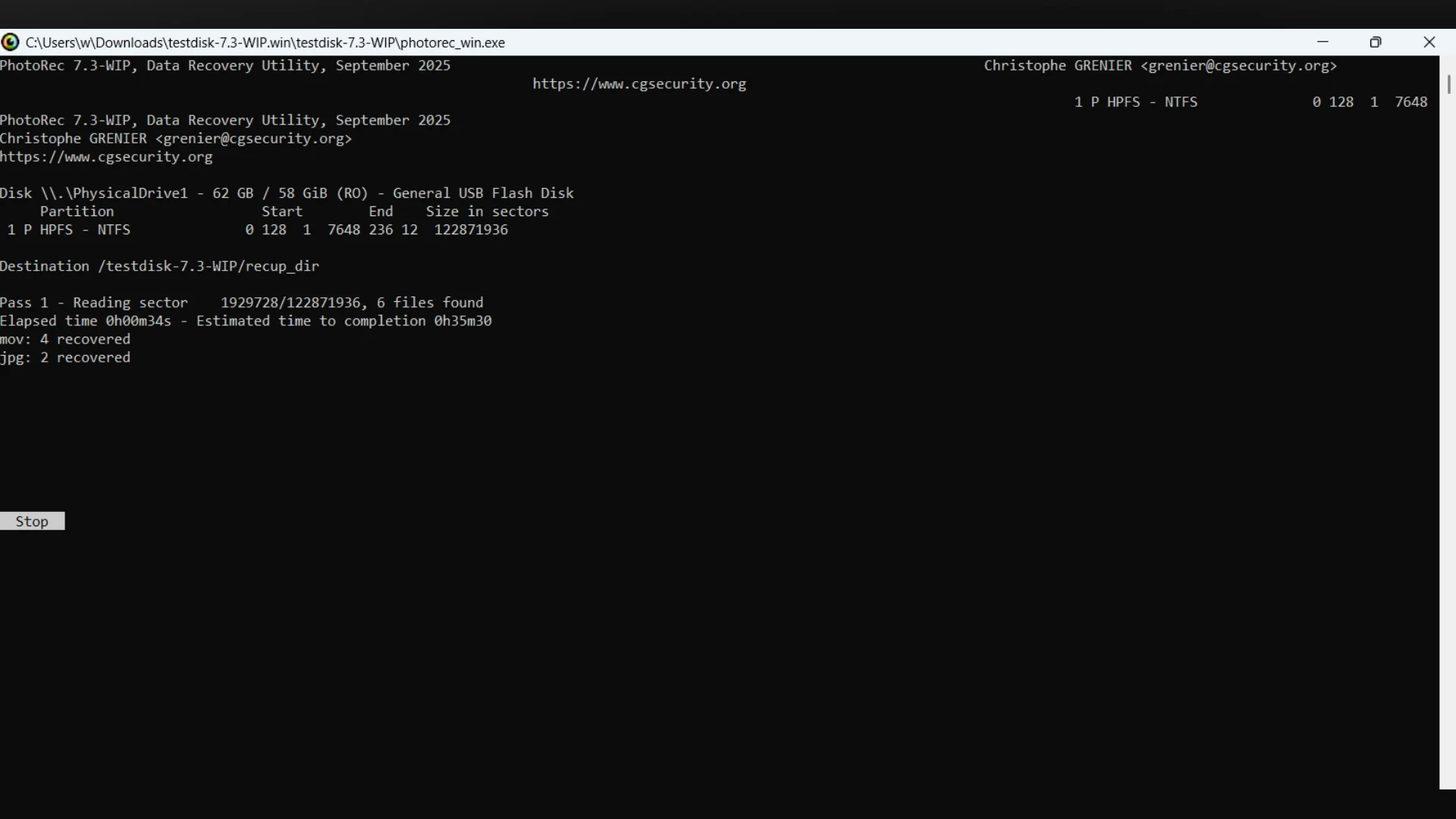
PhotoRec is worth trying when damaged file system records make footage difficult to locate. Despite its name, it recovers videos alongside photos and other files. Its unrestricted free recovery makes it useful for large collections, provided you are prepared to sort the results afterward.
Pros:
- Can locate footage without usable file system records.
- Recovers files from supported disk images.
- Lets you select which file types to recover.
Cons:
- Does not restore original filenames or folder structure, making large collections harder to organize.
- Has limited ability to reconstruct fragmented videos, which may be recovered as incomplete files.
Features:
- Signature scanning: Searches for recognizable file contents rather than directory entries. This allows it to find footage on damaged or reformatted media when the underlying data remains.
- File type selection: Restricts recovery to selected formats, reducing unrelated files in the results.
- Disk image support: Scans supported images of cards or drives. You need to create the image separately before using it as the recovery source.
- Scan scope: Offers a search of unallocated space on supported file systems or a whole-partition scan when file system damage requires a broader search.
Pricing: Free.
PhotoRec is a useful fallback when recovering the video content matters more than retaining its original organization. For fragmented camera recordings, a dedicated reconstruction tool may be a better fit.
4. DMDE (Windows, macOS, Linux)
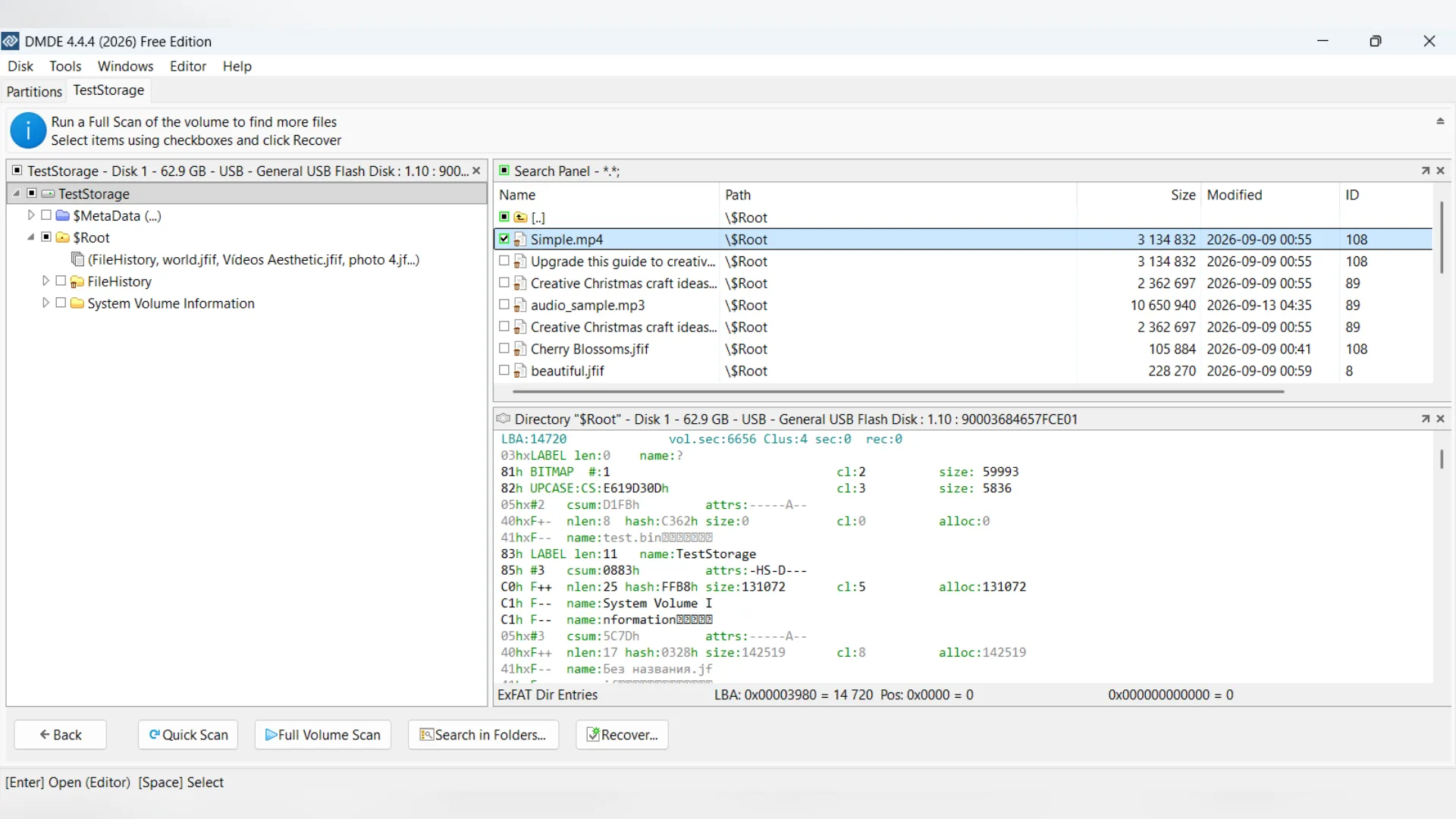
DMDE is worth considering when missing footage is part of a larger partition or file system problem. Its recovery tools can reconstruct folders, which helps when you need clips organized by project. The interface takes more learning than a guided recovery wizard.
Pros:
- Can preserve filenames and reconstruct folders when sufficient file system information survives.
- Combines file system recovery with signature scanning.
- Creates disk images and clones, and recovers files from images.
Cons:
- Requires more familiarity with partitions and file systems than a guided recovery tool.
- Multi-pass imaging and resumable copying with logs require the Professional edition.
Features:
- Volume scanning: Searches for lost partitions and analyzes file system structures to locate footage.
- Signature recovery: Searches recognizable file contents when file system records cannot provide results.
- Disk imaging and cloning: Copies source media to an image or another disk for subsequent recovery.
- Folder recovery: Lets you browse reconstructed directories and select files. Paid editions support bulk folder recovery.
Pricing: Express: $20 for one year; Standard: $48 perpetual; Professional: from $95 perpetual.
DMDE suits users who need control over recovery from damaged volumes and are comfortable with a technical interface.
5. Klennet Carver (Windows)
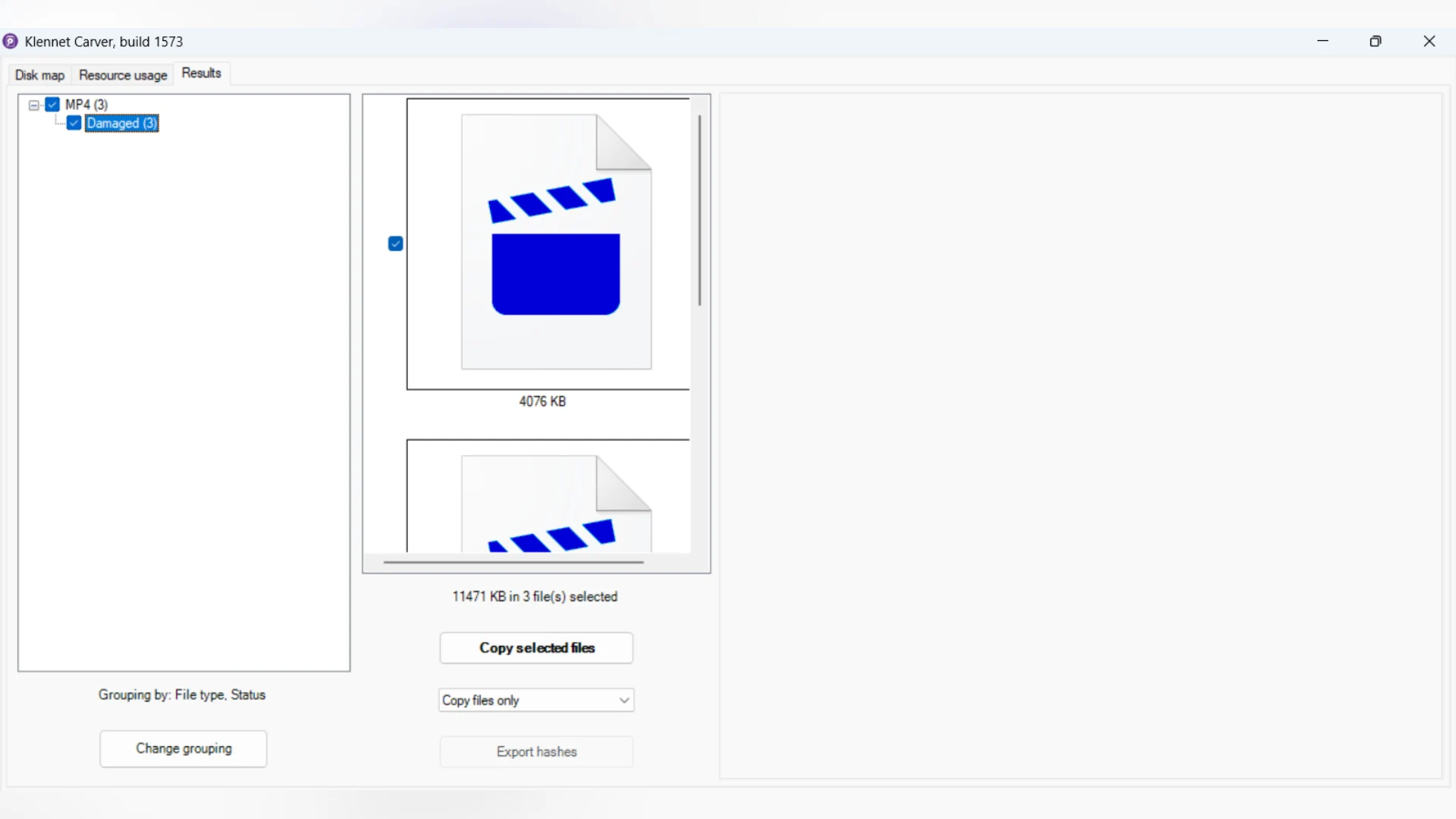
Klennet Carver earns its place as specialized lost footage recovery software for fragmented recordings. It attempts to assemble video fragments when damaged file system records leave ordinary recovery tools with incomplete results. Its focus is camera memory cards.
Pros:
- Reconstructs fragmented footage without relying on intact file system records.
- Lets you scan and preview supported videos before purchasing.
- Recovers footage from whole-disk images as well as original media.
Cons:
- Supports a defined selection of video formats and variants.
- Fragment reconstruction can require lengthy processing.
Features:
- Fragment reconstruction: Examines the source media and attempts to identify which pieces belong together, rebuilding supported recordings.
- Video format support: Includes MP4, MOV, AVI, MPEG-2/AVCHD, DAV, and specific MXF variants used by Sony and Panasonic cameras.
- Whole-media scanning: Works with the original memory card or a whole-disk image. It does not repair individual files previously recovered by another program.
- Evaluation preview: Shows found files and previews supported footage before purchase. Exporting recovered files requires a license.
Pricing: Personal: $39; commercial: $199.
Klennet Carver is worth considering when fragmented footage remains incomplete after other recovery attempts. Check its format support and inspect the evaluation results before buying.
Video Recovery Software Comparison
Which Video Recovery Software Should You Choose?
- Disk Drill is our first recommendation for its combination of general recovery, preview, and dedicated camera recovery tools.
- For personal footage on Windows, R-Photo offers a free alternative with preview and disk imaging.
- PhotoRec is useful when you need unrestricted free recovery and can spend time sorting unnamed files.
- DMDE suits more technical recovery work involving damaged partitions or missing folders.
- Klennet Carver is worth considering when fragmented recordings remain incomplete after other attempts, provided it supports your video format.
If you need a walkthrough, this guide explains how to recover permanently deleted videos. Check existing backups first, and use previews where available before paying for recovery.
Disclaimer : If you buy something through our links, we may earn an affiliate commission or have a sponsored relationship with the brand, at no cost to you. We recommend only products we genuinely like. Thank you so much.
Blog Label:



Write for us
Publish a Guest Post on Pixflow
Pixflow welcomes guest posts from brands, agencies, and fellow creators who want to contribute genuinely useful content.
Fill the Form ✏