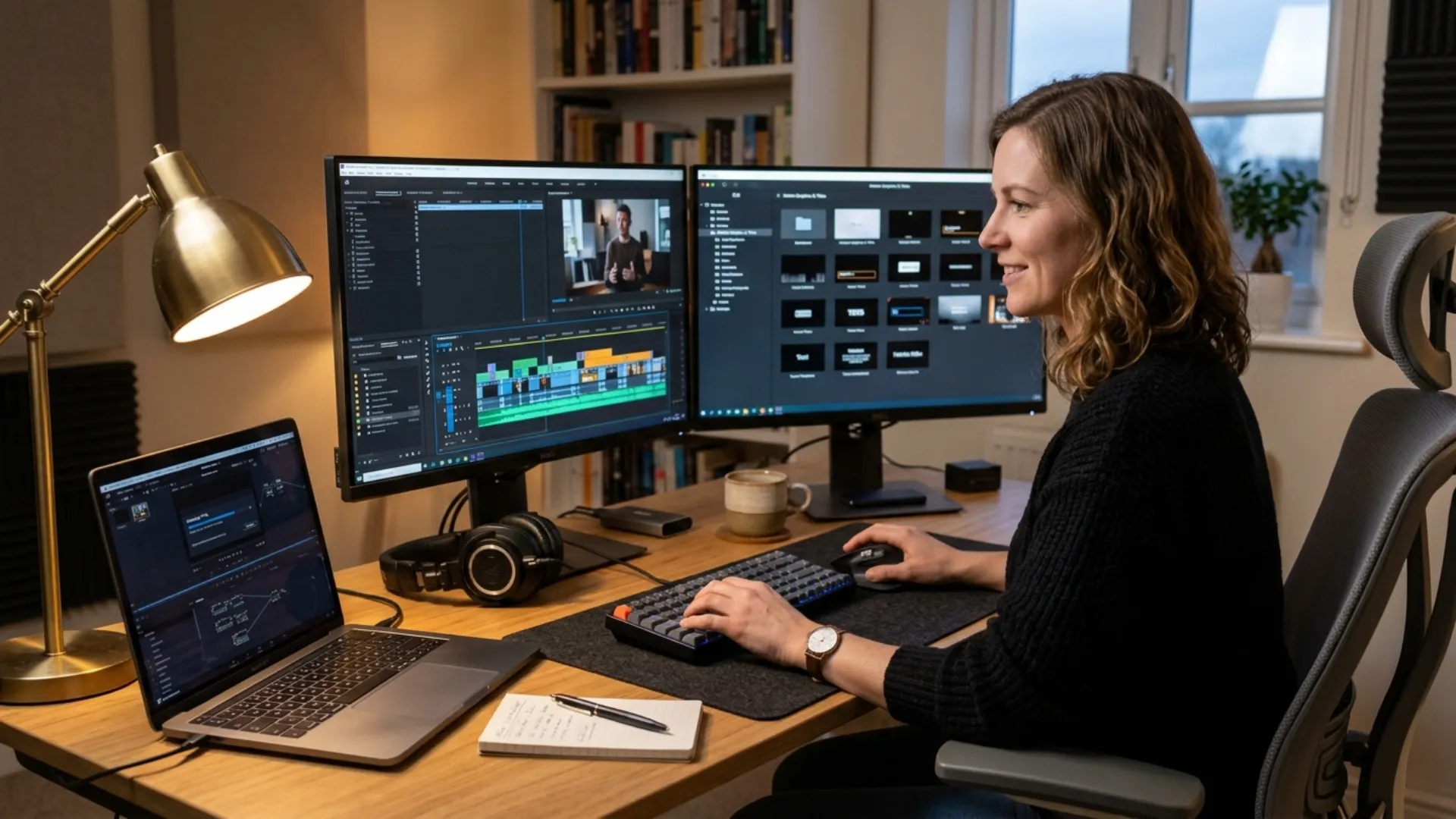
The Small Business Playbook for AI UGC Videos: How to Generate, Enhance, and Optimize Content That Actually Converts

- Why UGC Is the Most Important Video Format for Small Businesses Right Now
- What an AI UGC Video Generator Actually Does, and Why All in One Matters
- Use Case 1: Generating Talking Head Marketing Videos Without a Camera Crew
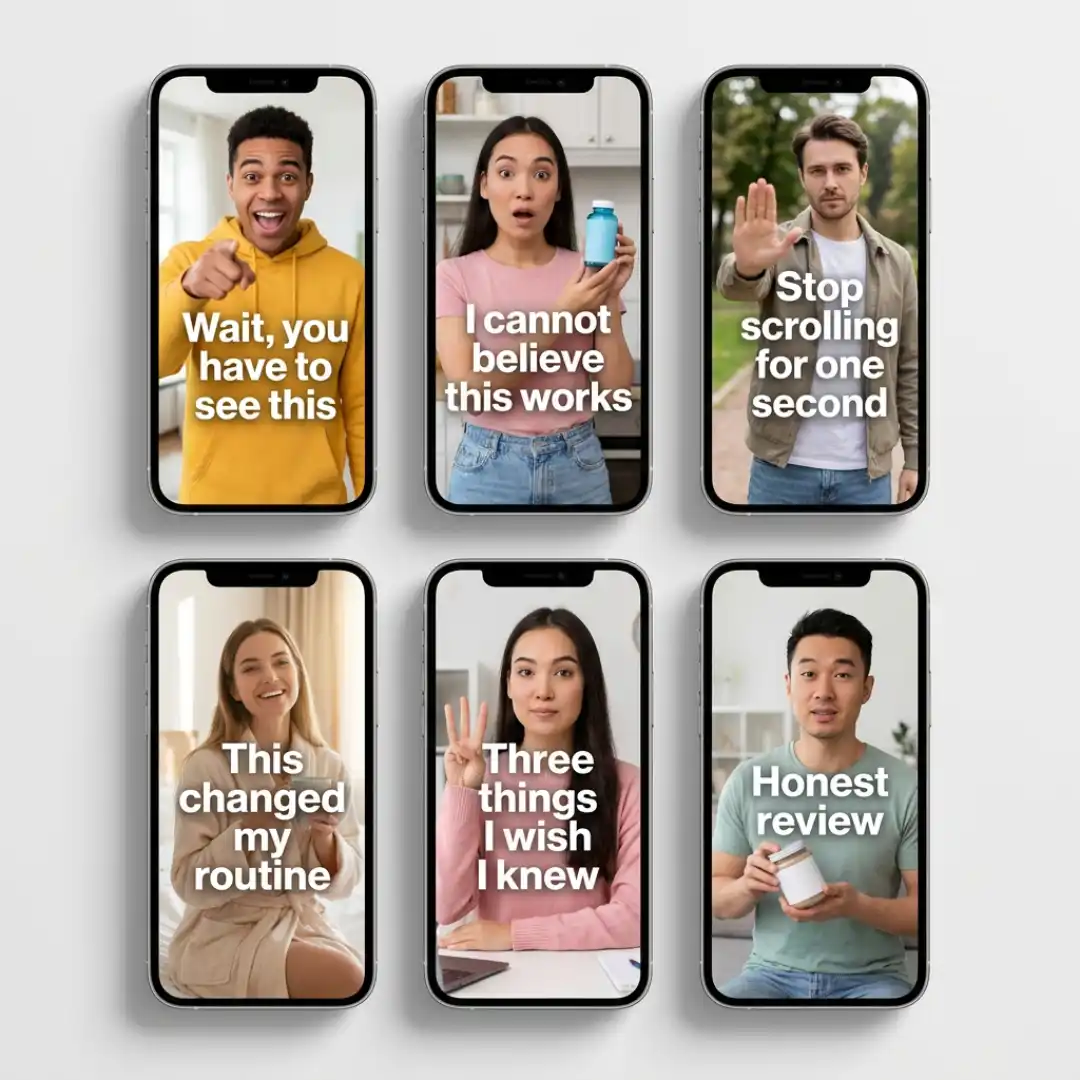
- Use Case 2: Spinning One Idea Into Multiple Hook Variations for Ad Testing
- Use Case 3: Cleaning Up and Repurposing Existing Footage
- Use Case 4: Making Low Quality Footage Look Studio Grade
- Use Case 5: Auto Captions That Actually Convert on Silent Autoplay
- Use Case 6: AI Thumbnails That Win the Click on YouTube, Reels, and TikTok
- Use Case 7: Repurposing Long Form Content Into Short Form Wins
- A Conversion First Workflow Small Businesses Can Actually Run
- What to Look for in an AI UGC Video Generator: An SMB Buyer Checklist
The real bottleneck has never been demand for UGC. It has always been the time and money it takes to produce enough of it to fuel an ads engine or a content calendar. That is exactly where AI UGC video generators come in, and where small businesses get their biggest unlock.
This playbook walks through how small business owners, marketers, and solo creators can use an all-in-one AI video platform like Vmake to generate ideas, create finished videos, enhance footage, package it for click through, and ship it into ad campaigns and organic feeds.
Why UGC Is the Most Important Video Format for Small Businesses Right Now
The catch is volume. A single UGC ad rarely carries a campaign. Most performance marketers test ten to thirty variations before finding a winner, and small business teams cannot afford to commission that volume of content from human creators. Even when they can, turnaround time kills momentum.
AI changes that math. You can now generate, test, and iterate on UGC style videos in hours instead of weeks, with no creators to brief, no shoots to schedule, and no reshoots when a hook flops.
What an AI UGC Video Generator Actually Does, and Why All in One Matters
Most AI tools cover one stage. You stitch together a script generator, an avatar tool, a captioning app, a thumbnail maker, and an upscaler, and you spend half your time exporting from one platform and importing into another. The cognitive overhead alone is enough to slow a small marketing team to a crawl.
An all in one AI UGC video generator like Vmake collapses that workflow into a single workspace. Ideation flows directly into generation, generation flows into cleanup and enhancement, and enhancement flows into packaging without ever leaving the platform. For a small business owner who is also the marketer and the producer, that consolidation is the difference between shipping a campaign this week and shipping it next month.
Use Case 1: Generating Talking Head Marketing Videos Without a Camera Crew
The traditional path to a talking head ad involves hiring a creator, briefing them, shooting, editing, and hoping the result lands. With AI, you write a script, pick an AI avatar, choose a voice, and generate a finished video in minutes. You can produce a premium feeling testimonial for a high ticket coaching service and a fast, urban style review for a streetwear brand from the same workspace, with the same effort.

Use Case 2: Spinning One Idea Into Multiple Hook Variations for Ad Testing
Small business teams rarely have the bandwidth to record ten different opening lines. AI hook generators flip that constraint entirely. You enter a product, an audience, and a tone, and the platform returns a stack of three to ten second UGC style openers. Pair each hook with the same body content, and you have an instant A/B test that would have taken a creator agency a week to produce.
Use Case 3: Cleaning Up and Repurposing Existing Footage
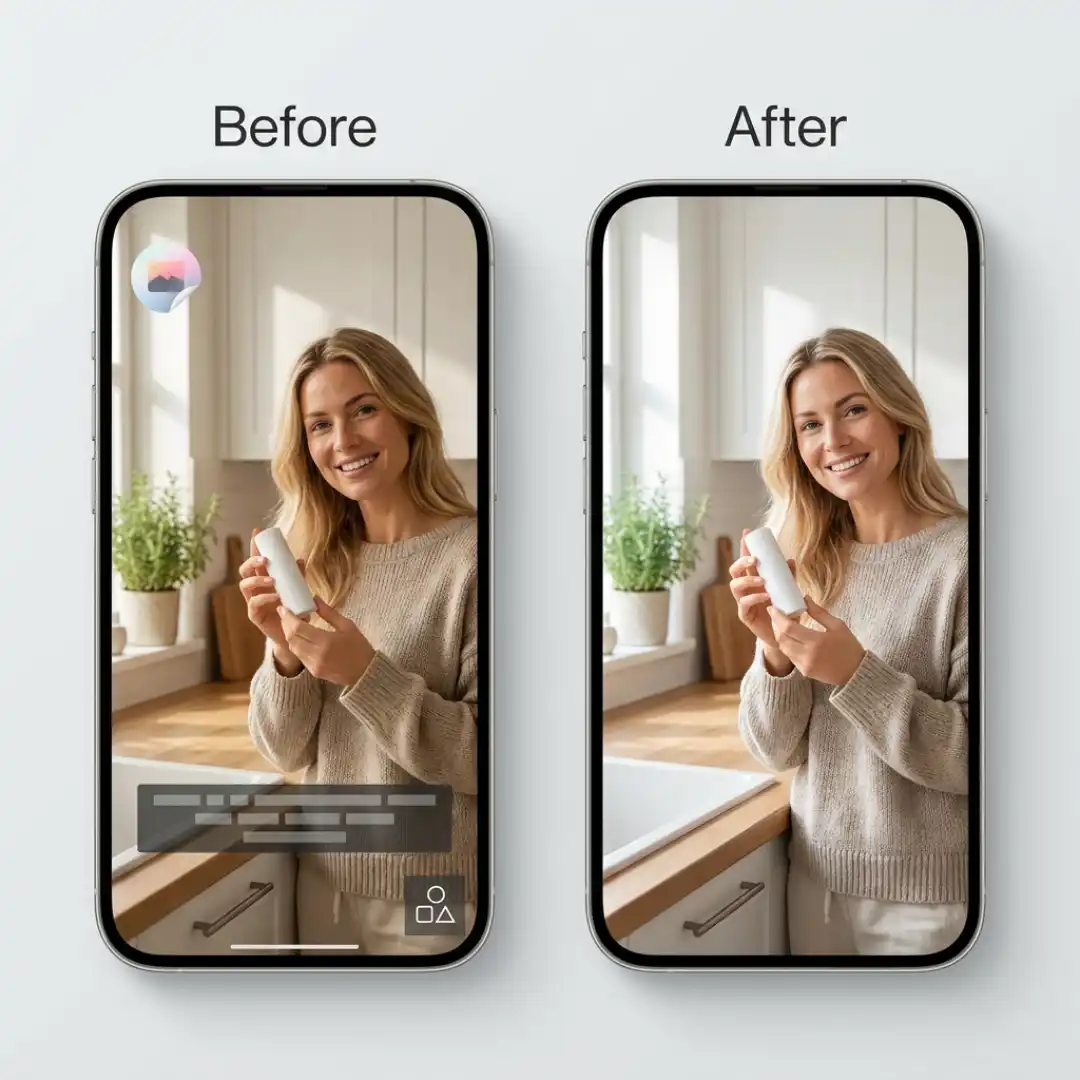
A logo from a former sponsor in the corner. On-screen text from a previous platform. A bystander walking through the frame. An old caption burned into the video. A capable video watermark remover handles all of this by reconstructing the area behind the removed element rather than blurring or smudging it. Batch processing lets you clean up thirty clips in a single pass, which means a small team can resurface a quarter worth of unused content in an afternoon.
Use Case 4: Making Low Quality Footage Look Studio Grade
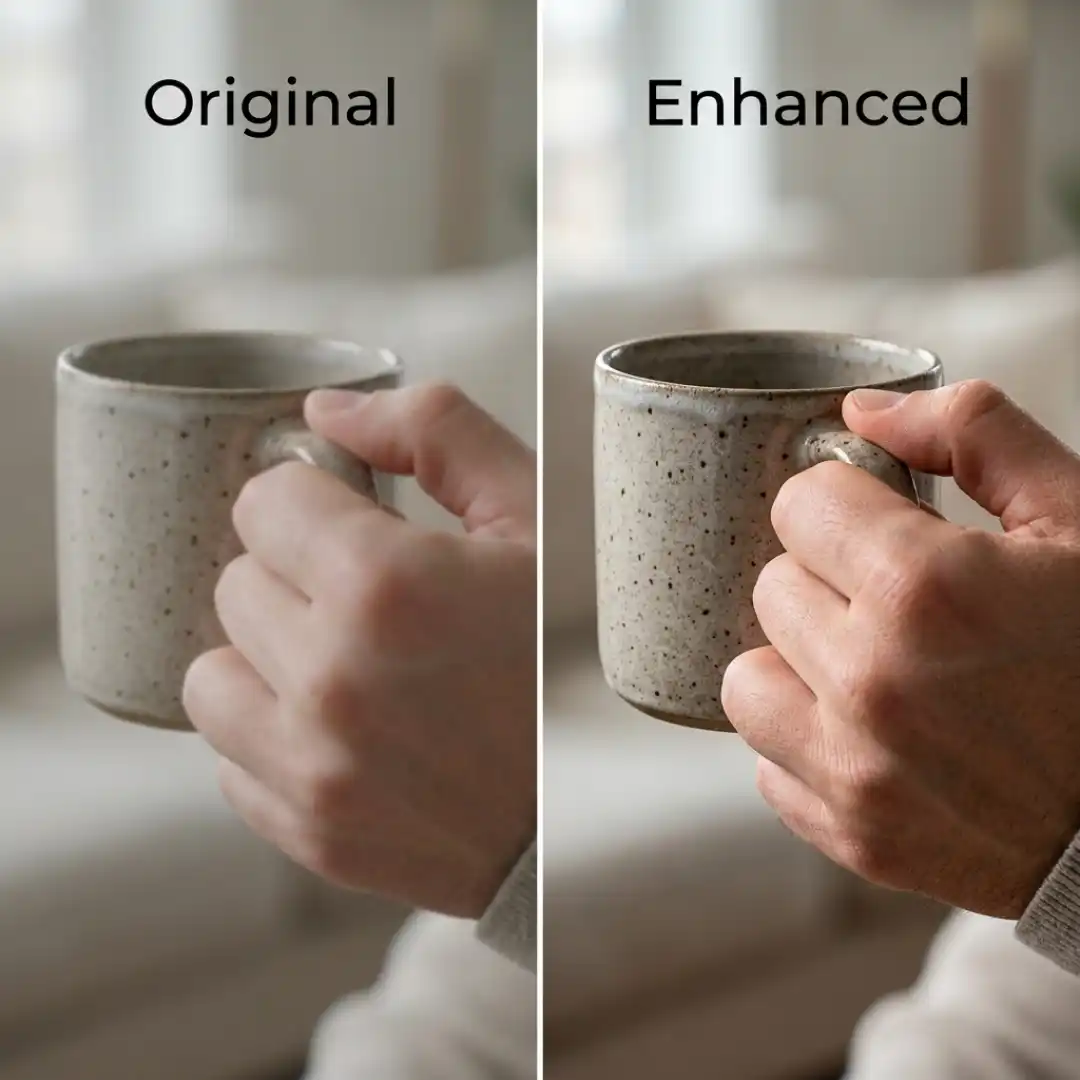
An AI video enhancer solves that with mode specific upscaling. Portrait mode sharpens faces and skin without making them look plastic. Product mode brings out texture and color on physical goods. Low light mode pulls detail out of underexposed footage. Game mode and anime mode handle the stylized content that creators in those niches need. The same source clip can be enhanced differently depending on whether it is going into a beauty campaign, a hardware product launch, or a restaurant promo.
Use Case 5: Auto Captions That Actually Convert on Silent Autoplay
The wrong captions can still cost you the watch. Tiny generic subtitles in white sans serif look unedited. Mistranscribed words look unprofessional. Lag between the audio and the text breaks attention.
An AI auto caption generator built into your video workflow handles all three. Captions are styled to match your brand, transcribed accurately, timed to the audio frame by frame, and available in multiple languages for businesses expanding into new markets. For small businesses running global Shopify stores or serving multilingual local communities, that multilingual reach alone can justify the tool.
Use Case 6: AI Thumbnails That Win the Click on YouTube, Reels, and TikTok
AI thumbnail generators turn a single video frame and a few brand inputs into a set of high impact options. Templates are mood aware, so a thumbnail for a SaaS explainer reads differently than a thumbnail for a beauty haul. Brand consistency stays intact because colors, fonts, and logo placement are locked across the set. For a small business creating dozens of posts a month, thumbnail generation goes from a daily creative bottleneck to a thirty second step.
Use Case 7: Repurposing Long Form Content Into Short Form Wins
Video to text turns a webinar, founder interview, or podcast episode into a searchable transcript. From that transcript, you can identify the five strongest twenty second moments, generate captions, swap in a fresh hook, and publish them as standalone Reels. A teleprompter feature lets you re record refined versions of those clips on camera with confidence. A talking photo capability can even bring a single static image into motion for a quote card that actually plays.
The output is a content engine where one hour of source material becomes a month of social posts. That ratio is what separates small businesses that maintain a real social presence from the ones that go quiet two weeks after every campaign.
A Conversion First Workflow Small Businesses Can Actually Run
At the start of a campaign, define the offer and the audience. Generate three to five script variations and run them through the AI video generator to produce talking head versions. Use the AI hook generator to produce five opening hook variations per script. That gives you fifteen to twenty five UGC style ads from a single afternoon of work.
Push them all live as a low budget testing campaign. After seventy two hours, identify the winners by hold rate and click through rate. Take the winning hooks, pair them with cleaned up and upscaled testimonial footage from your archive, add branded captions, and scale spend behind the new assets.
What to Look for in an AI UGC Video Generator: An SMB Buyer Checklist
When evaluating an AI UGC video generator, check for the following.
- Full workflow coverage. The tool should handle generation, enhancement, cleanup, captioning, and thumbnails without forcing you to bounce between platforms.
- Conversion grade realism. AI generated avatars and voiceovers should look and sound human enough that viewers do not bounce in the first three seconds.
- Batch processing. Small business marketers do not have time to process one video at a time. Batch upload and batch export are non negotiable.
- Editing flexibility. The output should be editable. No tool gets it right on the first generation, and locked output kills iteration speed.
- SMB friendly pricing. Per seat enterprise pricing is a red flag. Look for credit based or usage based pricing that scales with output, not headcount.
Vmake checks all five boxes, which is why it tends to outperform single purpose tools for small business marketing teams running campaigns at volume.
Disclaimer : If you buy something through our links, we may earn an affiliate commission or have a sponsored relationship with the brand, at no cost to you. We recommend only products we genuinely like. Thank you so much.
Blog Label:



Write for us
Publish a Guest Post on Pixflow
Pixflow welcomes guest posts from brands, agencies, and fellow creators who want to contribute genuinely useful content.
Fill the Form ✏