Best AI Video Generators Compared: Runway, Sora, Veo, Pika, Seedance 2.0, and Kling (2026)
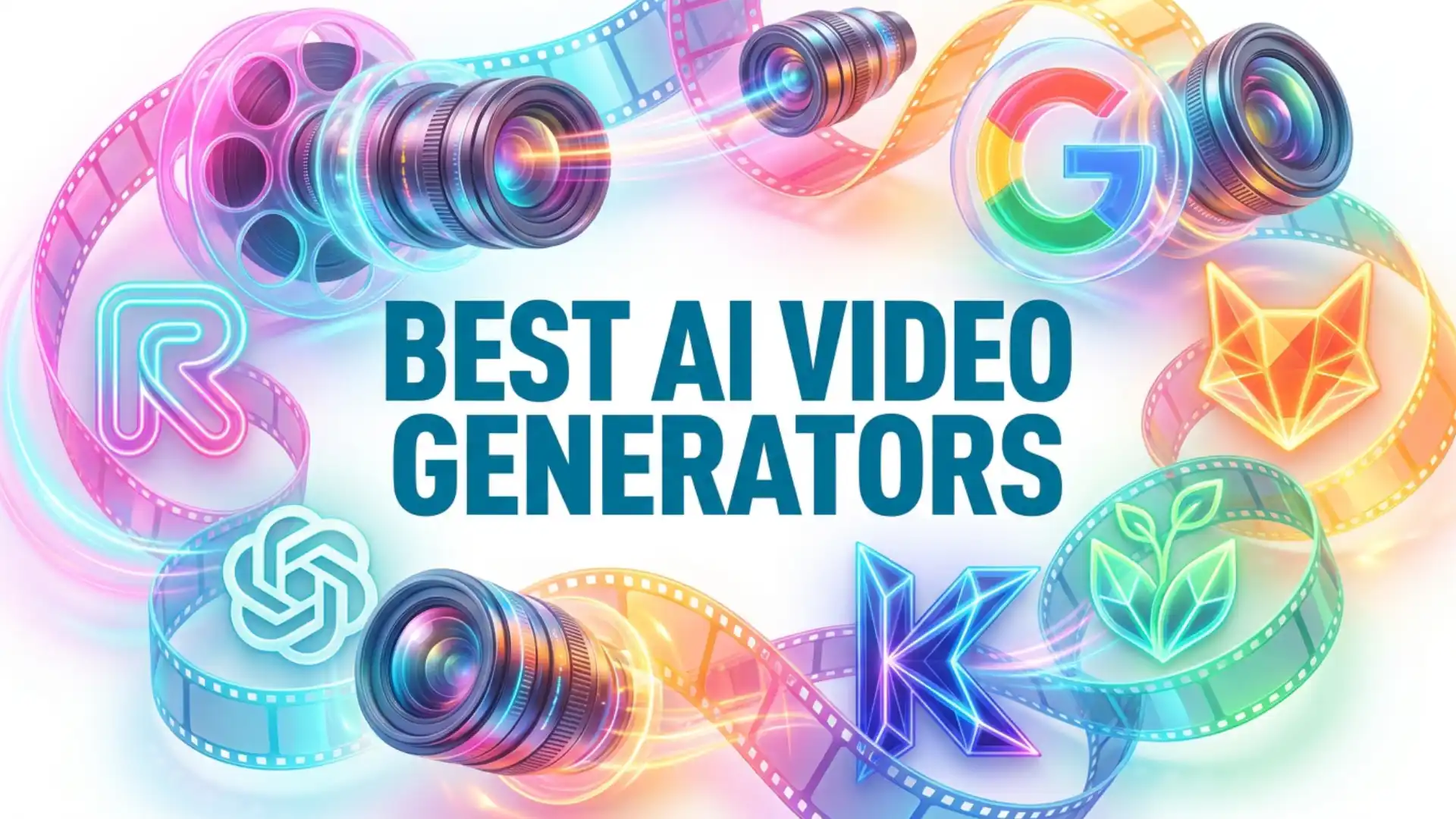
This is a research-based comparison of the six AI video generators most creators and studios are choosing between right now: Runway, Google Veo, Kling, Seedance 2.0, Pika, and Sora. It is structured as a use-case first guide, so you can jump to the section that matches your goal, and it ends with a clear overall ranking plus separate rankings for marketers, social creators, and filmmakers.
- Best overall in 2026: Google Veo 3.1
- Best for marketers and ads: Runway (Gen-4 family)
- Best for social creators (Reels, TikTok, Shorts): Pika
- Best for filmmakers and cinematic scenes: Veo 3.1 with Kling 3.0 as the strong runner-up
- Best for native audio and lip-synced dialogue: Kling 3.0 Omni and Seedance 2.0
- Best for multi-shot storyboarding: Seedance 2.0 and Kling 3.0
How we compare AI video generators
- Visual realism and physics: how believable motion, shadows, reflections, and contact look.
- Prompt adherence: does the model actually follow complex instructions?
- Character and style consistency: can the same person, product, or style survive across shots?
- Audio stack: native audio, ambient sound, speech, and lip-sync.
- Input modes: text-to-video, image-to-video, reference-to-video, and video-to-video.
- Iteration speed: fast draft modes for exploration and high quality modes for the final.
- Rights and commercial usage: can you actually use the output in paid work?
With those criteria set, here are the use-case winners.
Best AI video generator for cinematic realism (filmmakers)
Runway Gen-4 and Gen-4.5 remain the pro favorite when you need granular creative control: camera moves, motion brush, and reference-driven character consistency. Sora 2 Pro still produces some of the most photoreal clips in the market when given rich prompts, but its availability is changing in 2026 so it is not a safe choice for long-running projects.
What to watch for in filmmaking use: hand and face artifacts in close-ups, camera logic that drifts between cuts, and soft motion on fast action. Plan to clean these up in post.
Best AI video generator for marketers and ads
Google Veo 3.1 is a very close second for ads, especially if your script relies on natural dialogue or ambient sound generated inside the same pass. Pika is excellent for lifestyle and product b-roll where a stylized look is fine.
A practical marketing workflow that wins on CTR: generate the video layer in Runway or Veo, then layer a high-quality voice with the Pixflow AI Voiceover plugin for Premiere Pro and After Effects, which keeps your narration tightly inside your editing timeline instead of bouncing between tools.
For a deeper walkthrough of how marketers actually run Runway day to day, see our full Runway ML tutorial.
Best AI video generator for social creators (Reels, TikTok, Shorts)
Veo 3.1 is the quality pick if you want ultra-clean vertical output with native audio, and Kling 3.0 Turbo is ideal when you need longer clips or multi-shot storyboards for narrative hooks.
If your content relies on narration, pair your AI video with a platform-native voice style. Our guide to AI voiceovers for social media (TikTok, Instagram Reels, and YouTube Shorts) covers how to match voice tone to each platform so the whole clip feels native.
Best AI video generator for talking characters (native audio and lip-sync)
Pika focuses on lip-sync as a specialized feature via Pikaformance, which is excellent for image-to-talking-head workflows and short social clips. Sora 2 can generate audio, but its availability constraints in 2026 mean it should not anchor a production pipeline.
For clean, high-control results, many professional creators still prefer to generate silent video, then layer voice and sound in post. For that workflow, the Pixflow AI Sound Effects library gives you cinematic ambience, foley, and design elements that fit AI-generated footage without the plastic feel you get from model-generated audio alone.
Best AI video generator for image-to-video
- Runway Gen-4.5 Image-to-Video is currently the strongest all-rounder, with reference image support, camera control, and consistent character handling.
- Kling 3.0 performs beautifully on complex human motion when driven from a reference still.
- Pika 2.x adds first and last frame control (Pikaframes), which is powerful for transitions and stop-motion style results.
- Seedance 2.0 preserves product details, logos, and text across frames, which matters for e-commerce.
Rule of thumb: if the clip features a specific person, product, or brand, start from an image, not just a text prompt.
Best AI video generator for video-to-video
Use video-to-video when you need to:
- Restyle existing footage to match a cinematic look.
- Replace a character, outfit, or object inside a clip.
- Apply a stylization pass (anime, noir, stop-motion) to live-action.
Common pitfalls to expect: identity drift on faces, texture crawling on fabrics, and flicker on fine details. Most of these are fixable with a short cleanup in Premiere Pro or After Effects.
Best AI video generator for multi-shot storyboards and longer sequences
Veo 3.1 adds extend and seamless transitions, which are the simplest way to get longer sequences without obvious seams. Runway is stronger for assembled narrative projects when you combine its model output with its editor and camera controls.
If your goal is a 30 to 60 second narrative piece, expect to stitch together multiple generations in a traditional editor rather than relying on a single generation.
Deep-dive mini reviews of top AI Video Generators
Runway (Gen-4, Gen-4 Turbo, Gen-4.5)
Runway remains the most complete creative suite among the six. The Gen-4 family focuses on consistent characters, locations, and objects across scenes, and Gen-4 Turbo generates 10 second clips in roughly 30 seconds, about five times faster than the standard Gen-4. Pricing is credit-based: Free, Standard at $15 per month, Pro at $35, and Unlimited at $95. Runway is strongest when you need an editor-grade workflow, not just a model.
If you want to go deeper on Runway specifically, our step-by-step Runway ML video editing tutorial walks through Gen-4, Aleph, Act-Two, and a full creator workflow.
Pros
- Strong character, location, and object consistency across scenes
- Editor-grade workflow with Motion Brush, camera controls, and Act tools
- Gen-4 Turbo is fast enough for rapid ad iteration
- Reliable reference image and brand consistency controls
Cons
- Native audio is limited compared to Veo, Kling, and Seedance
- Credit-based pricing can get expensive at production scale
- Clip length ceilings are shorter than Kling and Seedance
Google Veo 3.1
Veo 3.1 is currently the best all-rounder on the market. It delivers 4K output, 16:9 and 9:16 aspect ratios, strong prompt adherence, native audio, and advanced reference controls for character and style consistency. It also supports extend and seamless transitions for longer sequences. Access is through Google AI Pro, Ultra, or the Gemini app, with API availability via Vertex AI.
Pros
- Best overall prompt adherence and realism in 2026
- Native 4K output in both 16:9 and 9:16
- Strong native audio with dialogue, ambient sound, and music
- Extend and seamless transitions for longer sequences
Cons
- Less granular creative control than Runway’s editor
- Full access is tied to Google AI Pro or Ultra subscriptions
- Video-to-video capabilities are more limited than Runway or Kling
Kling 3.0 and Kling 3.0 Omni
Kling 3.0 is the cinematic benchmark on motion quality. The Omni variant unifies video, audio, image, and editing in one architecture, with native lip-sync in five languages and multi-shot storyboards up to 6 shots per clip. Paid plans start around $25.99 per month (Pro) and scale up to Premier at roughly $64.99 per month for heavier usage.
Pros
- Cinematic motion quality on fabric, liquids, hair, and complex human movement
- Native lip-sync in five languages with shared audio timeline
- Multi-shot storyboards up to 6 connected shots per clip
- 4K output and clip lengths up to 15 seconds
Cons
- Heavy usage requires higher-tier plans that add up quickly
- Workflow is less editor-like than Runway
- Occasional identity drift across longer multi-shot sequences
Predis.ai
Predis.ai is an AI-powered video and ad creation platform built primarily for marketers, social media teams, agencies, and businesses. It focuses on turning a simple idea, prompt, or product image into ready-to-publish marketing videos and social creatives.
It supports multiple AI video models, including Google Veo, Kling, Seedance, and Sora, giving users access to different generation models within one workflow. This makes it particularly useful for marketers who want to experiment with different AI video styles without managing several separate platforms.
Pros
- Strong focus on marketing, advertising, content
- Access to multiple AI video generation models
- Image-to-video generation for product and visual assets
- Multiple languages, voices, and accents for AI voiceovers
- Suitable for creating multiple variations of marketing creatives quickly
Cons
- More focused on marketing and social content than cinematic filmmaking
- Output quality can vary depending on the underlying AI model selected
- Credit usage varies by generation type and video duration
Seedance 2.0
ByteDance’s Seedance 2.0 is a native audio-visual joint generation model, officially launched in February 2026. It supports text, image, audio, and video as inputs, generates 4 to 15 second clips at up to 1080p, and specializes in multi-shot storytelling with strong character and product consistency. It is a standout for narrative and e-commerce workflows.
Pros
- Native multi-shot storytelling with preserved character identity
- Four input modalities: text, image, audio, and video
- Strong product, logo, and on-screen text consistency for e-commerce
- Joint audio-visual generation in a single pass
Cons
- Newer ecosystem with fewer third-party integrations
- 1080p output ceiling versus 4K on Veo and Kling
- Credit and API access can feel less friendly than a flat subscription
OpenArt
OpenArt is a multi-model AI creative platform that brings AI image and video generation together in one workflow. Instead of relying on a single model, creators can explore different AI models and creative tools depending on the type of content they want to produce.
For creators working with existing visual assets, OpenArt also supports AI image to video generator workflows, allowing users to turn still images into dynamic video sequences. This can be particularly useful for animating characters, product visuals, illustrations, and other creative assets while maintaining the original visual direction.
OpenArt can also be useful for creators who want to experiment with different video-generation approaches without switching between multiple platforms.
Best for
- Creators, marketers, and designers looking for a flexible AI video generator with multi-model access and image-to-video capabilities
Key features
- Multi-model AI video generation
- AI image-to-video workflows
- Text-to-video generation
- AI image generation and editing
- Reference-based creative workflows
- Character and product-focused generation
- Multiple creative models in one platform
For users who frequently move between image creation and video production, OpenArt provides a unified workflow for developing visual concepts and turning them into animated content.
Pika
Pika is the creative playground of the six. Pika 2.0 introduced Scene Ingredients for character, object, and setting control, Pikaframes for first and last frame transitions, and Pikaformance for near-real-time lip-synced talking images. It is the easiest model to produce bold, scroll-stopping social content with, and the pricing sits comfortably for individual creators.
Pros
- Best creative toolkit for social content with Pikaffects, Pikaswaps, and Pikadditions
- Pikaformance for near-real-time lip-synced talking images
- Scene Ingredients for precise character, object, and setting control
- Affordable pricing for individual creators and daily posting
Cons
- 720p output ceiling is lower than Veo, Kling, and Runway
- Native audio is limited outside the Pikaformance flow
- Not the best pick for cinematic, long-form narrative work
Sora (OpenAI)
Sora 2 and Sora 2 Pro still produce some of the most photoreal clips on the market, with strong physics and cinematic realism, native audio, and commercial usage rights on paid plans. However, OpenAI announced in March 2026 that the Sora web and app experiences will be discontinued on April 26, 2026, and the API will be discontinued on September 24, 2026. Use Sora if it fits a short-term need, but plan a migration path.
Pros
- Among the most photoreal outputs available in 2026
- Strong physics and cinematic realism on detailed prompts
- Native audio included and commercial usage rights on paid plans
- Up to 20 second clips on Sora 2 Pro
Cons
- Web and app experiences discontinued on April 26, 2026
- Sora API discontinued on September 24, 2026
- Not a safe choice for long-running production pipelines
Happy Scribe
Happy Scribe is an AI-powered transcription, subtitling, and video translation platform designed for creators, marketers, and businesses working with multilingual video content. While it doesn’t generate videos from scratch like Runway or Kling, it helps turn existing footage and AI-generated videos into accessible, ready-to-publish content through automated subtitles, transcription, and translation.
For teams producing videos for YouTube, social media, training, or international campaigns, Happy Scribe streamlines post-production by making it easier to caption and localize content without handling every language manually.
Pros
- AI-powered transcription and automatic subtitle generation
- Multilingual video translation and localization
- Editable transcripts and subtitles for greater accuracy
- Useful for YouTube, social media, educational, and marketing videos
Cons
- Does not generate original video scenes from text or images
- Focuses on transcription, subtitles, and localization rather than visual effects or cinematic generation
- AI-generated transcripts and translations may require manual review
Best for: Content creators, marketers, and video teams that need AI-powered subtitles, transcription, and multilingual video localization.
Notable alternative AI video generators in 2026
- Luma Dream Machine: fast, cinematic image-to-video on short 5 second clips.
- Hailuo / MiniMax: creative, expressive motion on unusual prompts.
- Haiper: efficient, marketer-friendly ad output.
- Krea, Leonardo, OpenArt, fal, Higgsfield: model hubs that give you pay-as-you-go access to Veo, Kling, Seedance, Pika, and others under a single workflow.
- Synthesia and HeyGen: avatar-first tools for corporate training, localization, and talking-head marketing, with excellent lip-sync and multilingual translation.
- ImagineArt: a multi-model AI video generator with text-to-video and image-to-video, giving you access to Kling, Seedance, Veo, and more from one dashboard, with a free plan and no watermark.
Overall rankings
Best AI video generator overall (2026)
- Google Veo 3.1
- Kling 3.0 / Omni
- Runway (Gen-4 and Gen-4.5 family)
- Seedance 2.0
- Pika
- Sora (availability-dependent)
Best AI video generator for marketers
- Runway
- Google Veo 3.1
- Pika
Best AI video generator for social creators (Reels, TikTok, Shorts)
- Pika
- Google Veo 3.1
- Kling 3.0 Turbo
Best AI video generator for filmmakers and motion designers
- Google Veo 3.1
- Kling 3.0
- Runway Gen-4.5
Best AI video generator for native audio and dialogue
- Kling 3.0 Omni
- Seedance 2.0
- Google Veo 3.1
Best AI video generator for multi-shot storyboarding
- Seedance 2.0
- Kling 3.0
- Google Veo 3.1 (with extend)
Best AI video generator budget pick
- Pika (strong feature set at a low entry price)
- Runway Standard at $15 per month
- Kling Pro at roughly $25.99 per month
Workflow tip: make your AI video feel finished
Whichever model you choose, the fastest way to make your AI video feel finished is to stop generating audio inside the model and finish it like a pro: layer in sound design with Pixflow AI Sound Effects, and add a cinematic narration directly in your timeline with Pixflow AI Voiceover. That is the difference between “made with AI” and “made for an audience.”
Conclusion
But the real power comes when you move beyond “correct” and start using color temperature intentionally, shaping mood, guiding emotion, and telling stories through warmth and coolness.
Whether you’re fixing a color cast in Premiere Pro, fine-tuning your grade in DaVinci Resolve, or planning the color palette for your next short film, the principles are the same: understand the light, control the color, and let your creative vision drive the decisions.
Ready to take your color work to the next level? Explore Pixflow’s Color LUTs library for professionally designed grading presets that give your footage a cinematic starting point. (Your color workflow will thank you.)
Disclaimer : If you buy something through our links, we may earn an affiliate commission or have a sponsored relationship with the brand, at no cost to you. We recommend only products we genuinely like. Thank you so much.
Blog Label:



Write for us
Publish a Guest Post on Pixflow
Pixflow welcomes guest posts from brands, agencies, and fellow creators who want to contribute genuinely useful content.
Fill the Form ✏