Best Free AI Video Generators of 2026
- 1. Magic Hour: Best Free AI Video Generator Overall
- 2. Kling AI: Best for Cinematic AI Video
- 3. Predis.ai: Best for AI-Powered Social Media Video Creation
- 4. Pika: Best for Creative Social-Media Videos
- 5. Runway: Best for Professional Creative Workflows
- 6. Luma: Best for Generative Video Experimentation
- 7. Hailuo AI: Best for Short AI Video Experiments
- 8. CapCut: Best for Editing AI-Generated Videos
- 9. OpenArt: Best for Consistent Characters and Storytelling
- What Should You Look for in a Free AI Video Generator?
- Conclusion
However, finding the platform to choose is not an easy task. The term “free” doesn’t necessarily mean unrestricted; various AI video generators offer varying restrictions on credits, video length, resolution, watermarks, commercial use, and access to newer models.
Others are video generation tools that are specially created for movie-making; others are for editing, and so on. Some are for video generation for movies; others are for providing effects or the way of working workflow in a professional production. So what’s best is dependent on your objectives and how often you’ll require it. Here are a few of the best free AI video makers for 2026 that you should consider using.
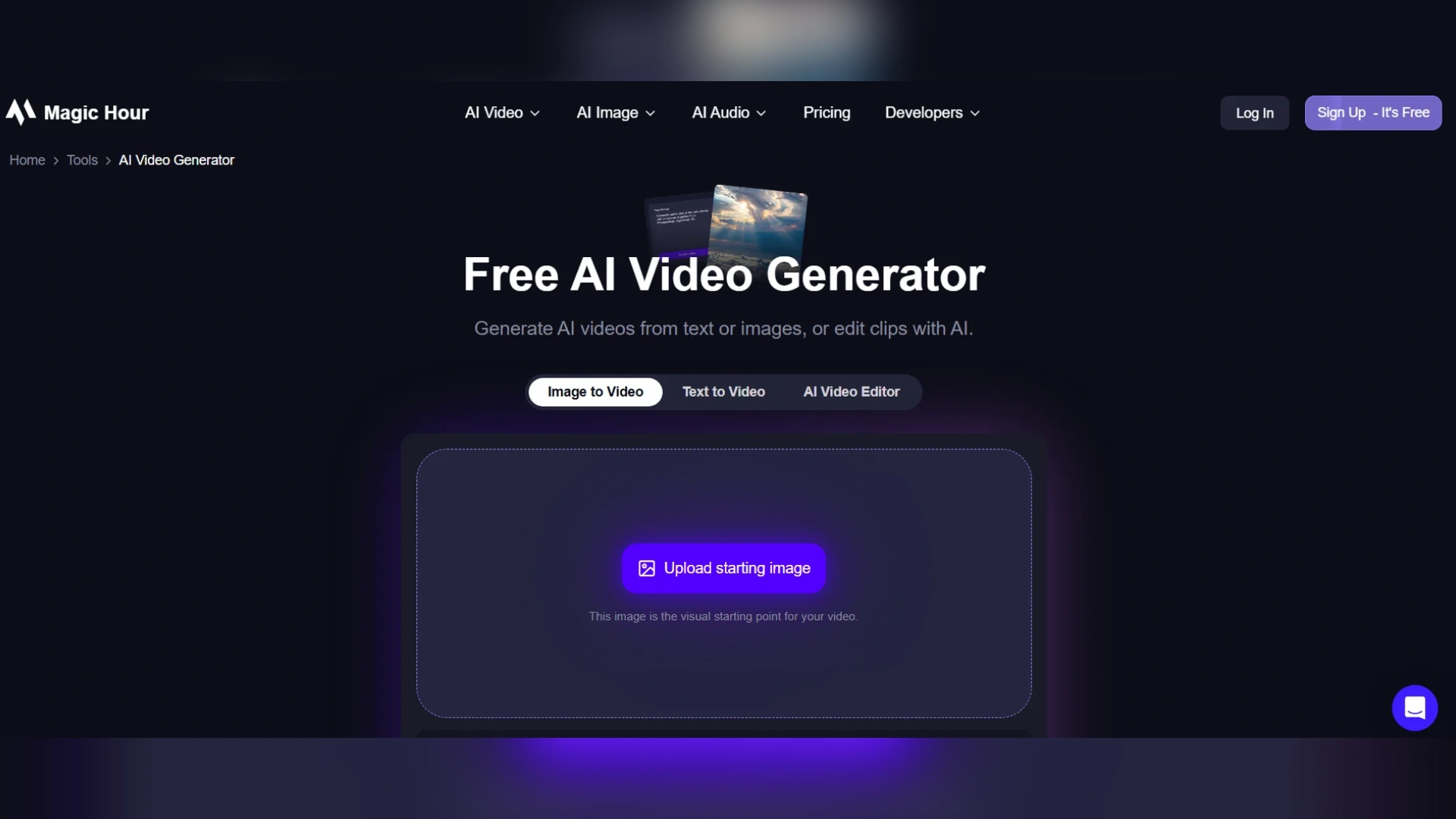
1. Magic Hour: Best Free AI Video Generator Overall
Multiple AI video workflows in one place
Magic Hour is much more than just text-to-video. Some of its features include image-to-Video, Video-to-Video, lip sync, talking photos, animation, AI avatars, video upscaling, video extension, subtitles, UGC ad generation, and more creative tools. When you don’t have the footage and want to describe a scene, the dedicated text to video AI workflow can be helpful. A prompt may include a description of the subject, environment, movement, camera direction, lighting, and overall visual style. One more advantage is access to having several AI models on the same platform. Creators can select among the technology options available for each generation for a project, rather than having to maintain multiple accounts.
Designed for rapid iteration
As with any technology, there are usually trial-and-error moments when creating videos with AI. The first generation could be the correct idea with the wrong camera movement, character appearance, composition, or pacing. Magic Hour is built with the goal of making variations quick. It has the ability to support parallel generations, and its advertising workflow specifically refers to having multiple “generations” of ads at once, without any set limit on concurrency.
Another great feature of the platform is templates. Instead of typing several times at the beginning of each instance, a creator can simply start from a template and edit it to suit their needs. This can be handy for advertisers who require multiple versions of an ad or social media campaign. They can create a single video and then move on to get creative with their concepts and variations of visuals.
Credits do not expire
Magic Hour’s pricing section also highlights the differences between free and paid credits. As for unused credits, the platform claims that they may be rolled over and will not expire. The same goes for its section on credits, which claims that purchased credits will not expire. This might be useful for people with occasional use. A person who only produces videos every once in a while will not have to use their monthly credit allowance before the end of each billing cycle.
Pricing in 2026
Magic Hour’s current pricing was checked before publication.
- The price of the Creator plan is $19 per month or $12 per month for an annual subscription.
- The Pro plan costs $39 a month (or $25 per month annually). The Business plan costs $99 a month, or $66 a month (on an annual basis).
The paid options offer more resolution in exports, commercial use, watermark-free exports, priority processing, larger uploads, API access, and more concurrent exports. Business has 4K output and unlimited simultaneous generations. There are a few limitations to the free experience such as not being able to output a video without ads or restrictions on free video output, and possible watermarks. Use of commercial features is linked to paid plans, not to the free experience. Magic Hour offers API integration for users who wish to transition from manual production to an automated workflow. Its API has support for generating videos and asynchronous processing of jobs.
Best for: Ideal for creators requiring multiple AI video workflows, quick video variations, templates, variety in model selection, and a progression from experimentation to more extensive video creation.
2. Kling AI: Best for Cinematic AI Video
The platform is particularly fascinating to filmmakers and visual developers who want to move beyond a static image with some animation. Due to its free access, it is helpful for experimentation but may have restrictions on credits and/or generation, etc., depending on the plan. One such argument is that Kling is really a narrow-band professional generation platform, not a free production platform.
3. Predis.ai: Best for AI-Powered Social Media Video Creation
Multiple content formats in one place
Predis.ai supports more than video creation. Its content workflow includes social media posts, carousels, captions, branded visuals, and promotional creatives. This makes it useful for marketers who want to build an entire campaign around a product instead of creating a single video and managing every supporting asset separately.
Designed for faster ad creation
Producing advertisements often involves writing copy, developing visuals, editing videos, and preparing multiple creative variations. Predis.ai helps simplify these tasks by bringing several content creation capabilities into one platform. Marketers can develop product-focused promotional content and explore different creative approaches without starting every asset from scratch.
Social media planning and scheduling
Creating content is only one part of running a successful campaign. Businesses also need to organise their publishing calendars and maintain a consistent presence across social platforms. Predis.ai includes content planning and scheduling capabilities that help teams manage these activities alongside content creation. This can be particularly useful for small marketing teams handling multiple products, campaigns, or social accounts.
Best for: Small businesses, startups, ecommerce brands, social media managers, and agencies looking for a combined workflow for promotional videos, social media ads, branded creatives, and content scheduling.
4. Pika: Best for Creative Social-Media Videos
What makes the platform so desirable is the fact that it’s not incredibly difficult to use for creating. Users can begin by using an image or concept and transform it into something dynamic without the need for sophisticated animation skills. The courses are available for free, but the number of credits awarded and generation options may vary.
Ideal for: social-media producers, marketers, meme makers, and those wanting rapid visual results.
Marketers who need finished, on-brand social ads rather than creative experiments can also look at Predis.ai, an AI Video Generator that turns a product link or a short text prompt into ready-to-post video ads.
5. Runway: Best for Professional Creative Workflows
Ideal for: filmmakers, designers, and creative professionals who are evaluating a larger AI production platform.
6. Luma: Best for Generative Video Experimentation
Ideal for: creators, filmmakers, and visual artists who are looking to make use of advanced AI-created video.
7. Hailuo AI: Best for Short AI Video Experiments
Ideal for: creators wishing to compare which AI video models are best suited and try out short cinematic ideas.
8. CapCut: Best for Editing AI-Generated Videos
CapCut offers several features that are especially convenient for creators looking to use AI-generated clips to produce a fully-fledged TikTok video, Instagram Reel, YouTube Short, or ad. The AI tools can help with various aspects of the creative process, while its traditional editing tools give users greater control over the outcome. Specific features and restrictions of the AI may differ by platform and region, so creators should check the availability of the platform before deciding to use CapCut for a specific workflow.
Ideal for: people creating videos for social media who need a helping hand from AI plus traditional video editing.
9. OpenArt: Best for Consistent Characters and Storytelling
Its standout strength is character consistency. You can build a character from reference images or a text description, save it, and reuse it across scenes so the face and style stay the same. Its Director tool lets you plan a video shot by shot through chat, which makes OpenArt a good fit for brand mascots, AI influencers, UGC-style ads, and short stories. Built-in editing tools handle background swaps, relighting, and upscaling, and exports come in the ratios needed for YouTube, TikTok, and Reels. As with other free AI video platforms, free access comes with limits on credits and export options, so check the current terms before using clips commercially.
Ideal for: creators, marketers, and storytellers who need consistent characters across multiple scenes, plus images, video, and audio in one workflow.
What Should You Look for in a Free AI Video Generator?
Free access
Before creating anything, determine if you need an account or a credit card. No sign-up access is beneficial if you are just trying out a platform. Magic Hour also provides a free start-up option, even though it doesn’t require a credit card or registration.
Credit expiration
Then, check whether unused credits carry over. Magic Hour’s purchased and unused subscription credits do not expire. This is helpful for those who aren’t creating videos daily.
Video length and resolution
A free video generator can be a free tool that creates low-quality videos with low resolution and very short length. That can still be more than enough for the time of testing an idea, storyboards, social media experiments, or short cuts. However, for professional work, it may call for higher resolution and longer length of videos. Tools such as the MagicShot AI video generator let you test short clips for free before you commit to a paid plan.
Watermarks
Watermarks are another factor to take note. A watermark might not always be an issue for personal experimentation but could become one when creating content for a client or commercial campaign. Both of Magic Hour’s paid plans offer watermark-free exports.
Commercial rights
Also, be sure to verify the usage rights before using AI to create content intended for commercial purposes. A free generation designed for personal use may be subject to different licensing restrictions from those of a paid generation.
Speed and variations
Last but not least, think of generating modifications. The process of creating content using AI is a cyclical one. Having multiple iterations of a concept can save time over having a big list of features. That is why it is beneficial for marketers/content teams to use parallel generation and templates.
Conclusion
Content can also be cut across multiple platforms, for instance, by shooting with one and editing with another. AI video generators come with various features that influence their decision-making process, including video quality, resolution, commercial rights, video generation speed, video credits, API support, and scalability. Magic Hour is particularly beneficial to new users due to its features and flexible processes. Finally, select the tool that suits your content requirements and processes in the best manner.
Disclaimer : If you buy something through our links, we may earn an affiliate commission or have a sponsored relationship with the brand, at no cost to you. We recommend only products we genuinely like. Thank you so much.
Blog Label:



Write for us
Publish a Guest Post on Pixflow
Pixflow welcomes guest posts from brands, agencies, and fellow creators who want to contribute genuinely useful content.
Fill the Form ✏