Creative Workflows Are Moving Into App-Based Ecosystems
- TL;DR
- No-code app builder turns workflow into a product
- The Business Case for Building Your Own Creative Tools
- How Custom Apps Look in Practice
- More Examples of Custom Setups
- The Resources and Platforms Making This Accessible
- How to Think About Building Your First Creative App
- Take Control of Your Workflow
But a major shift is happening right under our noses. Creative professionals are no longer stitching together separate software products to run their daily operations. Instead, they are building the tools themselves.
Moving toward an app-based ecosystem is a highly strategic decision. It allows you to take total ownership of your process. You get to define exactly how a project moves from a rough concept to a final, delivered asset.
Making this transition is much easier than you might think. By using a platform like Base44 as your no code App builder, you can create a centralized environment that works exactly the way your brain does, without writing a single line of code.
TL;DR
- Creative teams are increasingly abandoning disparate tools, opting to build custom app ecosystems that streamline workflows and consolidate processes.
- Transitioning to a personalized app environment can dramatically lower costs and enhance efficiency, as seen in teams that save substantial monthly fees by eliminating multiple subscriptions.
- Platforms like Base44 enable non-coders to create tailored solutions, ensuring that tools fit their unique workflows without unnecessary features.
- Starting small and addressing specific pain points in workflows can lead to significant improvements and operational independence.
- The ability to create bespoke applications empowers creatives to take control of their processes and deliver superior results.
No-code app builder turns workflow into a product
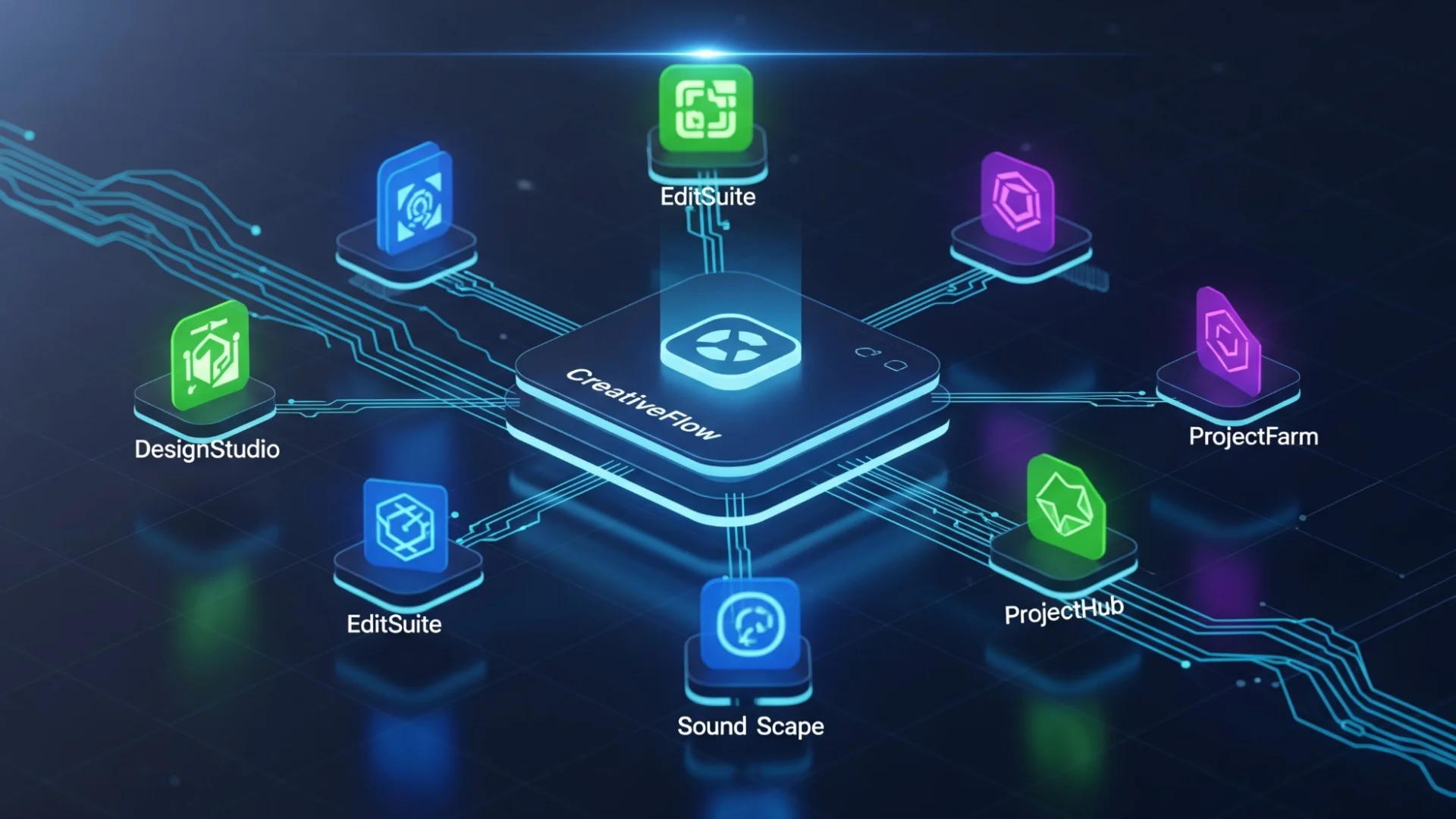
When you build a custom app, you consolidate all your scattered processes into a single, owned environment. You bring client intake, project tracking, and asset delivery under one roof. This protects you from the sudden, frustrating changes that third-party platforms love to make. You know the feeling: you log into your favorite project management tool on a Tuesday, only to find they completely redesigned the interface or moved your favorite features behind an expensive new paywall.
Taking control of your infrastructure protects your peace of mind. You dictate how your software functions. A great way to start claiming this independence is by using a platform like Base44. When you rely on their No code App builder, you transform your unique, internal workflow into an actual, functional product that serves your team perfectly. You stop renting your process and start owning it.
The Business Case for Building Your Own Creative Tools
Beyond the financial savings, building your own tools allows you to tailor every feature to your team’s exact output. Generic software has to appeal to millions of different users, which means it is full of features you will never use and missing the exact specific functions you desperately need.
When you build your own ecosystem, you only include what actually matters for your team. For example, if your video production crew needs a dedicated panel to log edit timestamps, track feedback on specific cuts, or manage asset handoffs from editing to color grading, you can build exactly those features into your custom app. Post-production teams often juggle video review notes, client approvals, audio syncs, and multiple delivery formats—so why force these critical workflows into generic project management software that was never meant for creatives? As your production pipeline grows in complexity or volume, your app evolves right alongside your needs. You’re never boxed in by someone else’s roadmap. With your own tailored tools, you control everything from intake to final render, giving you true creative control over your entire workflow.
How Custom Apps Look in Practice
Picture a boutique video agency. Instead of sending clients endless email threads with scattered Vimeo links and PDF feedback forms, they develop a dedicated client portal app. When a new client joins, they can log into this branded space to track the video project timeline, upload raw footage, and leave time-stamped feedback right on draft reels. The team stores source files, script revisions, and approval notes all in one place—making the whole review and delivery process tidy and stress-free for both sides.
On the post-production side, imagine a colorist and audio engineer collaborating on a large project. Rather than bouncing between task trackers and cloud folders, they use an app that logs edit requests and manages asset handoffs. Editors can flag shots for VFX, color can drop LUTs straight into the timeline for notes, and producers see a Kanban board of what’s in progress, what’s ready for review, and what’s ready to deliver.
Even a solo videographer benefits. Think of a filmmaker building a custom app that automates sending shoot schedules to collaborators, tracks footage delivery to clients, and manages versions for social cutdowns versus longer edits. These setups aren’t science fiction—they’re happening in small and large studios alike, and they transform the creative process everywhere.
More Examples of Custom Setups
Consider a content marketing team. They manage dozens of writers and editors. Instead of using a chaotic spreadsheet, they create a brief-to-publish tracking app. A writer opens the app, grabs their assigned brief, submits their draft, and triggers an automatic notification to the editing team. Everything flows logically from one step to the next.
Even solo freelancers benefit massively. A freelance photographer can build a lightweight app that automatically sends a pricing guide when a lead fills out a form, captures their electronic signature on a contract, and delivers the final high-resolution gallery. These setups are entirely achievable and completely change the way you interact with your work.
The Resources and Platforms Making This Accessible
When you look for a platform to build your ecosystem, you want to prioritize flexibility and integration capability. You need a tool that plays nicely with the systems you still have to use, like your email provider or your bank. You also want a platform that makes iteration incredibly easy. You should be able to drag, drop, and rearrange elements on your screen in a matter of minutes.
The best platforms remove the frustrating gap between having a brilliant idea for a workflow and actually deploying it. They give you visual building blocks. You tell the system what you want to happen, “when a client uploads a file here, send an alert to my designer there”, and the platform handles the complex logic behind the scenes. This democratizes software creation, putting the power directly into the hands of the creatives who actually do the work.
How to Think About Building Your First Creative App
Maybe it is your client onboarding process. Scope your first build tightly around solving just that one problem. Build a simple app that collects client information and files it neatly into a database. Treat this first app as a proof of concept. Use it yourself, test it with your team, and see how it feels.
When you solve one specific problem successfully, you earn trust internally. Your team will start to see the possibilities. From there, you can slowly expand your ecosystem. You might add a module for invoicing next month, and a feature for asset delivery the month after that. By building incrementally, you ensure that every feature you add actually serves a real, practical purpose.
Take Control of Your Workflow
Take a look at your current processes this week. Find one specific area that frustrates you, and challenge yourself to build a simple solution for it. Start with one problem, build one small app, and use that success as the foundation for a more connected, self-directed operating system for your creative work. You have everything you need to take control and build something brilliant.
Disclaimer : If you buy something through our links, we may earn an affiliate commission or have a sponsored relationship with the brand, at no cost to you. We recommend only products we genuinely like. Thank you so much.
Blog Label:



Write for us
Publish a Guest Post on Pixflow
Pixflow welcomes guest posts from brands, agencies, and fellow creators who want to contribute genuinely useful content.
Fill the Form ✏