8 Best Tools for Digitizing Handwritten Notes and Production Documents
- Why the Pen Isn't Leaving the Set
- 1. Apryse, for Recognition That Stays In-House
- 2. Scriptation and the Colored Pages Problem
- 3. Microsoft OneNote, Unglamorous and Company-Owned
- What the Lens Retirement Should Teach a Production Office
- 4. Goodnotes on the Director's iPad
- 5. reMarkable Paper Pro for Directors Who Draw Their Coverage
- Why Paper Hangs On Anyway
- 6. Apple Notes, Free and Scattered
- 7. Rocketbook and the Page That Erases Itself
- 8. Transkribus When the Handwriting Is a Century Old
- A Scanning Routine That Survives the Night Shift
- Who Keeps the Box
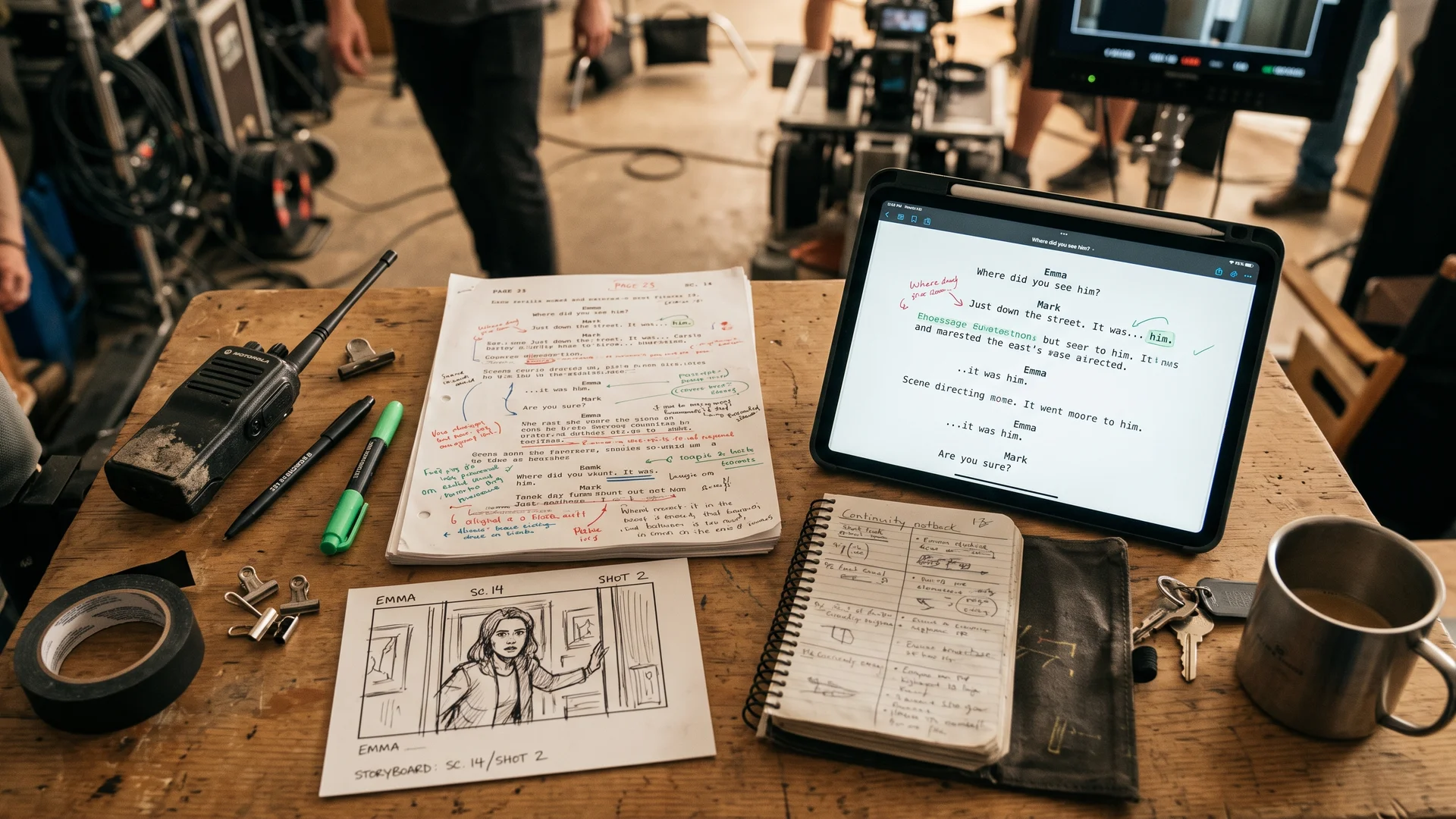
Production paperwork, for this column’s purposes, means the pages that still get written by hand on plenty of shoots. Think of the script supervisor’s lined script and continuity notes, annotated call sheets, and the storyboard thumbnails a director draws on the back of the day’s sides. Each tool below gets judged on one question before any other, which is who will be able to find that page, and read it, a year after wrap.
Why the Pen Isn’t Leaving the Set
It’s also contested. A formal commentary in the same journal pointed out that the protocol involved no learning task and that the typists were restricted to a single index finger, with nothing appearing on screen as they typed. The same authors suggest handwriting may simply tie up more working memory because it’s slower. Those objections are fair, and they leave the study looking suggestive at best where memory is concerned. The practical case for the pen on set doesn’t lean on neuroscience, though. Anyone who has watched a first assistant director mark up a call sheet between setups can see why paper persists, so the tools most worth having are probably the ones built to follow it.
1. Apryse, for Recognition That Stays In-House
A developer can also tell the Apryse toolkit which boxes on a form to read and which printed labels to skip, and on a camera report or a continuity sheet the printed labels are most of the page. In the company’s own simple tests, narrowing the reading area that way cut processing time per page by about half. The recognized text comes back tied to its position on the page, too, so a slate number scrawled in a corner can land in the right field of a database instead of drifting through a block of transcription.
For a production office weighing it up, the sensible pilot starts with the forms that repeat. Camera reports and continuity sheets keep the same layout from one day to the next, so the reading zones only need mapping once. Run a week of real pages through the system, smudges and 5 a.m. pencil included, and check a sample against the originals by hand before anyone relies on the search results. Apryse’s own guidance on accuracy recommends much the same step, which suggests the company expects results to vary with the paper.
2. Scriptation and the Colored Pages Problem
Keeping each note on the right line matters because drama is shot out of sequence, and the script supervisor’s written and photographic records are how directors and editors later work out what exists for each scene. A note that drifts off its line during a rewrite is one the cutting room may stop trusting. It helps to export the tagged breakdown and the lined pages to the production’s own storage at the end of each week, so the script department’s work doesn’t live only inside one person’s tablet.
3. Microsoft OneNote, Unglamorous and Company-Owned
Where the notebooks are stored matters more than the conversion. On a work account they can be kept in the company’s Microsoft 365 storage instead of a crew member’s personal cloud, and that’s the point to raise with whoever handles the physical side of film project management, usually the production manager, since it decides who holds the pages after wrap. In practice, that means having the production office create one notebook per department and share it out, so no crew member ends up owning the only copy.
What the Lens Retirement Should Teach a Production Office
The film business has lived through a much larger version of the same problem with its own footage. Film can stay readable for a century or more given suitable temperature and humidity, while digital material needs constant, costly management for as long as anyone wants it. Scan a call sheet and throw away the paper, and that obligation becomes yours. A modest defense is to export everything to plain PDF on storage the production controls at the end of each week, whatever app captured it, so the archive never depends on one product surviving.
4. Goodnotes on the Director’s iPad
Ownership keeps it lower. A director’s notebook tends to belong to the director, and when the director moves on, the day-three blocking notes can go too unless somebody thought to export them. A wrap-day checklist item asking every department head for a PDF export of their notebooks costs nothing and closes most of that gap.
5. reMarkable Paper Pro for Directors Who Draw Their Coverage
The Paper Pro suits a director sketching rough storyboard thumbnails between setups and wanting the shot notes typed up later. Without a paid Connect plan, reMarkable’s cloud keeps only files used and synced in the previous 50 days, so a director who cancels after wrap should export older notebooks first.
Why Paper Hangs On Anyway
6. Apple Notes, Free and Scattered
Notes fails exactly where Apryse is strong. Forty crew members scanning into Notes produce forty private archives spread across forty personal iCloud accounts, and no production office can easily search a gaffer’s phone. For a two-person documentary crew sharing one account, Notes may well beat everything above it, a concession that costs the ranking nothing because the ranking was never about convenience.
7. Rocketbook and the Page That Erases Itself
The reusable page is the stranger problem, because it wipes clean with a damp cloth and the original is designed to disappear, an odd property for a continuity log to have. If a production does use Rocketbooks, it makes sense to keep them for scratch work and running lists, and to put anything that might later settle an argument about what was shot on paper that stays.
8. Transkribus When the Handwriting Is a Century Old
In that work accuracy matters far more, and the order of this list largely stops applying. A faded letter often needs its contrast fixed in Photoshop before any model will cope, and even then somebody should check each line against the original. Few people working that way would consider throwing the originals out.
A Scanning Routine That Survives the Night Shift
Naming matters most after that. A file labeled by shoot day and scene can be found by someone who wasn’t there, and a file called Scan 0412 usually can’t. Keep the untouched scan as a master next to any cleaned-up copy, and make one named person responsible for checking each night that the day’s pages reached the shared drive.
Who Keeps the Box
Anyone running a production office this season can do one useful thing before the first call sheet goes out, and it’s to decide where the scans will live and who will still answer for them a year after wrap. Once that’s settled, choosing among the eight tools above takes an afternoon, and the choice matters a good deal less than the decision that came before it.
Somewhere a storage unit holds a banker’s box of call sheets from a shoot nobody remembers, damp at one corner and still readable by anyone with eyes. Scanned call sheets will need somebody to pay for their storage every year and to move them whenever an app like Lens is withdrawn, and that somebody has rarely been named by the time the shoot wraps. Many productions seem to settle the matter by accident on the office’s last day, when the shredder is closer than the scanner and nobody has said which one the paper was meant for.
Disclaimer : If you buy something through our links, we may earn an affiliate commission or have a sponsored relationship with the brand, at no cost to you. We recommend only products we genuinely like. Thank you so much.
Blog Label:



Write for us
Publish a Guest Post on Pixflow
Pixflow welcomes guest posts from brands, agencies, and fellow creators who want to contribute genuinely useful content.
Fill the Form ✏Related Items


How Storytelling Found Its Way Into Casino Games