7 Infrastructure Upgrades That Help Video Production Teams Scale Beyond a Single Workstation
- The Box on the Desk Is the Real Bottleneck
- One Copy of the Media, One Place to Find It
- The Cable Decides Whether Shared Storage Gets Used
- A Computer That Belongs to Nobody
- Drives Fail on a Schedule
- Every Extra Door Needs a Lock
- Proxies as House Policy
- Rules Nobody Has to Remember
- Who Looks After the Plumbing
The Box on the Desk Is the Real Bottleneck
One Copy of the Media, One Place to Find It
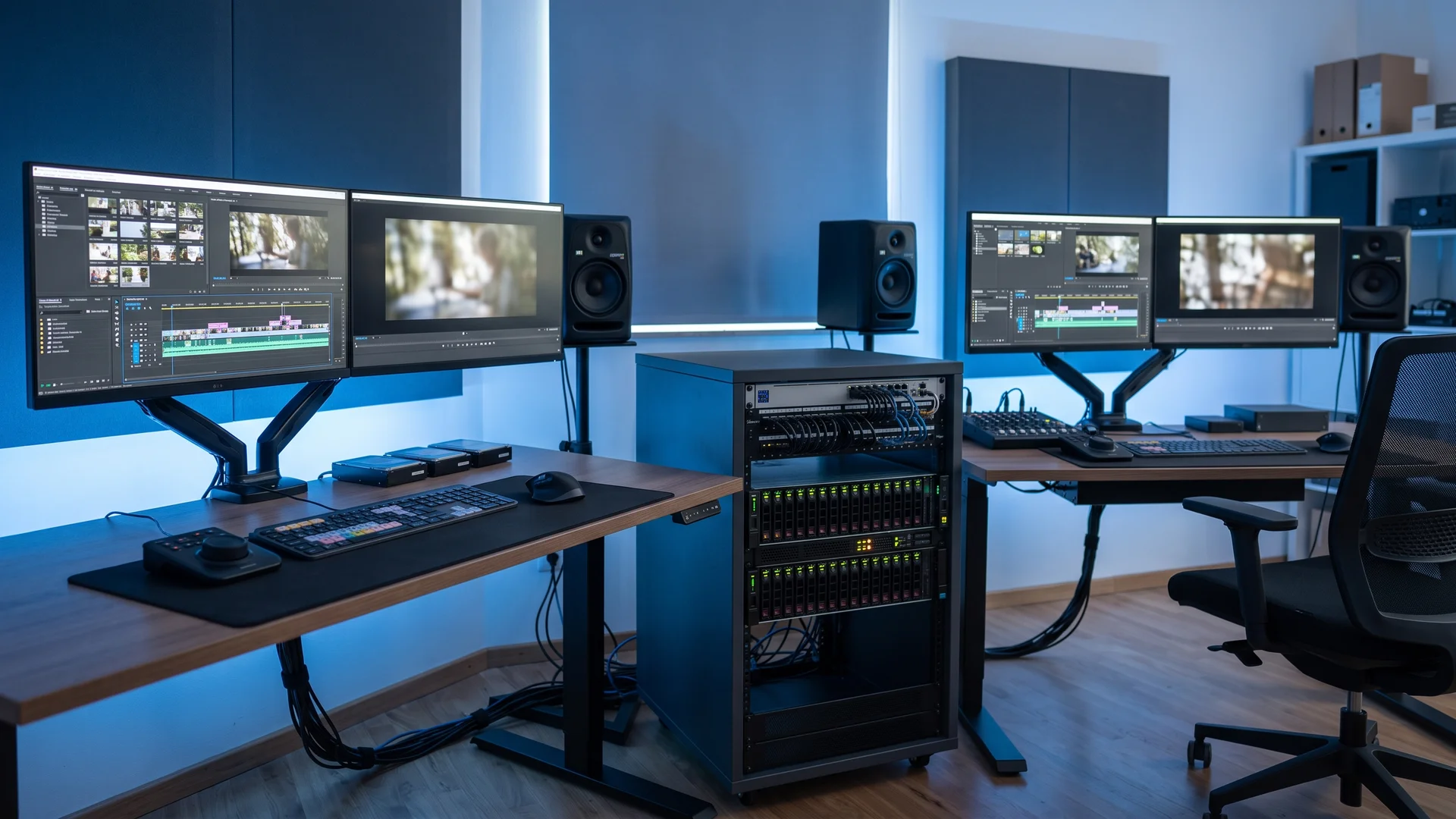
Size the box by how many people will pull footage at the same moment, since that head count shapes the drives inside and the network behind it far more than the size of the archive does.
Switches and network cards rated at ten times the office standard, fitted only to the edit seats and the storage itself, tend to keep the bill contained. Start with the storage box’s own connection, since every editor’s traffic funnels through it. Skimp there and the shared storage gets avoided by people copying files back to their own desktops.
A Computer That Belongs to Nobody
That server doesn’t have to sit in the office. Among dedicated server hosting providers, Atlantic.Net has been renting out physical machines since 1994, each built to the customer’s choice of processor, memory and disk, handed over with full control and housed in one of five US data centers. For a video team a rented box like that covers two needs at once. It runs the render queue without borrowing anyone’s desk, and it keeps finished masters and project files in a different building from the originals, which starts to matter the night a pipe bursts above the edit suite.
Wherever the machine lives, it doesn’t need to be clever. A box with plenty of processor cores and a fast link to the storage, grinding through the queue all night, will often do more for a four-person team than a second top-end workstation that sits idle while its owner is at lunch. The software that runs the queue can cost nothing. Blender Studio built a free render manager for teams of roughly one to ten artists, pitched at frame rendering and video encoding. By its own account, the studio’s farm runs partly on artists’ desktops whenever nobody is using them. That undercuts the case for a dedicated box a little, though borrowing idle desktops is a sensible first step before anything gets bought or rented.
The office internet connection spoils part of the off-site plan. The federal broadband benchmark still counts 20 megabits of upload as enough. At that speed, a single terabyte of footage, which a two-camera 4K day can produce, needs more than four days to climb out of the building. So an off-site server suits project files, deliverables, proxies and the render jobs that start from them. The raw footage mostly stays home on the storage from step one. Footage that exists in only one building is the reason the fourth upgrade exists.
Drives Fail on a Schedule
Shuttle drives are the last survivors of sneakernet, the old office joke about moving data by walking it between rooms. Video seems to have kept the habit longer than most trades did, because a drive in someone’s hand felt safer than a file sitting on a network nobody in the building understood.
The standard remedy is to keep three copies of anything that matters on two kinds of media, with one copy somewhere else, and to pair that with tiered storage that keeps fast drives for active projects and cheaper capacity for the archive. Most teams already own enough drives to manage this. Far fewer test a restore before the day they need one, so the first real test tends to happen with a client on the phone.
“Somewhere else” deserves more thought than it usually gets. Digital preservation’s own maturity model, revised as recently as March 2026, pushes past simple distance and asks for a copy in a place that faces a different disaster threat from the others. A studio in a flood zone gains little from an off-site copy two miles away on the same river.
Restores tend to fail in boring ways. A backup job set up two years ago may still be copying the old projects folder while everyone saves new work somewhere else. An off-site copy can stop syncing the week someone changes a password without anything on anyone’s screen saying so. A quarterly drill, pulling one random project back onto a machine it wasn’t cut on and opening it, catches both.
Every Extra Door Needs a Lock
Most shops also think they’re better protected than they are. The program’s first industry-wide study of its security assessments found access management among the weakest-performing controls, while its president said organizations routinely overestimate how well their controls work. A small agency cutting a product launch is sitting on unreleased footage, which is worth money to people who shouldn’t have it.
The fixes are dull and mostly free. Give every person an account of their own and switch on the second login step for all of them, which also puts an end to pasting the admin password into the group chat. The evidence for that step is unusually strong. A Microsoft study of commercial accounts found the extra login check cut the risk of compromise by 99.22 percent, with dedicated authenticator apps doing better than text-message codes. Close a freelancer’s account on their last day, not at the end of the quarter.
Proxies as House Policy
Decide where proxies live before the first card comes in. Adobe’s proxy documentation notes that the default of dropping proxies next to the originals works poorly for cameras that tuck each clip into its own folder, and suggests one shared location so the proxies can be moved or deleted as a set.
Proxies also weaken the case made for the network in step two, and it’s only fair to say so. The lightest ProRes flavor runs at roughly a fifth of the data rate of the high-quality version, so a team cutting entirely from proxies needs far less speed at the edit seats. The faster network still earns its keep at the color and finishing stage, where nobody wants to judge a grade on a stand-in. It just earns less than the people selling switches like to suggest.
Rules Nobody Has to Remember
Who Looks After the Plumbing
So before the next hire or the next hardware order, put a name and a weekly block of hours against each of the seven upgrades, then run one restore drill this month and time it. If the hours don’t fit inside anyone’s week, the team has found its real capacity limit, which no workstation on the market will fix. Then ask your own team who would notice first if last Tuesday’s backup never ran, and write that person’s name next to the backups.
Disclaimer : If you buy something through our links, we may earn an affiliate commission or have a sponsored relationship with the brand, at no cost to you. We recommend only products we genuinely like. Thank you so much.
Blog Label:



Write for us
Publish a Guest Post on Pixflow
Pixflow welcomes guest posts from brands, agencies, and fellow creators who want to contribute genuinely useful content.
Fill the Form ✏