How to Use AI for Content Creation: A Writing Workflow for Video Editors and Motion Designers
- 5 writing tasks that slow down video and motion projects
- How to use AI for content creation across a project: 5 practical uses
- How to keep AI drafts in your own voice: 4 edits for scripts, captions and emails
- 4 rules for using AI responsibly with client work
- Your AI content creation workflow in one table
- Conclusion: start with one writing task this week
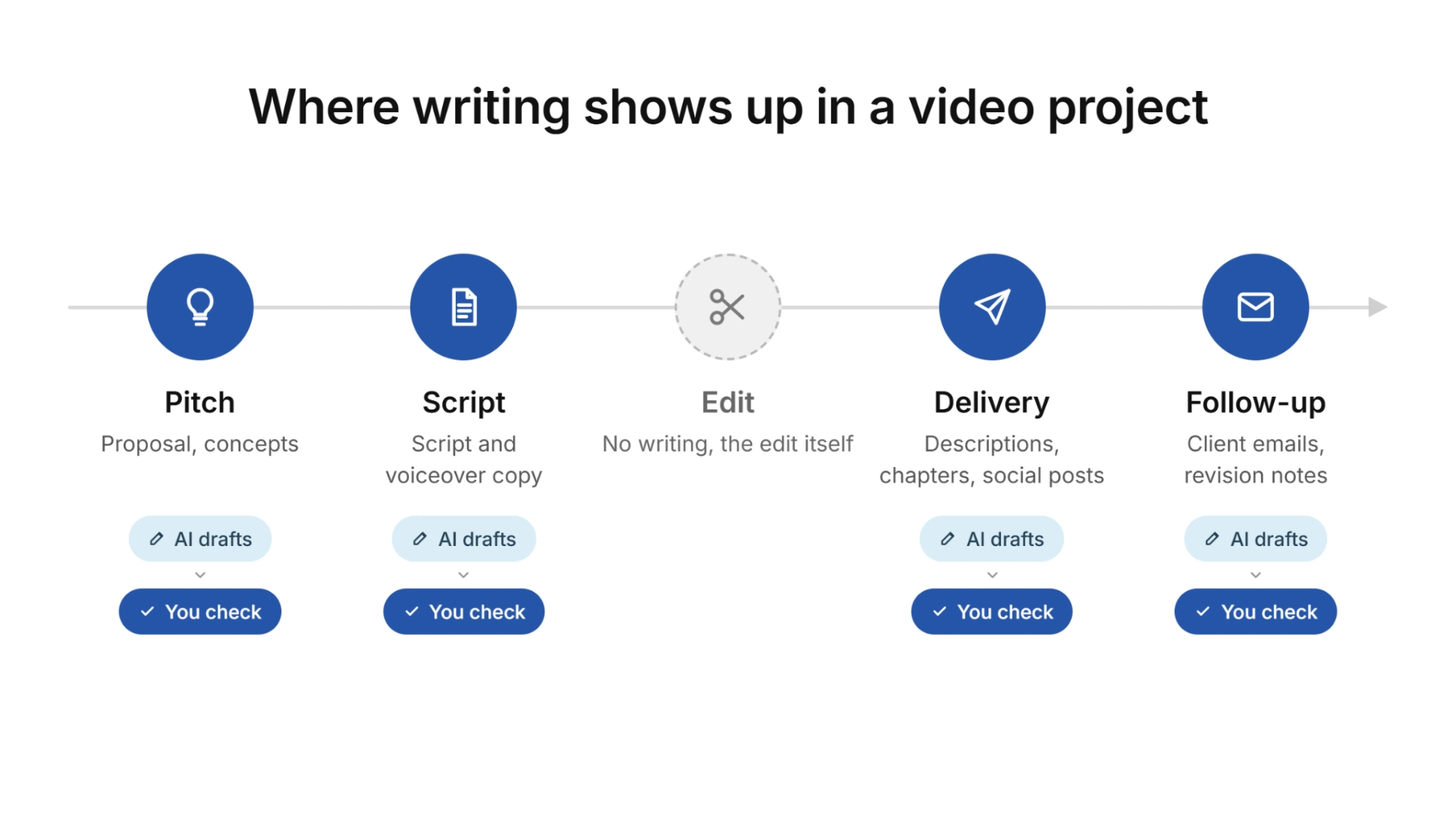
Below are the five writing tasks that slow production down, how AI can draft each one, and what makes a draft usable: an edit that restores your voice and clear rules for client material and platform policies.
5 writing tasks that slow down video and motion projects
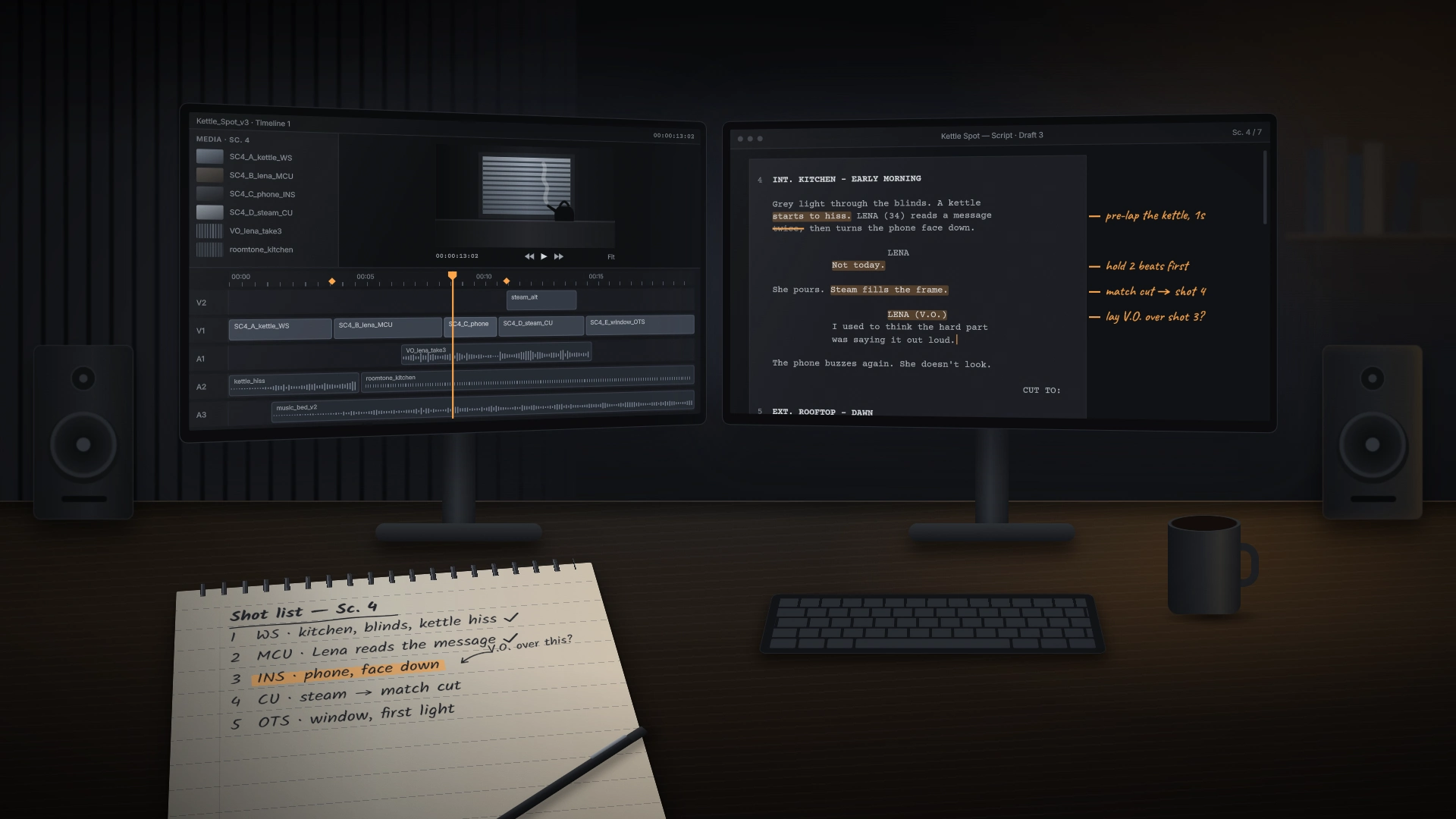
- Scripts and voiceover copy. Explainers and promos often arrive with a loose brief, so you write the script before the first cut.
- Social captions and post copy. Every cutdown needs its own platform copy, often four versions of one message at the end of a long edit.
- Descriptions and metadata. Titles, descriptions and chapters usually get written last, under deadline.
- Proposals and quotes. Scope, deliverables and revision terms get rewritten for every lead, and none of that time is billable.
- Client emails and revision notes. Each one is short, but dozens per project pull you out of the timeline.
For AI inside Premiere Pro and DaVinci Resolve, see Pixflow’s AI video editing workflow guide.
How to use AI for content creation across a project: 5 practical uses
Generate concepts and pitch angles
Treat the model as a brainstorming partner rather than a decision-maker. Give it the client’s goal, audience and format, ask for ten hook directions for a 30-second spot, and develop the two strongest yourself. The predictable suggestions still help, because they show the angles a competing pitch will likely use.
Draft the first version of a script
Brief the model the way a director would: runtime, tone, the one message viewers should keep, and the shots you already have. AI-drafted scripts tend to come back with even, list-like sentences that sound flat as voiceover, so read the draft aloud against your animatic or rough cut and cut every line that doesn’t match a shot. If the rhythm still sounds generic, an AI humanizer can rewrite the sentence structure and give you a less uniform version to edit before your final read against the cut.
Turn one finished video into several posts
For your own channel, paste the transcript and ask for a LinkedIn post, an Instagram caption and a short newsletter blurb, each built around a different moment in the video. For client work, do this only once the video is public or the client has agreed.
Write descriptions, chapters and metadata
The facts already sit in your timeline, so this task is easy to hand off. Export your markers or transcript, ask for a description with chapter timestamps, and check every timestamp against the final export, since a model can shift or invent them. Ask for titles in batches of ten, because the best one is rarely the first.
Handle routine client communication
Status updates and delivery notes follow a pattern, so a saved prompt with your usual structure gives you a quick first draft. Paste client feedback with names and project details removed, and ask for a numbered list of changes to confirm before the revision round starts. Proposals work the same way from your scope template, and Pixflow’s guide to email sequences for freelance video editors covers planned follow-ups.
How to keep AI drafts in your own voice: 4 edits for scripts, captions and emails
- Show your tone with samples. Paste two or three emails or captions you have sent and ask the model to match their length and rhythm, which works better than adjectives like “friendly”. For a client account, use the client’s published posts so the copy matches their brand voice.
- Cut the first and last sentences. AI drafts tend to warm up before the point and summarize after it.
- Add one detail only you know. The shot you reworked or the real delivery date makes the message yours.
- Read it aloud. Swap any phrase you would never say to a client on a call.
When a caption or client email still reads like generic AI copy after these edits, usually because every sentence has the same shape, a rewriting pass in Undetectable AI restructures the sentences and gives you a version to finish by hand. The goal is copy that sounds like you, not hiding how you work, so if a client asks whether you draft with AI, answer honestly.
4 rules for using AI responsibly with client work
- Edit and fact-check every draft. Models state wrong names, specs and dates as confidently as correct ones, and the client will see the error as yours.
- Keep client footage, scripts and unreleased projects out of public AI tools. Strip names and specifics before pasting anything, and check the tool’s data settings: in ChatGPT, whether your chats are used for model training depends on “Improve the model for everyone” under Settings, then Data Controls. Pixflow’s cybersecurity checklist for freelance designers covers the wider basics.
- Follow each platform’s disclosure rules. YouTube requires creators to disclose realistic content made or altered with AI, while its help page on disclosing AI content lists help with a script, title or outline, caption creation and idea generation as uses that need no label. Check current rules before each client campaign.
- Agree on AI use at kickoff. Some contracts restrict AI tools, so ask early and note the answer in the brief.
Your AI content creation workflow in one table
Conclusion: start with one writing task this week
Disclaimer : If you buy something through our links, we may earn an affiliate commission or have a sponsored relationship with the brand, at no cost to you. We recommend only products we genuinely like. Thank you so much.
Blog Label:

Write for us
Publish a Guest Post on Pixflow
Pixflow welcomes guest posts from brands, agencies, and fellow creators who want to contribute genuinely useful content.
Fill the Form ✏