How Video Editors Can Build Client Pitch Decks and Storyboards Faster With an AI Presentation Generator

- Two decks with two different jobs
- Building the treatment in Quillbot
- The storyboard, one beat at a time
- What one beat looks like before and after
- What the client decides from each piece
- Exports: one for the client, one for your timeline
- Can it make an animatic?
- Mistakes that cost editors the job
- Quick answers for editors
- The frame you actually shoot
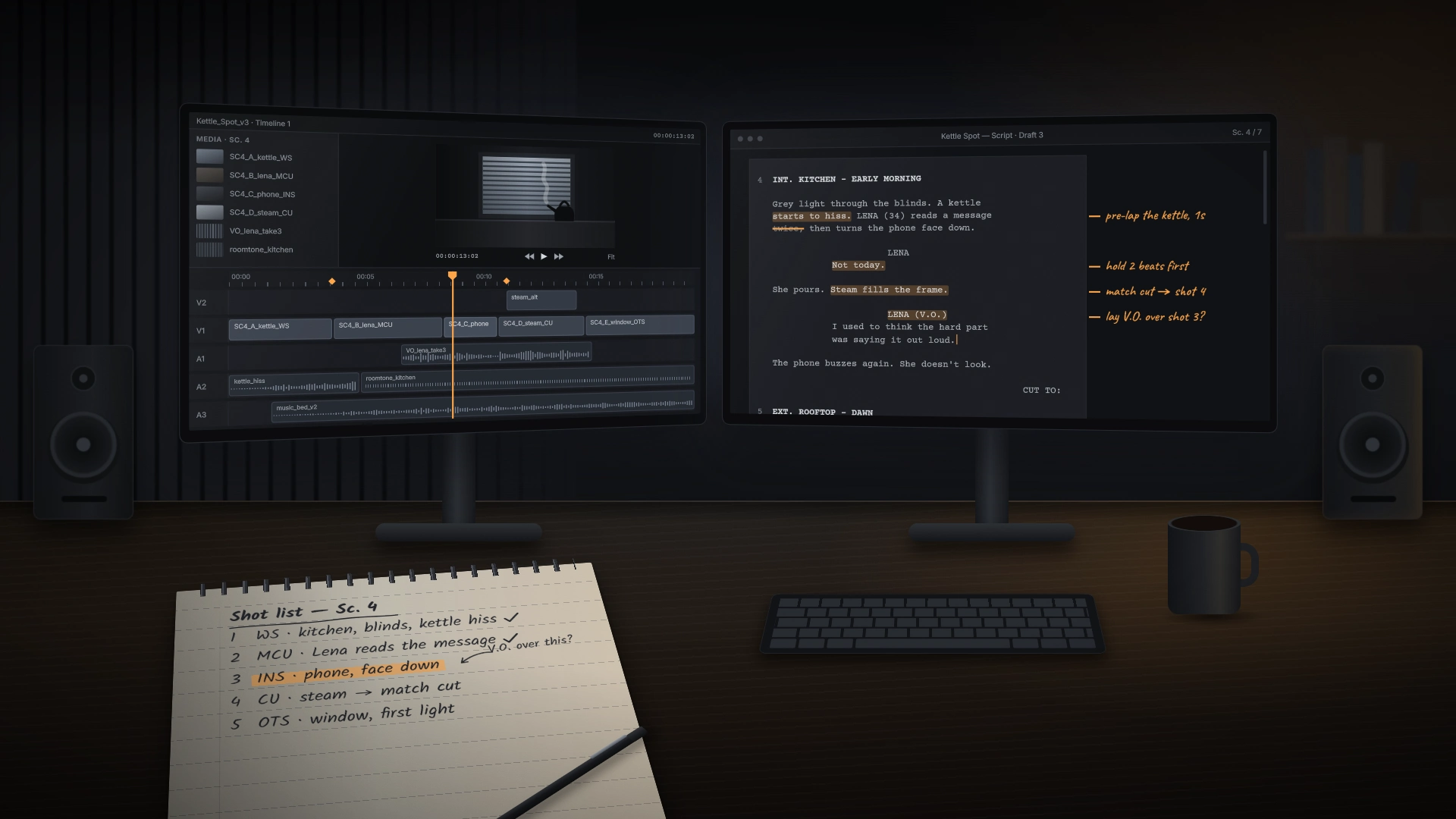
Take a composite but very ordinary job. An outdoor apparel brand, call it Halden Outdoor, wants a 60-second launch film for a new rain shell, plus a 15-second vertical cutdown for Reels and Shorts and a 6-second bumper. The marketing manager has asked two freelancers to pitch. She wants a treatment by Wednesday and “some kind of storyboard” by Friday. Your material so far: a voice memo transcript, eleven reference stills grabbed from films you admire, and a beat list typed into your phone on the train.
None of that is a pitch. It is, though, most of the raw material for two decks, and assembling decks is the part of the job a tool can do quickly while you get back to the work you’re paid for.
Two decks with two different jobs
The storyboard deck is a working document. One beat per slide, a frame reference on each, a line about what happens and a line about what we hear. Clients use it to check that the 60 seconds contain what they’re paying for. Nobody frames it.
Keep them apart. Combine them and you get a 25-slide monster where the brand director scrolls past your storyboard looking for the price.
Building the treatment in Quillbot
Tidy the voice memo transcript just enough that a stranger could follow it. Don’t polish it. Paste it under your prompt.
The reference stills go in as images. Pull them as PNGs straight from your software: Export Frame in Premiere, Grab Still and then export in DaVinci Resolve, Save Frame As in After Effects. Rename them before attaching (“ref03_backlit_rain.png” beats “Screenshot 2026-10-21 at 23.14.07.png”) so your prompt can refer to them by name. And label them as references on the slides. These are other people’s frames, and a client who thinks you shot them is a client you’ll disappoint later.
This is the treatment prompt for the Halden job:
Create a 7-slide treatment deck for Halden Outdoor’s launch film for the Fjell rain shell. Audience: their marketing manager and brand director, who have not seen my notes. Tone: confident, short sentences, no filmmaking jargon. Slides: (1) concept, “The forecast is wrong again,” one hiker, one ridge, weather that keeps turning; (2) references, using the attached stills, each captioned as a reference; (3) tone and look, a cool blue-green grade, natural sound first, music entering at 0:20; (4) structure in three acts; (5) deliverables: 60s in 16:9, 15s in 9:16, 6s bumper, all captioned; (6) timeline: shoot the week of November 16, first cut November 25, final delivery December 4; (7) next steps and what I need from Halden. Use the pasted notes below for detail.
Seven slides in the prompt, seven on the selector. When they don’t match you get filler or crushing.
What comes back is a clean first draft. Read every line as if you were the brand director, and rewrite anything that promises more than you can shoot in two days on a ridge in uncertain weather.
A note on the tone and look slide
This is the one slide where your own work should outweigh the references. Pull two or three stills from past jobs that sit near the look you’re proposing, with your grade applied: the cool blue-green you’d build from a base LUT and then pull back on the skin tones, say. Put one of your stills next to one reference still and caption the pair plainly (“reference” and “my grade, previous job”). The client sees the mood they’re buying and evidence that you can deliver it, side by side.
Keep the language on that slide physical. “Overcast, low contrast, greens pushed toward teal, highlights held” tells a brand director more than “moody and cinematic,” and it gives your colorist (or future you, in Resolve at midnight) something to check the final grade against.
The storyboard, one beat at a time
Attach one reference frame per beat, named to match (“beat04_hood.png”), and paste the beat list as text. A short prompt does the job here, since the beat list carries the content: name the client, say it’s a storyboard, say one beat per slide with the frame on the left and action and sound on the right, and ask for a single “client check” question on each slide.
The editor lets you edit titles and text, reorder or delete sections, add new ones, and crop images. Cropping matters more than it sounds. Your reference stills come in every aspect ratio under the sun, from 2.39:1 film grabs to phone screenshots, and the 15-second cutdown storyboard should show 9:16 frames so the client sees the vertical composition, not a widescreen shot with a promise attached. Crop each still to the ratio of the deliverable it represents.
Reorder freely at this stage. On the Halden board, beats 6 and 7 swapped twice before the order made sense: the product close-up works better after the hiker reaches shelter than before it, because the audience has just watched the jacket do its job. Moving a slide takes a second, and it’s far cheaper than discovering the same thing in the edit with a client watching.
The tool can also suggest or generate images. For a storyboard, I’d keep generated images out entirely, or use one only where you have no reference at all and label it plainly as a placeholder.
What one beat looks like before and after
beat 4 she stops at ridge, wind picks up, hood goes up, ~0:18 to 0:24, close on zipper pull + hood cinch, sound: wind roar then drop to near silence when hood closes?? music in here
The same beat as a storyboard slide after generation and a couple of minutes of editing:
Beat 4 · 0:18 to 0:24 · Hood up Frame: reference still, side-lit close-up (placeholder, not final framing) Action: At the ridge, the wind hits. She pulls the hood up and cinches it with one hand. Sound: Wind roar, then near silence as the hood closes. Music enters. Client check: Is the one-hand cinch the product moment you want featured?
That last line earns its place. Clients rarely tell you what they care about until they see it missing, and a direct question on the slide pulls the answer out on Friday instead of after the shoot.
What the client decides from each piece
| Pitch element | Slide | What the client decides from it |
|---|---|---|
| Concept | Treatment slide 1 | Whether the idea fits the launch message |
| References | Treatment slide 2 | Whether the look and pace feel like their brand |
| Structure and beats | Storyboard slides 1 to 9 | Whether the product moments land in the right places |
| Deliverables | Treatment slide 5 | Whether the formats and lengths match their channel plan |
| Timeline | Treatment slide 6 | Whether the dates work with the launch and their approvals |
If a slide doesn’t map to a decision, it’s probably decoration. Cut it or fold it into its neighbor.
Exports: one for the client, one for your timeline
The PDF goes to the client. It opens on a phone in a taxi, forwards cleanly, and the brand director can’t accidentally knock a frame off a slide. If you want comments rather than an email thread, the tool supports real-time collaboration by email invite or shared link, which saves you collating notes from three people.
The PNG export is the one editors tend to miss. Export the storyboard deck as PNG and you get one image per slide. Drop those into a Premiere or Resolve sequence, give each one the duration of its beat (beat 4 runs six seconds, so its PNG runs six seconds), lay temp music underneath, and you have a rough board-o-matic in about fifteen minutes. Those PNGs then stay on a top track as placeholders while real footage replaces them shot by shot, so the cut always has a visual reminder of what was promised.
That trick is half the reason to use Quillbot’s ai presentation generator for storyboards at all, since a board that only lives in a PDF never touches the edit.
Can it make an animatic?
The storyboard frames are placeholders, not your frames. A reference still from a film shot on a big budget in Iceland tells the client about light and mood. It doesn’t tell them what your two-day shoot will look like, and the deck should say so in small type on every frame.
Generated images will not match your look. They come with their own lighting, their own color, faces that belong to nobody, and a jacket that isn’t the Fjell shell. Your grade, your LUTs, the way your footage handles skin and overcast skies: none of that exists in a generated image, and a client who falls for one will measure your real footage against it.
Mistakes that cost editors the job
Leaving tool-written lines unedited. The generated text is tidy and generic. A brand director has read “captivating visuals that resonate with your audience” a thousand times. Replace it with what we see: rain on a hood at 0:18.
Uncaptioned references. If a still isn’t labeled as a reference, assume the client thinks it’s a promise.
Overpromising on the timeline slide. Put the client’s approval windows on it too. A final delivery date that ignores two rounds of their feedback is fiction.
Pitching the gear instead of the film. A slide listing your camera body, lenses and plugin stack answers a question the marketing manager didn’t ask. One line on the deliverables slide about the crew size is plenty.
Forgetting the cutdowns. The 15-second vertical needs its own mini-board, three or four slides cropped to 9:16. Clients approve the 60 and then get surprised by the vertical.
Quick answers for editors
Should I use PNG or JPG for the timeline placeholders? PNG, if you want text on the slides to stay crisp when it’s scaled in the viewer. JPG files are smaller, which matters little for nine images.
Is it free? It’s free to use, and a Premium plan adds unlimited presentations, faster generation and access to all Quillbot tools. The page currently labels it Beta.
Will it work for a YouTube series pitch? Yes. Treat the series as the concept and each episode as a beat: one slide per episode with a thumbnail reference, the hook, and what the viewer gets. A six-episode pitch becomes a six-slide storyboard plus the treatment.
The frame you actually shoot
Disclaimer : If you buy something through our links, we may earn an affiliate commission or have a sponsored relationship with the brand, at no cost to you. We recommend only products we genuinely like. Thank you so much.
Blog Label:
Write for us
Publish a Guest Post on Pixflow
Pixflow welcomes guest posts from brands, agencies, and fellow creators who want to contribute genuinely useful content.
Fill the Form ✏