How to Create Foley Sound Effects at Home for Film and Video

- What is foley, and why it is still done by hand in 2026
- The bare-minimum home foley setup
- The foley prop kit: what to hoard from around the house
- The Prop Substitution Table
- The 5-step home foley recording workflow
- Recording foley in your DAW: Premiere Pro, DaVinci Resolve, and Pro Tools
- DIY foley vs. sound effect libraries: when to record vs. license
- Famous foley examples that started at home (or almost)
- Common mistakes beginners make (and how to fix them)
- Quick checklist before you hit record
- Conclusion
That missing layer is almost always foley.
Foley is the craft of performing everyday sounds in sync with picture. It’s named after Jack Donovan Foley, the Universal Studios sound editor who pretty much invented the discipline in the 1930s. Footsteps, cloth movement, the clink of a coffee mug, the squeak of a leather chair: all of it, recorded by hand to match what’s on screen. And here’s the genuinely good news for indie filmmakers, YouTubers, and motion designers in 2026: you can do most of it from your bedroom with gear you probably already own.
This guide walks through everything you need. The bare-minimum home setup. The prop kit you can build from kitchen drawers and the garden shed. The five-step recording workflow used by working foley artists. DAW-specific editing tips for Premiere Pro, DaVinci Resolve, and Pro Tools. The common mistakes that quietly kill otherwise great takes. And a 20-row prop substitution table you can save and reuse on every project. It’s a companion piece to our broader sound design for film guide, so if you want the full mixing context, start there and circle back.
Let’s get into it.
What is foley, and why it is still done by hand in 2026
That last word matters. As Ruth, the foley artist interviewed by LADbible Stories, puts it:
Something fake to make it sound real. That’s the lovely paradox.
Working foley artists still divide their work into the three categories the Backstage walkthrough names: footsteps, movement (mostly cloth), and specifics (everything else, like props, weapons, doors, kitchenware). You can structure your home recording sessions exactly the same way, and your future self at the mixing desk will love you for it.
So why bother with hand-recorded foley when the best sound effect libraries have thousands of polished oneshots ready to drop in? Two reasons. First, libraries can’t lock to the exact rhythm of your shot. A boot landing on gravel in your edit will not match a generic boot-on-gravel oneshot perfectly, and that micro-drift is what makes indie audio feel “off.” Second, library SFX is, by definition, shared with thousands of other projects. Your foley is yours.
The bare-minimum home foley setup
Room treatment without spending a fortune
Foley lives or dies on the recording space. A bright, echoey room will print every reflection into your audio, and there is no plugin that fully undoes it.
Three quick wins, in order of effort:
- Pick the smallest soft-furnished room in your home. Bedrooms beat living rooms, and closets beat bedrooms.
- Hang blankets, duvets, or moving blankets over reflective surfaces. The r/AudioPost crowd’s standing advice (and it’s correct) is to keep adding layers of sound dampening until the room sounds dead enough to record in.
- Push bookcases against bare walls. Books are excellent broadband absorbers.
A walk-in closet stuffed with hanging clothes is famously the best free vocal booth on earth, and it works just as well for close-up foley work like prop handling, cloth, and specifics.
Microphones, from phone to pro
You can absolutely start with what you already own. Bastian Gerner, a senior foley artist whose credits include Avatar and Assassin’s Creed, is blunt about this in his Art of Foley walkthrough:
You just need your iPhone basically, or any microphone to start.
The phone matters less than the room and the performance.
When you’re ready to upgrade, here’s how to ladder it:
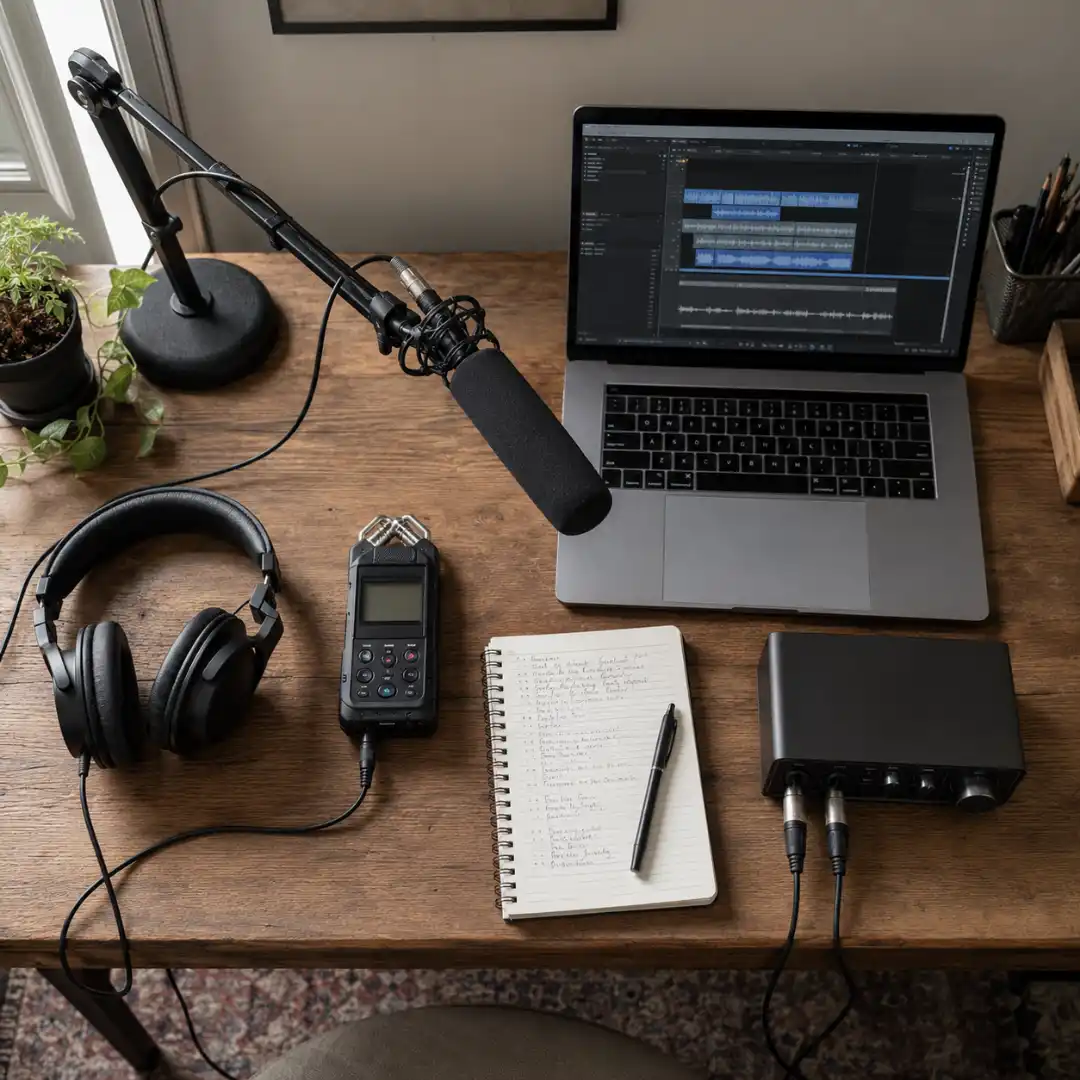
- Tier 1 (under $200): a portable recorder like the Zoom H1n, Zoom H5, or Tascam DR-40X. As the Freesound blog notes in its budget recording guide, look for one that records at 48 kHz / 24-bit with low self-noise preamps.
- Tier 2 ($250 to $500): add a shotgun mic. The Rode NTG2 or NTG4+ is the workhorse, and the Sennheiser MKE 600 is a step up.
- Tier 3 ($500+): a large-diaphragm condenser for studio-style foley. The Rode NT1 or AT2020 are solid. Bastian Gerner records most of his pro work into a big LDC about 1 meter away, with a clean signal chain we’ll borrow later in this guide.
A lav mic clipped near the prop is a sneaky-good extra for close, mono detail work.
Audio interface and monitoring
If you’re going beyond a portable recorder, a Focusrite Scarlett Solo or 2i2 is the default first interface for a reason: clean preamps, USB powered, and well under $200. Pair it with closed-back headphones (Audio-Technica ATH-M50x, Sony MDR-7506, or Beyerdynamic DT 770) so your monitoring doesn’t bleed back into the mic.
Open-back headphones sound amazing for mixing. They are also a guaranteed way to ruin a foley take.
Software (DAW)
You need a Digital Audio Workstation to record, edit, and sync your foley. Three paths:
- Capable starter tools at no cost: DaVinci Resolve’s built-in Fairlight page (genuinely excellent for foley), Reaper (an evaluation version that never expires), and Audacity (basic but capable).
- Industry standard: Pro Tools. Both AB at B&H and the Shutterstock workflow we’ll reference later use it for the same reason. It’s what every post house runs.
- NLE-native: Premiere Pro can do voice recording and basic foley on its own tracks.
If you also need a quick scratch line of dialogue while you test your sync, the Pixflow AI Voiceover tool generates a usable placeholder in seconds. Drop it on a temp track and treat it like a guide vocal for the foley pass.
The foley prop kit: what to hoard from around the house
Robbie at Shutterstock sums it up:
Foley is the art of recording sound and sound effects for filmmaking purposes.
The art is mostly about substitution. The thing you record almost never looks like the thing you hear. The big payoff (a 20-row prop substitution table) sits just after the workflow section below. First, let’s break the kit into the same four categories real foley artists use.
Footwear and footstep surfaces
Footsteps are roughly 80% of a typical foley pass. Build for variety:
- Multiple shoe types: boots, sneakers, dress shoes, heels, and bare feet
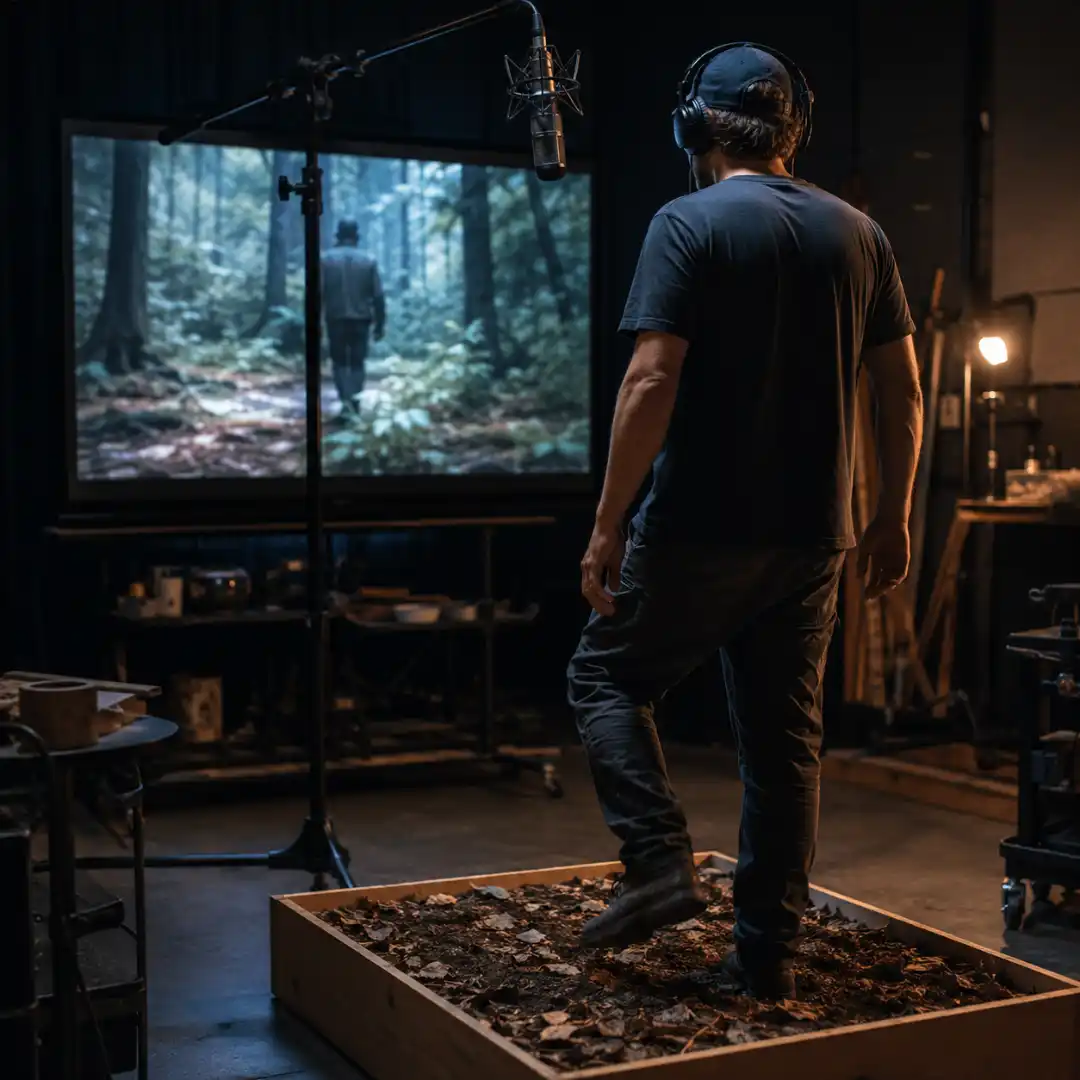
- Surface boxes you can swap in and out of frame. A kiddie pool is genuinely the smartest tip from the Shutterstock walkthrough because it contains the mess.
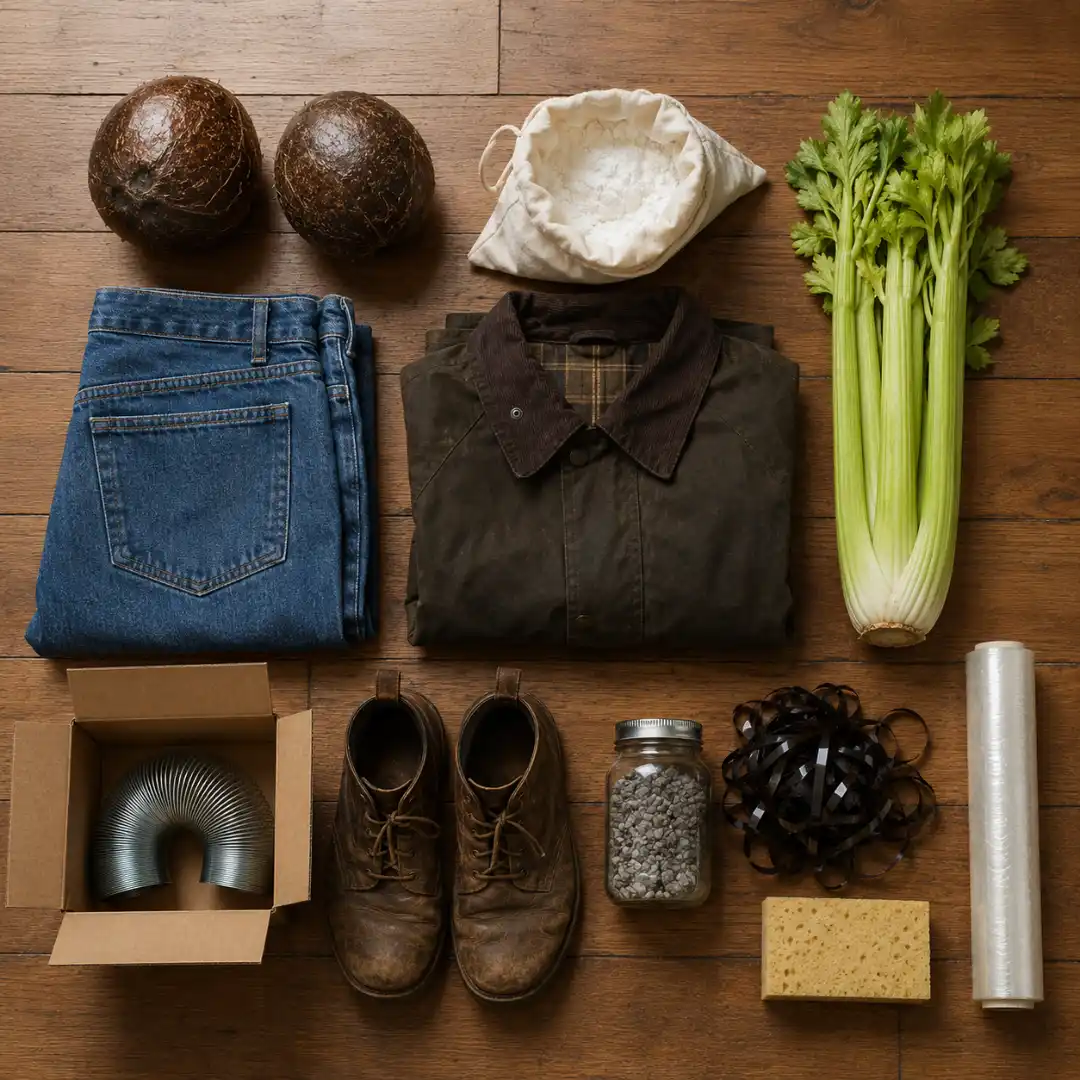
- Fill ideas: pea gravel for paths and trails, potting soil for muddy or forest scenes, crumpled VHS or audio tape for grass and brush, hardwood scraps for interior wood floors, a ceramic tile or stone slab for kitchen and bathroom interiors, and a pillowcase filled with cornstarch for fresh snow. The cornstarch creak is uncanny.
Cloth and movement
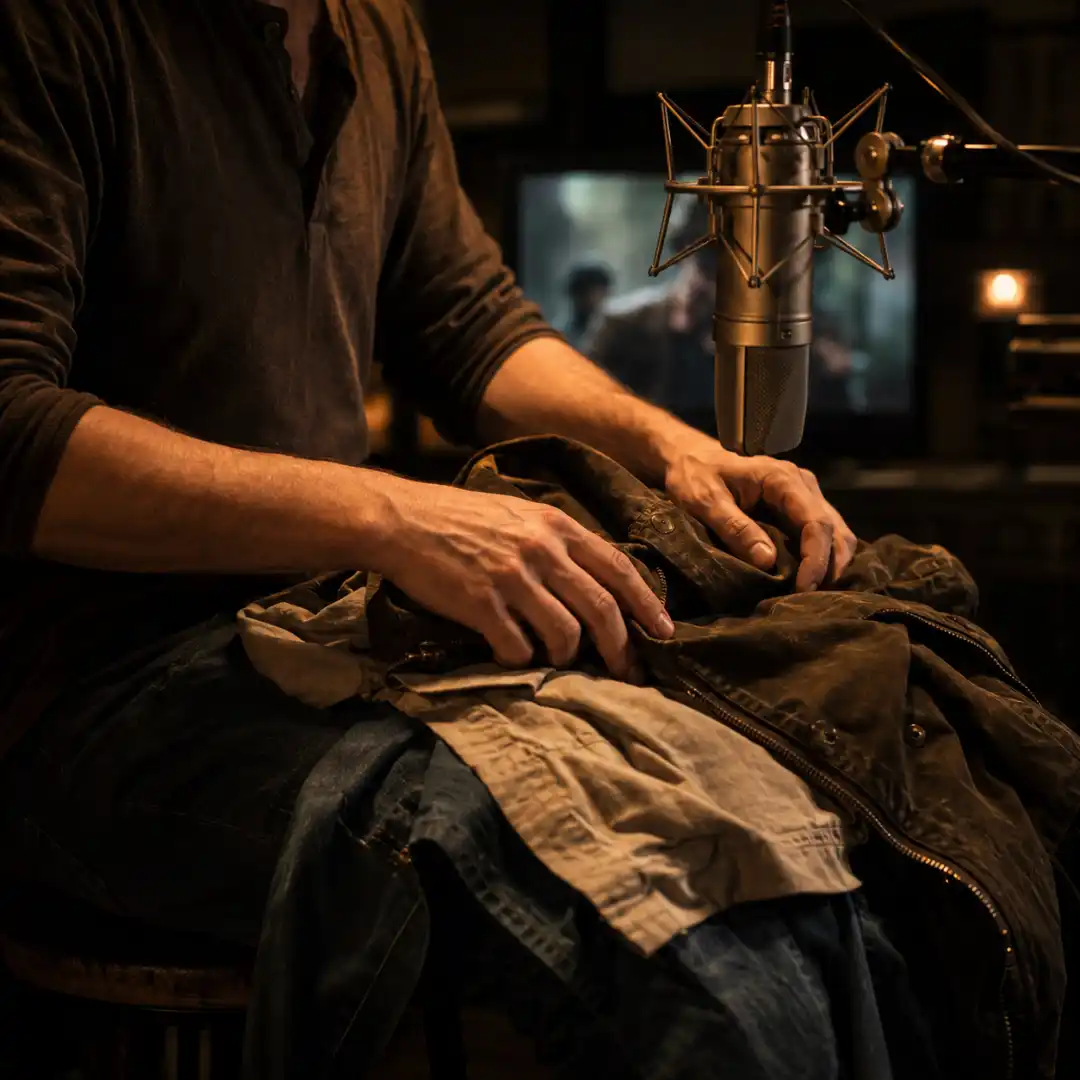
Cloth foley is where most beginner work falls apart and where pros really earn their fee. Bastian Gerner’s go-to setup is worth copying note for note. He builds a stack on his lap:
The jeans is at the bottom and then I have a couple of other types of cloth like two shirts and my T-shirt here to control the transients a little bit more.
Then he keeps a small rack of jackets nearby for character textures:
- A waxed cotton (Barbour-style) jacket for stiff, transient-heavy villains
- A leather jacket for creak and zip detail
- A nylon raincoat for rustle
- A wool overcoat for soft, broadband cloth
The trick is layering. You record one pass per character per scene, and you treat each character’s cloth like a distinct instrument.
Impacts, body hits, and (sorry) gore
This section is where foley artists earn their reputation as friendly weirdos. Some classics from the LADbible interview and the Curtin foley wiki:
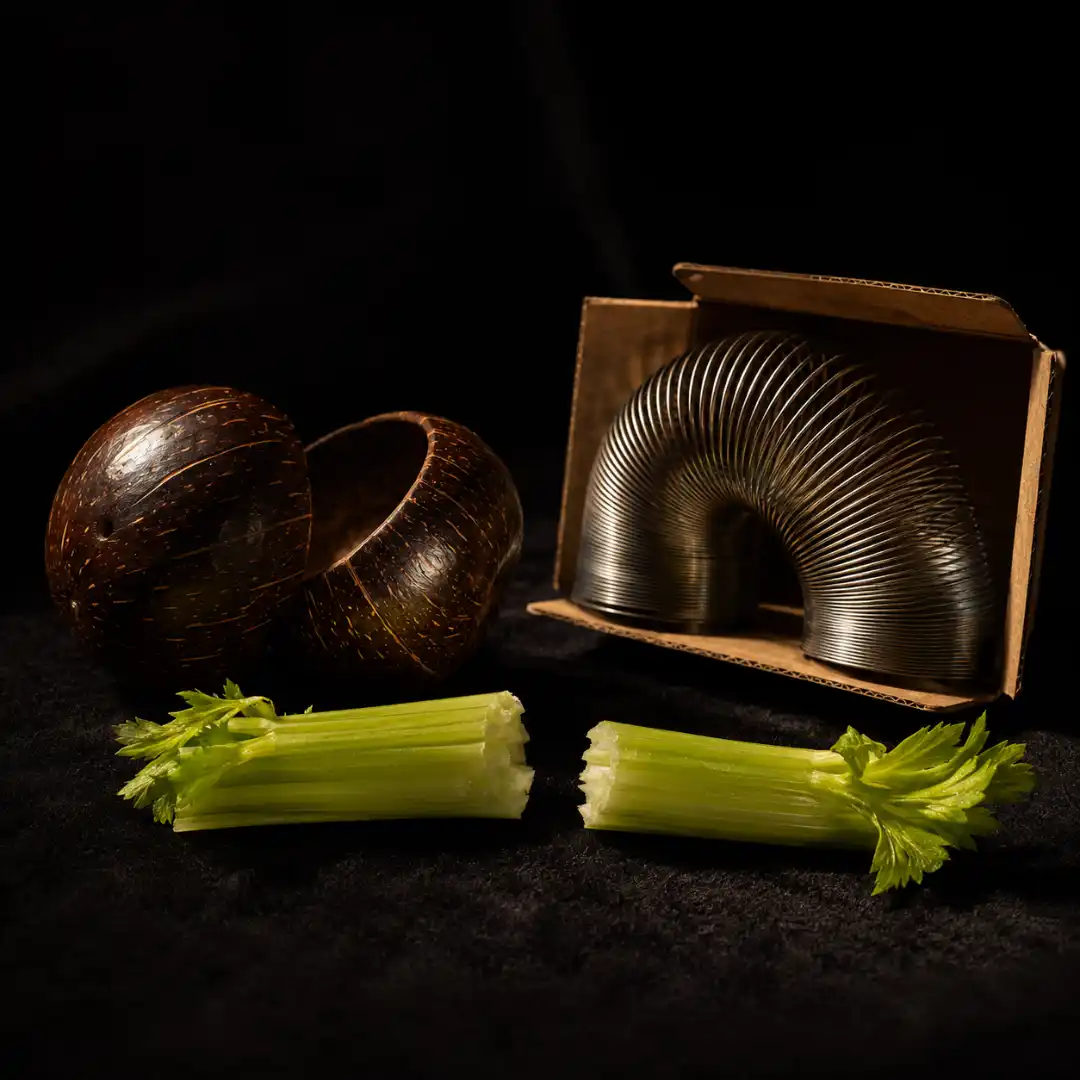
- Celery for bone breaks. It really does work, and The Dark Knight famously used it.
- Frozen romaine lettuce, melons, and cabbages for gore and heavier injuries
- A heavy phonebook (if you still have one) for body punches
- Wet sponges in a bowl for the squishy stuff. Foley artists love a wet sponge.
Weather and ambience
Weather is the surprise win of home foley because you don’t need to wait for the actual weather:
- Rain: AB at B&H has the technique nailed. Record a kitchen sprayer hitting a metal sink for high-end rain-on-roof timbre, then record water splashing into a sponge in a deep basin for the low-end body. Layer the two and you have credible rain.
- Wind: a stiff piece of card waved past the mic, or a heavy fabric drag.
- Thunder: Ruth’s “thunder tube” is a piece of PVC pipe with a tensioned spring through the middle, capped with a drum head. Easy DIY build, and you can layer it underneath a library bed for body.
Hero props worth hunting for
A few iconic items punch way above their weight:
- Coconut shells, cut and padded, for hooves. Monty Python made the joke, but Hollywood still uses them.
- A Slinky in an open cardboard box. Strike the spring near the box opening and you get the original Star Wars blaster sound. The box acts as a resonance chamber.
- A bundle of crumpled audio tape or VHS tape for grass, brush, and tall foliage. The Revenant famously used paper inside plastic film for its dry prairie crunch.
- Ruth’s “sea sausage,” a tube of fabric filled with gravel, rocked gently. Sounds shockingly like waves on a pebble beach.
The Prop Substitution Table
The 5-step home foley recording workflow
Step 1: spot the scene
Watch your picture lock all the way through once with no audio. Take notes. Every diegetic sound that needs replacing or reinforcing gets a row in a simple spreadsheet: scene timecode, sound, category (footsteps, cloth, specifics), and prop idea. The Backstage walkthrough calls this “watch and notate, gather props, break a scene down into individual sounds,” and it’s the single most skipped step by beginners.
Step 2: choose your perspective
Foley performance is acting. Same scene, different camera distance, completely different intensity. Bastian Gerner explains the rule perfectly:
If the thing is moving very heavily you have to increase the action, and then when it’s more still or the perspective changes to a more distant view or not that important view, let’s say, you also have to then decrease your performance and make it less present.
Foreground close-ups need detail and confidence. Wide background characters need restraint. Get this wrong and your foley screams “foley.”
Step 3: set up and rehearse
Mic placement varies by category. A safe starting point:
- Cloth: large-diaphragm condenser at roughly 1 meter
- Footsteps: shotgun mic angled toward the surface box, 60 to 80 cm away
- Detail props (keys, glass, pens): mic close at 20 to 30 cm, off-axis to avoid plosives and clicks
Borrow Bastian’s home-studio signal chain as a starting point: a high-pass filter to kill rumble, a transient designer to control attack, a touch of EQ, a light compressor, and a tiny amount of reverb to glue. That’s a clean foley sound before you’ve even loaded a creative plugin.
Rehearse the prop handling before you roll. As Gerner says about cloth:
It’s very important to know how you handle the thing so that you can control it over the scene.
Step 4: perform to picture
Loop the scene. Record multiple passes. For a multi-character cloth scene, do one pass per character. AB at B&H makes this explicit in his Loyalist breakdown:
I decided to do three separate tracks of hay movement, each corresponding to one of the three characters in the scene. This way I could focus on one person’s movement at a time and put them together to create a seamless performance.
A pro tip that’s easy to miss: wear quiet clothing while you perform. Bastian’s hidden gem at the end of his video is that the heavily-textured outfit he wore on camera was specifically the wrong outfit for foley work. Soft cotton sweats are the foley artist’s uniform for a reason.
Step 5: edit and sync
Drop your takes onto a timeline, line them up with picture, and use clip-gain automation (not just the fader) to shape tails and hide takes you don’t want. As Gerner shows in his editing walkthrough, you’ll do two things on every clip:
I changed the timing in order to make it sync and match with the picture, and then I used clip gain in order to hide certain sounds that I didn’t want to hear here or especially make an ending of a cloth movement smoother.
Once your foley is synced, you can layer simple foley recordings into cinematic audio by stacking ready-made SFX underneath your hand-recorded performance. That’s where production-ready libraries earn their keep, and where the Pixflow Sound Effects Library becomes the quiet half of every great mix.
Recording foley in your DAW: Premiere Pro, DaVinci Resolve, and Pro Tools
Premiere Pro
Premiere isn’t a pro audio tool, but it’s where many video editors will record their first foley pass, and that’s completely fine.
- Use the Voice-Over Record button on any audio track (built into the timeline header)
- Pre-roll and post-roll your scratch picture so you can perform into the shot
- Use the Essential Sound panel’s “SFX” preset for a quick cleanup pass on the recorded clips
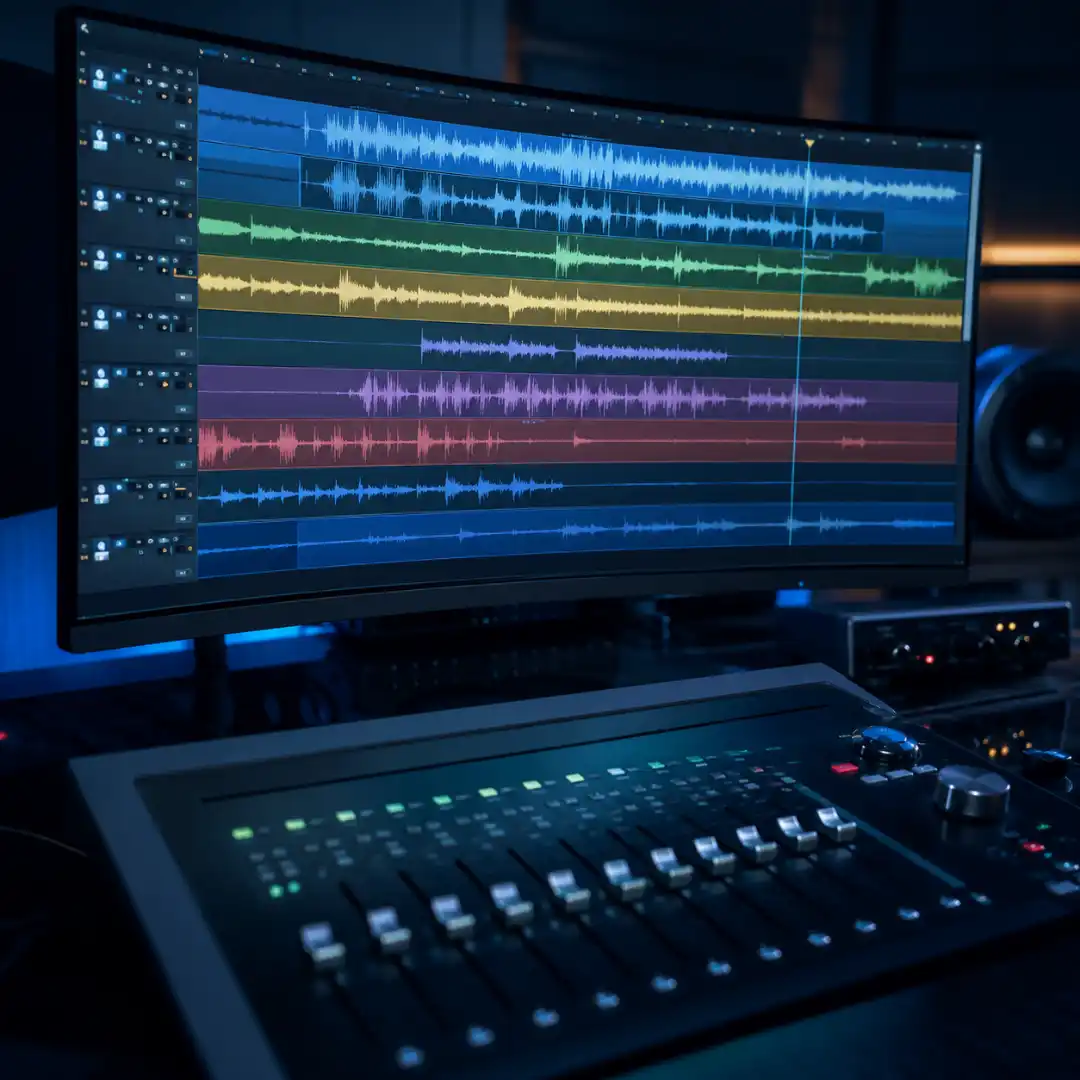
- Stack tracks: A1 dialogue, A2 to A4 foley footsteps, cloth, and specifics, A5 and up music and beds
When you’re ready to do the actual final mix, our walkthrough on how to mix everything together in Premiere Pro covers stems, levels, and basic mastering.
DaVinci Resolve / Fairlight
If you don’t have Pro Tools, DaVinci Resolve’s Fairlight page is the best zero-cost post-audio environment available. Bus routing, ADR tools, and basic foley patches are all built in.
Set up three stems on day one and never break them: FS (footsteps), CL (cloth), and SP (specifics). Hollywood mixes foley the same way for a reason. You keep flexibility in the mix all the way through final delivery.
Pro Tools
The reason every post-house standardizes on Pro Tools is the workflow ergonomics for sync, punch-in recording, and playlist takes. If you’re serious about post audio, learn it. You can also do excellent foley work without it for years.
Universal editing tips
A few habits that survive any DAW:
- Always clean up before you process: a high-pass filter at 60 to 80 Hz removes rumble, a gentle dip around 250 to 400 Hz removes box-y mud, and very light compression (2:1 ratio, 3 to 4 dB of gain reduction) glues your takes. For a deeper dive, see our explainer on how to clean up and mix your foley with basic EQ and compression.
- Use clip-gain over fader automation for tail shaping.
- Crossfade every cut on a continuous cloth pass to avoid clicks.
- Treat your foley as part of the same family as dialogue. The principles in our dialogue editing workflow, like de-noise, de-ess, and sibilance control, apply just as cleanly to foley breaths and effort sounds.
DIY foley vs. sound effect libraries: when to record vs. license
Recording your own foley makes sense when:
- The sound is sync-critical (hero footsteps, hero cloth, weapon handling)
- The character has a distinct fabric, gait, or prop signature
- You need a sound that doesn’t exist cleanly in any library (a specific door, a specific shoe on a specific tile)
- You have the time and the prop on hand
Library SFX wins when:
- The sound is background and the audience will never see the source
- The deadline is tight
- The sound is dangerous or impractical to record (gunshots, real explosions, large vehicle interiors)
- You want a polished, mix-ready oneshot you can drop in and forget
Most working video editors run roughly an 80/20 split: 80 percent library, 20 percent bespoke foley, with the bespoke 20 percent sitting on top of the picture’s most important moments. That’s why the second half of every foley artist’s workflow is reaching for a library. The Pixflow Sound Effects Library is built for exactly this: production-ready, broadcast-clean SFX you can layer underneath your home-recorded performance for instant cinematic body.
Whatever ratio you settle on, weave a healthy bed of ambient sound under your foley into every scene. Ambience is the glue that hides micro-drift in your sync, and it’s the difference between “this sounds like a film” and “this sounds like a recording.” For the broader mixing context, our sound design for film guide ties all of this together.
Pairing foley with voice: ADR, breaths, and AI voiceover
A few practical moves:
- Always record breaths, sighs, grunts, and effort sounds as a dedicated foley pass. The actor’s on-set vocals will rarely sync to your final edit, and a clean breath track is the cheapest way to make a scene feel real.
- For ADR (automated dialogue replacement) you can rebuild a missing line at home with the same mic and signal chain you use for foley. Pre-record the actor reading the line into the cleanest mic you have, in the quietest room you have, and edit it back in next to the foley.
- When you can’t get the actor back, or you’re producing motion-design content solo, an AI voiceover can fill the gap. The Pixflow AI Voiceover tool generates natural-sounding lines you can drop into a scratch cut or even ship in the final mix, depending on the project.
The technical workflow is identical to foley: record (or generate) clean, edit on a dedicated track, EQ and gate lightly, and bus it next to your other vocal stems.
Famous foley examples that started at home (or almost)
- Star Wars lasers: Ben Burtt struck the tensioning wire on a radio tower for the original blaster, then later recreated similar snaps with a Slinky in a box. The simplest hero prop in cinema.
- The Dark Knight bone crunches: fresh celery, snapped hard close to the mic. Christopher Nolan’s team did dozens of takes per fight.
- The Revenant grass and brush: paper inserted inside plastic film, dragged across a surface, courtesy of No Film School’s breakdown of 21 iconic foley sounds.
- Indiana Jones’s boulder: Ben Burtt rolled a Honda Civic down a gravel hill. Yes, really.
- Lightsabers: Burtt again, this time combining the hum of an old film projector with the buzz from a TV picture tube.
- Wall-E’s character sounds: a mix of vocal performances and everyday motors and switches, all performed and edited by Burtt across the entire film.
The pattern is the same in every example. A small, weird, deeply specific recording, often performed at home or on an empty stage, layered into something audiences accept as “real.” If you want to push this aesthetic toward its scariest end, our piece on horror sound design leans hard into bespoke foley and the deliberate use of silence.
Common mistakes beginners make (and how to fix them)
- Wearing noisy clothing while performing. Soft cotton only, no zips, no nylon. Bastian’s on-camera blooper is the working artist’s hard-won reminder.
- Mic too far from the prop. Distance equals room. Get close, then back off only if the perspective demands it.
- Performing one pass for a multi-character scene. You lose mix separation. Do a pass per character and label your tracks.
- Forgetting perspective. Foreground-intensity foley on a background character will feel wrong even if every other ingredient is perfect.
- Compressing all of it onto a single track. Always split into stems (FS / CL / SP) so the mixer (which is also you, later) can balance them.
- Skipping cleanup. Light EQ and a touch of de-noise saves takes you’d otherwise throw away.
- Matching the visual instead of the sound. Foley’s foundational maxim: audio tape sounds like grass, even though it looks nothing like grass. Trust your ears, not your eyes.
- Recording in a bright room with no treatment. Reflections turn confident takes into thin, distant smudges. Blankets are not optional.
Quick checklist before you hit record
- Picture lock loaded in the DAW with timecode visible
- Mic positioned, gain set, headphones on, room as quiet as you can make it
- Wearing soft, quiet clothing (no zips, no nylon, no jewelry)
- Props within reach and organized by scene
- Scratch dialogue muted, music muted, ambience optional as a reference
- Three foley stems (FS, CL, SP) created and armed before you start
- A clean test take recorded, played back, and approved before you start the real pass
Conclusion
When you need polish under your performance, layer the Pixflow Sound Effects Library underneath your hand-recorded foley for production-ready cinematic body. When you need a line of dialogue you can’t get from the actor in time, drop in a Pixflow AI Voiceover and treat it like ADR. Sit your foley, your library SFX, and your voice tracks side by side, and you’ve reproduced the structure of a real post-audio session in your bedroom.
For the broader picture, the sound design for film guide covers everything that wraps around your foley: ambience, music, mixing, and delivery. Read it next, then go make some weird sounds in your kitchen. Your timeline (and your future audience) will thank you.
Disclaimer : If you buy something through our links, we may earn an affiliate commission or have a sponsored relationship with the brand, at no cost to you. We recommend only products we genuinely like. Thank you so much.
Blog Label:



Write for us
Publish a Guest Post on Pixflow
Pixflow welcomes guest posts from brands, agencies, and fellow creators who want to contribute genuinely useful content.
Fill the Form ✏